Table of Contents
A barcode generator from link allows you to instantly convert any website URL into a scannable barcode that redirects users to a specific page. Whether you’re connecting product packaging to a landing page, turning a printed flyer into a digital campaign, or enabling quick access to online documents, link-based barcodes bridge physical and digital experiences.
But not all link barcodes are equal.
Some are static and uneditable. Others are dynamic, trackable, and built for marketing analytics. In this complete guide, you’ll learn how a barcode generator from link works, the difference between static and dynamic link barcodes, business use cases, tracking capabilities, ROI considerations, and how to choose a professional solution.
What Is a Barcode Generator from Link?
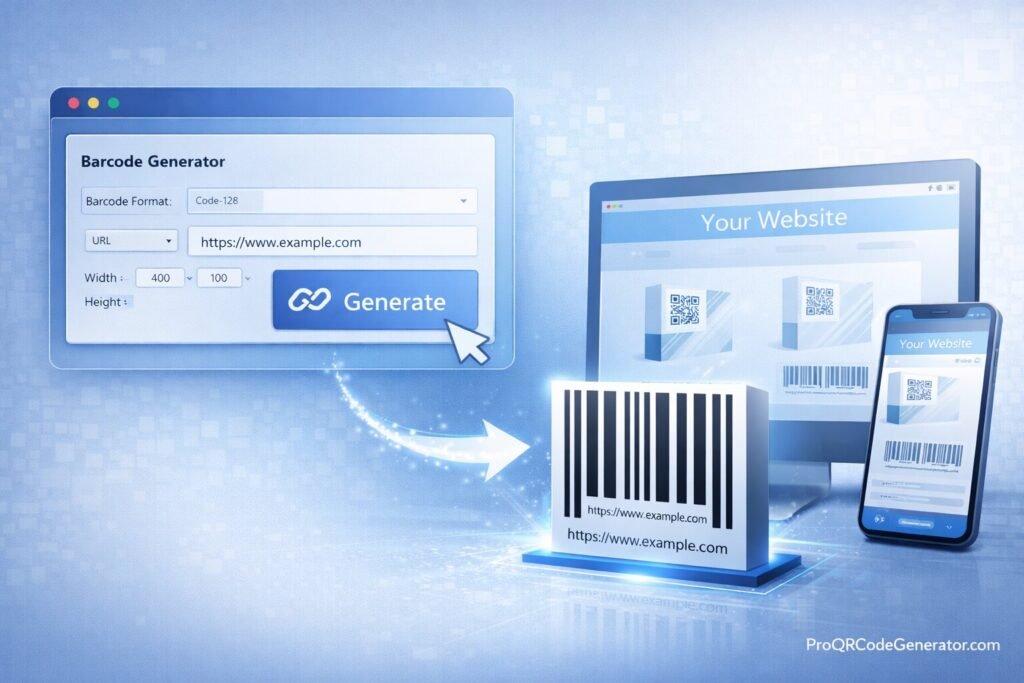
A barcode generator from link is an online tool that encodes a URL into a scannable barcode format. When scanned using a compatible device or scanner, the barcode redirects the user to the embedded web address.
At its simplest level, the process involves:
- Taking a URL (e.g., https://example.com)
- Encoding it into a barcode format
- Generating an image file (PNG, SVG, PDF, etc.)
- Printing or distributing that barcode
More advanced platforms add dynamic editing, analytics tracking, branding customization, and unlimited scan capacity.
Static vs Dynamic Link Barcodes
Understanding this distinction is critical before choosing a tool.
| Feature | Static Link Barcode | Dynamic Link Barcode |
|---|---|---|
| Editable After Printing | No | Yes |
| Scan Tracking | No | Yes |
| Change Destination URL | No | Yes |
| Campaign Analytics | No | Yes |
| Business Scalability | Limited | High |
A static barcode permanently embeds the URL. If the page changes or the campaign evolves, you must reprint everything.
A dynamic barcode—typically created with a professional barcode generator from link—uses a redirect layer. This means:
- You can update the destination URL anytime
- You can monitor scan data
- You can optimize campaigns in real time
For businesses, dynamic functionality is often essential.
How a Barcode Generator from Link Works
Step 1: URL Encoding
When you use a barcode generator from link, the system encodes the full web address into machine-readable format using a supported symbology such as:
- Code 128
- Code 39
- EAN-based formats (limited for long URLs)
Code 128 is commonly used for encoding alphanumeric data, including URLs.
Step 2: Barcode Rendering
The tool converts encoded data into:
- High-resolution PNG
- Vector SVG
- EPS or PDF for professional print
Vector files are recommended for packaging and large-format printing.
Step 3: Hosting & Redirection (Dynamic Only)
In advanced systems, the URL is not embedded directly. Instead:
- The barcode contains a short redirect link.
- That link points to a cloud server.
- The server redirects users to your chosen destination.
This architecture enables:
- Editable URLs
- Scan tracking
- Performance analytics
Platforms like ProQRCodeGenerator.com apply this dynamic infrastructure to allow businesses to modify destinations even after printing thousands of labels.
Benefits of Using a Barcode Generator from Link
1. Offline-to-Online Integration
A barcode generator from link transforms physical materials into digital gateways:
- Product packaging → product tutorials
- Print ads → landing pages
- Brochures → booking forms
- Event badges → registration portals
This bridges physical marketing with measurable digital engagement.
2. Campaign Tracking & Analytics
Professional platforms allow you to measure:
- Total scans
- Unique users
- Geographic distribution
- Device type
- Time-based engagement patterns
This converts a simple barcode into a marketing intelligence tool.
3. Editable Campaigns
If your landing page changes:
- No reprinting required
- Update destination in dashboard
- Continue using same printed barcode
This flexibility dramatically reduces operational costs.
4. Branding & Customization
Business-grade barcode generators allow:
- Custom color schemes
- Logo embedding
- Brand-aligned design
- High-resolution export
This ensures consistency across marketing materials.
Business & Industry Use Cases
Retail & Smart Packaging
Retail brands use a barcode generator from link to:
- Connect packaging to product videos
- Offer loyalty program enrollment
- Drive reorders
- Promote seasonal campaigns
Dynamic editing allows seasonal URL changes without altering packaging.
Events & Promotions
Event organizers embed link barcodes into:
- Tickets
- Posters
- Booth materials
They track which marketing channel generated the most engagement.
Logistics & Supply Chain
Companies use link-based barcodes to:
- Connect shipments to tracking portals
- Link pallets to digital documentation
- Manage warehouse inventory
Education & Corporate
Applications include:
- Linking printed handbooks to updated PDFs
- Connecting employee badges to internal portals
- Providing secure document access
Step-by-Step: How to Convert Any URL Using a Barcode Generator from Link
Step 1: Copy Your URL
Ensure the link:
- Uses HTTPS
- Is fully functional
- Is optimized for mobile
Step 2: Choose Barcode Type
For URLs, Code 128 is generally preferred due to alphanumeric support.
If the goal is smartphone scanning, QR codes may offer broader compatibility. However, a barcode generator from link remains useful for industrial scanners and retail systems.
Step 3: Paste & Generate
- Paste your URL
- Customize branding
- Choose file format
- Generate code
Step 4: Test Before Printing
Always test:
- Multiple devices
- Different lighting conditions
- Print samples
Step 5: Monitor & Optimize (Dynamic)
If using a professional solution:
- Track scans
- Adjust landing page
- Improve conversion rates
Solutions such as ProQRCodeGenerator.com provide dashboard analytics to support optimization.
Barcode vs QR Code for Links
While both can encode URLs, there are differences.
| Feature | Traditional Barcode | QR Code |
|---|---|---|
| Data Capacity | Limited | High |
| Smartphone Native Support | Limited | Universal |
| Industrial Scanner Support | High | Moderate |
| Visual Branding Options | Moderate | High |
| Marketing Tracking | Dynamic Only | Dynamic Only |
For marketing campaigns, QR codes are often preferred.
For retail, logistics, and POS systems, traditional barcodes remain essential.
A professional SaaS platform may offer both within the same dashboard.
Analytics & ROI from URL Barcodes
Key Metrics
When using a dynamic barcode generator from link, track:
- Scan volume
- Unique vs repeat scans
- Geographic data
- Time distribution
- Conversion rate
Example ROI Scenario
Campaign results:
- 5,000 brochures distributed
- 1,200 scans recorded
- 240 conversions
- $25 average profit per conversion
Revenue attributed: $6,000
If platform cost = $29/month, ROI is clear.
Tracking transforms a barcode from passive utility to measurable marketing asset.
Common Mistakes to Avoid
- Using static barcodes for campaigns
- Printing low-resolution images
- Ignoring quiet zone spacing
- Linking to non-mobile-optimized pages
- Not testing before mass production
- Choosing tools without analytics
A professional barcode generator from link helps prevent these operational risks.
Security & Compliance Considerations
When generating link barcodes, ensure:
- HTTPS redirection
- Encrypted data transmission
- GDPR compliance if tracking users
- Secure hosting infrastructure
Enterprise-grade platforms implement secure redirect layers to prevent tampering or downtime.
Frequently Asked Questions
How do I create a barcode from a link?
Copy the URL, paste it into a barcode generator from link, select format, generate, and download.
Can I edit the link later?
Only if the barcode is dynamic.
Is it free?
Basic tools are free, but professional platforms provide analytics, branding, and scalability.
Can I track scans?
Yes, with dynamic barcode solutions.
Does it work on all devices?
Industrial scanners read traditional barcodes. Smartphones more easily read QR codes.
Can I generate multiple barcodes at once?
Professional tools offer bulk generation via CSV or API.
Are scans unlimited?
Most paid SaaS platforms provide unlimited scans.
Is a Barcode Generator from Link Worth It?
If you only need a one-time, non-trackable barcode, free tools may be sufficient.
However, businesses that require:
- Campaign tracking
- Editable URLs
- Analytics dashboards
- Brand customization
- Enterprise reliability
Benefit significantly from a professional barcode generator from link.
Modern platforms such as ProQRCodeGenerator.com combine dynamic editing, unlimited scans, customization, and performance tracking into a centralized cloud dashboard—making link-based barcodes measurable, scalable, and business-ready.
In competitive markets, the difference between static and dynamic infrastructure directly impacts ROI.
If your organization prints materials at scale, runs marketing campaigns, or integrates physical assets with digital systems, investing in a professional barcode generator from link ensures flexibility, performance visibility, and long-term scalability.