
Table of Contents
A recurring question among sales professionals, local business owners, and customer support teams optimizing their offline-to-online funnels is: Can I create a QR code for my phone number? The short answer is yes. In fact, deploying a click-to-call QR code is one of the highest-converting strategies you can implement for bridging physical marketing materials with immediate inbound communication. Instead of forcing a prospect to manually type a ten-digit number from a billboard, flyer, or product package—a process fraught with friction and misdials—a phone number QR code initiates a call with a single scan.
This comprehensive click-to-call setup guide explores the technical mechanics, strategic business applications, tracking methodologies, and exact steps required to implement professional-grade phone number QR codes in 2026.
What is a Click-to-Call QR Code?
A click-to-call QR code (often referred to as a Phone Number QR Code) is a two-dimensional barcode programmed with a specific command that tells a scanning device to open its native phone dialing application.
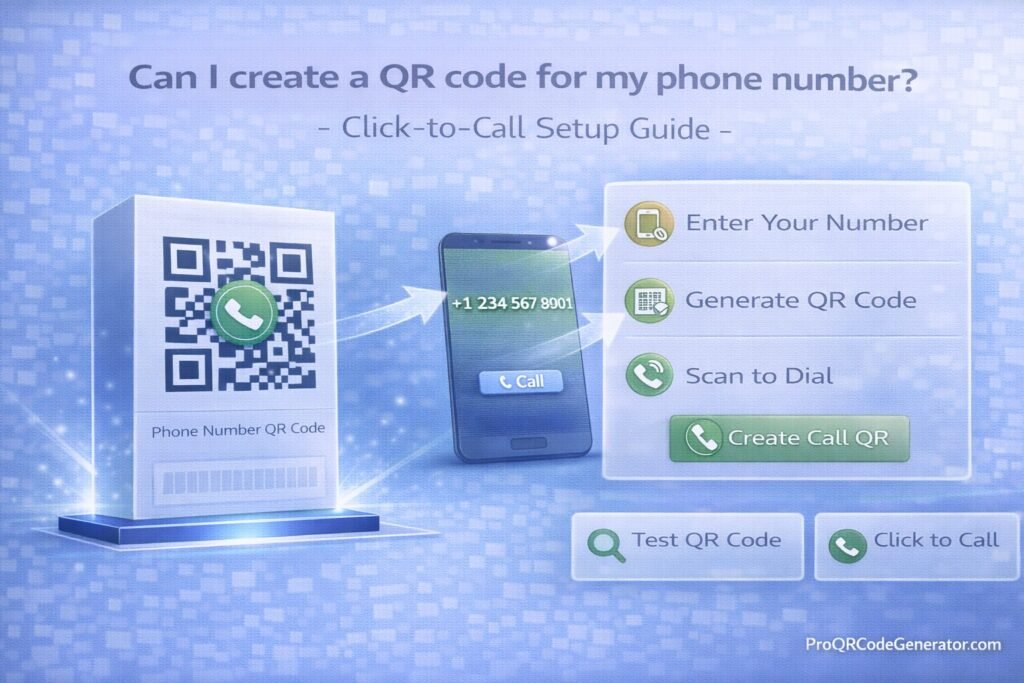
Unlike a standard URL QR code that directs traffic to a landing page, this specialized code type is built entirely around direct, real-time communication. When a user points their iOS or Android camera at the code, a prompt instantly appears on their screen displaying your business number. The user simply taps “Call,” eliminating the need to memorize or manually punch in digits.
How Does a Phone Number QR Code Work?
To fully grasp the utility of this tool, it helps to understand the underlying data structure. QR codes function by interpreting specific Uniform Resource Identifier (URI) schemes.
While a website QR code uses the http:// or https:// scheme, a phone number QR code utilizes the tel: protocol.
When you generate the code, the backend data looks something like this: tel:+1234567890.
- The Scan: The smartphone camera’s optical character recognition identifies the matrix.
- The Interpretation: The mobile operating system reads the
tel:prefix. - The Action: Security protocols prevent the phone from dialing automatically (to prevent toll fraud). Instead, it pre-fills the native dialer app with the provided number and waits for the user’s final tap to initiate the call.
This built-in safety mechanism ensures a seamless yet secure user experience.
The Business Benefits of Click-to-Call QR Codes
Integrating phone number QR codes into your marketing collateral fundamentally shifts how consumers interact with your brand. The benefits are measurable and immediate:
1. Frictionless Lead Generation
Every step you force a customer to take reduces your conversion rate. By condensing the process of reading, memorizing, and typing a number into a single point-and-scan action, you drastically reduce prospect drop-off.
2. Zero Misdialed Connections
A transposed number means a lost sale. Click-to-call codes eliminate human error. The exact number, including necessary country or area codes, is flawlessly transferred to the caller’s device every single time.
3. Immediate Customer Support
For post-purchase experiences, placing a support number QR code directly on a product or its packaging allows frustrated customers to reach a human instantly, improving retention and reducing negative online reviews.
High-Impact Business Applications
Answering “Can I create a QR code for my phone number?” is only half the equation; knowing where to place it dictates your success.
- Direct Mail Campaigns: Add a scan-to-call code to postcards offering seasonal services (e.g., landscaping, roofing) to drive immediate inbound inquiries.
- Out-of-Home (OOH) Advertising: Billboards, bus stop posters, and subway ads have short viewing windows. A quick scan allows commuters to save the number and initiate the call when they are off the road.
- Product Packaging: Consumer electronics and complex machinery can feature a “Scan for Technical Support” QR code directly on the casing.
- Service Vehicles: Fleet wraps for plumbing, HVAC, or electrical companies become mobile lead-generation assets when equipped with a large, scannable phone QR code.
Industry Examples of Phone Number QR Codes
Real Estate
A prospective buyer drives past a “For Sale” sign. Writing down the listing agent’s number while driving is dangerous and inefficient. By placing a large click-to-call QR code on the sign rider, the buyer’s passenger can scan it, instantly calling the agent to schedule a walkthrough while parked out front.
Hospitality and Restaurants
Hotels place customized QR codes in guest rooms for room service or concierge access. Instead of navigating a clunky hotel landline, guests scan the code with their personal device to instantly connect with the front desk.
B2B Industrial Equipment
Manufacturers of industrial boilers or HVAC systems place a heavy-duty, weather-resistant click-to-call code directly on the hardware. When maintenance is required, the onsite facility manager scans the code to immediately dial the manufacturer’s emergency repair dispatch.
Step-by-Step Guide: How to Create a Click-to-Call QR Code
Creating a professional, reliable QR code requires a structured approach. Here is the best-practice click-to-call setup guide.
Step 1: Choose an Enterprise-Grade Generator
Avoid generic, ad-supported websites. For business deployments, select a professional SaaS platform. Using a dedicated system like ProQRCodeGenerator.com ensures your codes remain active, secure, and fully trackable without injecting unwanted third-party advertisements.
Step 2: Select the Phone or Call QR Type
Navigate your dashboard and select the Phone Number (or tel:) data type.
Step 3: Input the Number (With International Formatting)
This is a critical point of failure for many. Always use the E.164 international standard formatting. Start with the plus sign (+), followed by the country code, area code, and the local number.
- Incorrect: (555) 123-4567
- Correct: +15551234567
Step 4: Customize for Brand Cohesion
A plain black-and-white square lacks trust. Customize the data matrix:
- Brand Colors: Align the QR code with your corporate color palette (ensuring high contrast).
- Center Logo: Embed a subtle phone icon or your company logo in the center of the code.
- Frame and CTA: Add a border with a clear Call-to-Action, such as “Scan to Call Now.”
Step 5: Test Across Operating Systems
Before sending the asset to print, test the code using both a modern iPhone (iOS) and a modern Android device to ensure the dialer prompt triggers correctly.
Would you like to streamline this process? Try creating your first customized click-to-call code using the intuitive builder at ProQRCodeGenerator.com.
Static vs. Dynamic Phone Number QR Codes: A Comparison
When generating a phone number QR code, you must choose between a static and a dynamic architecture. This decision impacts long-term viability and analytics.
| Feature | Static Phone QR Code | Dynamic Phone QR Code |
| Data Storage | The phone number is hard-coded directly into the visual pattern. | The code points to a short URL, which then instantly redirects to the tel: command. |
| Editability | No. If your business number changes, the code is permanently broken. | Yes. You can update the destination phone number in the backend at any time without reprinting. |
| Visual Density | Simple matrix, but inflexible. | Extremely clean matrix; scans faster from a distance. |
| Call Tracking | None. You cannot measure scan activity. | Comprehensive. Tracks scan time, location, and device type before the dialer opens. |
For serious business and marketing use cases, Dynamic QR codes are the industry standard. They provide an essential layer of insurance; if a call center routing number goes down, a dynamic code can be instantly re-routed to a backup line.
Analytics and Call Tracking: Measuring Your ROI
If you are running a multi-channel marketing campaign, attribution is everything. A standard static code leaves you blind, but a dynamic click-to-call QR code provides rich, actionable data.
By utilizing advanced analytics, you can monitor:
- Scan Volume by Location: Discover which geographic regions or specific billboard placements are driving the most inbound calls.
- Time-Based Engagement: Track the exact days and hours your codes are scanned, allowing you to optimize call center staffing schedules.
- Device Metrics: Understand whether your audience primarily uses iOS or Android, which can inform future mobile app development or targeted ad spend.
When you use a platform like ProQRCodeGenerator.com, this data is aggregated into a clean, exportable dashboard, allowing your marketing team to calculate exact cost-per-lead metrics for offline campaigns.
The True ROI of Frictionless Call Generation
Consider a direct mail campaign sent to 10,000 households with an acquisition cost of $5,000.
If you use a traditional printed phone number, a 0.5% conversion rate yields 50 calls. However, if the friction of dialing causes a 20% drop-off (people intending to call but getting distracted before dialing), you lose 10 high-value leads.
By implementing a prominent, branded click-to-call QR code, you capture that lost intent. If those 10 leads convert at a standard 20% close rate with a customer lifetime value of $1,500, the QR code effectively rescued $3,000 in revenue from a single campaign. The ROI of upgrading to a professional QR SaaS platform pays for itself within the first successful scan.
Critical Mistakes to Avoid When Generating Phone QR Codes
Even the best strategy fails with poor execution. Avoid these common implementation errors:
- Forgetting the Country Code: If a tourist or an international client scans a local-format number, the call will fail. Always use the
+and country code. - Poor Contrast Ratios: Designing a light-gray QR code on a white background will render it unscannable. The code must be significantly darker than its background.
- Sizing Issues: A QR code on a business card can be 1 inch by 1 inch. A QR code on a billboard must be massive. A general rule of thumb is a 10:1 ratio (scanning distance to code size).
- No Context or CTA: A naked QR code is suspicious. Users will not scan it if they don’t know what it does. Always include text like “Scan to Speak with Sales.”
Optimization Tips for Maximum Scan-to-Call Conversions
To dominate your local market or maximize campaign efficiency, follow these optimization protocols:
- Pair with a Vanity Number or Call Tracking Software: Route your dynamic QR code to a dedicated VoIP tracking number (e.g., via CallRail or RingCentral). This allows you to record the call quality alongside the scan data.
- Utilize SVG Vector Formats: When downloading your generated code for print collateral, always choose SVG or EPS formats. This ensures the code remains perfectly crisp whether printed on a flyer or a vehicle wrap, preventing blurred pixels that hinder scanning.
- Incentivize the Call: Give the scanner a reason to act. Use framing text like, “Scan to Call for a Free Consultation” or “Scan for 10% Off Your Phone Order.”
Security Considerations: Preventing Toll Fraud and Number Scraping
With the rise of automated data scraping, simply printing a phone number on a public website or billboard exposes it to spam bots.
Defending Against Hijacking
If you use a free, untrusted generator, you are vulnerable to “quishing” (QR phishing). A malicious provider can alter the backend of a free code months after you print it, redirecting your customers to a premium-rate scam number, resulting in massive brand damage.
Using a secure, SOC2-compliant platform mitigates this risk. Enterprise tools lock down your dynamic links, utilize SSL encryption for the redirect pathway, and feature multi-factor authentication (MFA) to ensure only authorized team members can edit destination numbers.
Frequently Asked Questions (FAQ)
Can I create a QR code for my phone number for free?
Yes, there are free generators available for static phone number codes. However, they lack tracking, cannot be edited if your number changes, and often provide no security guarantees. For business use, a paid dynamic solution is recommended.
Will a click-to-call QR code automatically start the phone call?
No. For security reasons, iOS and Android operating systems require the user to confirm the action. The scan will open the dialer app and pre-fill the number, but the user must press the green “Call” button to initiate the connection.
Can I track who scanned my phone number QR code?
You cannot track Personally Identifiable Information (PII) like the scanner’s name or personal phone number due to privacy laws (GDPR/CCPA). However, with a dynamic code, you can track the total number of scans, geographic location (city/region), time of scan, and device type.
What happens if I change my business phone number?
If you used a static code, you must reprint all materials. If you used a dynamic code via a professional platform, you simply log into your dashboard, update the destination number, and the printed code will instantly route to the new line.
Conclusion: Making Every Scan a Conversation
So, can I create a QR code for my phone number? Absolutely. But beyond the simple technical execution lies a powerful conversion optimization strategy.
In a digital landscape where consumers demand instant gratification, forcing them to manually dial a ten-digit number is an antiquated practice. A click-to-call QR code removes the friction from your customer journey, bridging the gap between physical marketing and direct human connection in less than a second. By avoiding static limitations and embracing dynamic tracking, you turn every piece of offline collateral into a measurable lead-generation asset.
Don’t let valuable inbound calls slip through the cracks due to manual entry errors or lack of convenience.

