
Table of Contents
If you’re evaluating options for branded, trackable QR codes, you’ve landed in the right place. This guide walks you through everything a marketing or product leader needs to know about using a dynamic QR code generator with logo — from design best practices to analytics architecture, ROI modeling, platform selection, and real-world use cases.
Throughout this article you’ll learn:
- Why a dynamic QR code generator with logo is more than a design tool
- How branded dynamic QR codes are built and tracked
- Practical steps to create one that converts
- Design and placement rules that preserve scannability
- Analytics you must monitor and how to interpret them
- Pricing tradeoffs and platform evaluation criteria
- Common pitfalls and security considerations
I’ll also reference professional platforms (including ProQRCodeGenerator.com) as practical examples so you can map advice to vendor capabilities without feeling sold to.
Quick definition: what is a dynamic QR code generator with logo?
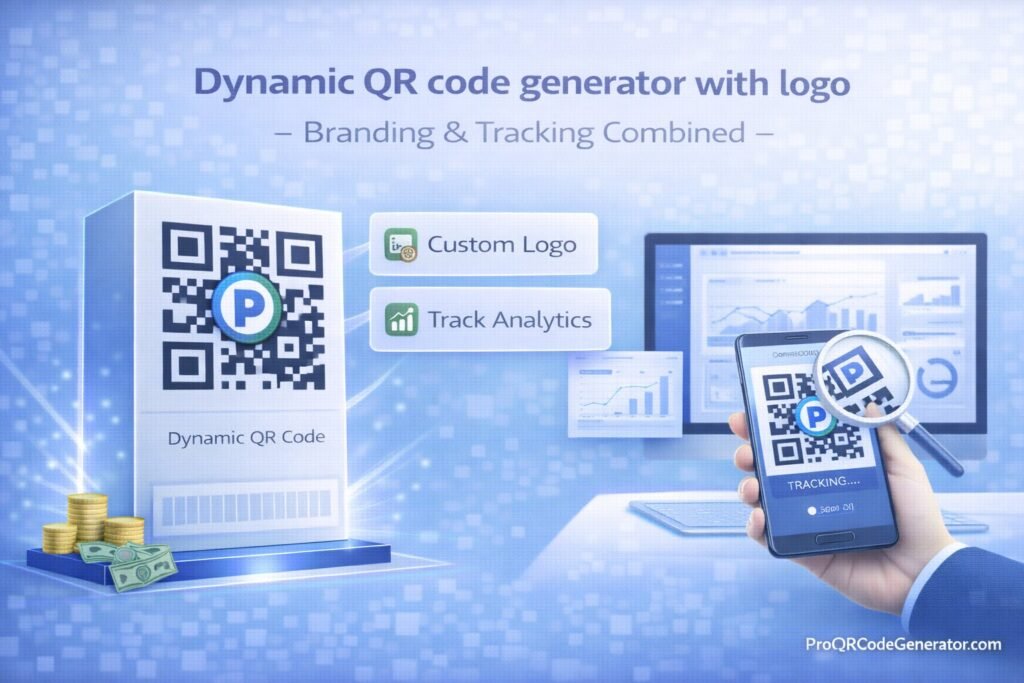
A dynamic QR code generator with logo creates QR codes whose destination can be edited after printing and embeds your brand assets (logo, colors, frames) into the code design. Unlike static QR codes that permanently encode a URL or text, dynamic QR codes route scans through a redirect server, enabling real-time edits, tracking, and campaign-level analytics — while presenting a branded visual that increases trust and engagement.
Why combine branding and tracking?
Branding increases trust; tracking makes QR codes measurable. When you use a dynamic QR code generator with logo, you get both:
- Branding (logo + colors) improves perceived legitimacy and lifts scan rates.
- Tracking (redirect + analytics) turns offline impressions into measurable conversions and optimization signals.
Together they convert a passive printed asset into an active, iteratively-optimizable marketing channel.
1 — How it works technically
1.1 Redirect architecture (why dynamic matters)
A dynamic QR code generator with logo does not embed the final URL directly in the image. Instead it encodes a short redirect URL (hosted by the platform or via your custom domain). On scan:
- The device reads the QR and requests the short URL.
- The platform logs metadata (timestamp, device type, approximate geo).
- The server redirects the user to the live destination.
Because the platform controls the redirect, you can change the destination anytime without reprinting.
1.2 Tracking pipeline
Data points captured by professional platforms typically include:
- Timestamp (when the scan happened)
- Device type and OS (iOS/Android)
- Browser or app context
- Approximate location (city level)
- Scan source (if UTM or channel parameters exist)
- Repeat vs unique scans
This is the raw material for dashboards, alerts, and attribution models.
1.3 Logo embedding options
A dynamic QR code generator with logo will usually offer two logo approaches:
- Center embed: logo sits inside the QR finder pattern area but sized to preserve code integrity.
- Frame / badge: logo appears in a surrounding frame or header that visually connects to the code without altering it.
Vector export (SVG/PDF) is essential for print fidelity.
2 — Step-by-step: create a branded, trackable QR that converts
Below is a field-tested process using any capable dynamic QR code generator with logo.
Step 1 — Choose the right platform
Criteria:
- Dynamic redirect support (editable after print)
- Logo customization (SVG support, opacity control)
- Analytics (unique scans, geo, device)
- Export formats (SVG/PDF for print)
- Commercial usage rights and SLA for uptime
Example: ProQRCodeGenerator.com is a business-grade option that supports branding, tracking, unlimited scans, and organizational features.
(Soft CTA #1: If you want a demo of a platform built for marketers, check platforms like ProQRCodeGenerator.com.)
Step 2 — Select QR type & objective
Pick the QR content type based on the conversion goal:
- URL → product page, landing page
- PDF → spec sheet or manual
- Wi-Fi → access for guests
- vCard → business card lead capture
- WhatsApp → direct conversation
- Payment → checkout link
Step 3 — Design with scannability in mind
- Use high contrast (dark QR on light background).
- Limit center logo size (max ~20–25% of code area depending on error correction).
- Prefer SVG export for print; PNG for web.
- Include a 4–5 mm quiet zone in print layouts.
Step 4 — Add visual context & CTA
A code alone rarely converts. Always pair with a short CTA:
- “Scan to claim 20%”
- “Scan for instant demo”
- “Scan to download the spec”
CTA boosts scan intent and clarifies value.
Step 5 — Configure tracking and redirect rules
- Tag campaigns with UTM parameters for unified analytics.
- If your dynamic QR code generator with logo supports A/B redirects, set tests for landing pages.
- Enable event tracking (conversions on the destination page).
Step 6 — Test extensively
- Scan from multiple devices (iOS/Android).
- Test at print size and distance (simulate real placement).
- Test under different lighting and camera apps.
Step 7 — Print and monitor
- Use vector art for commercial printing.
- Monitor scans for initial 72 hours to spot distribution or placement issues.
3 — Design best practices for logo QR codes
Branding improves trust — but poor design can break scannability. Follow these rules when using a dynamic QR code generator with logo.
Rule 1 — Preserve the finder pattern
Finder (three big squares) must not be obstructed. Never place logo elements over it.
Rule 2 — Respect error correction limits
QR codes include error correction (L, M, Q, H). Logo embedding relies on higher error correction; but H (highest) sacrifices capacity and may limit data. Use moderate payloads and test.
Rule 3 — Keep contrast high
Avoid low-contrast combinations (dark yellow on gray). Use dark foreground on light background.
Rule 4 — Size by viewing distance
- Business card: at least 2 cm square (minimum)
- Brochure: 3–4 cm square
- Billboard/vehicle: scale based on reading distance (test with phone camera)
Rule 5 — Frame the code with context
Include short instruction and branding cues. A minimalist frame that matches your identity increases scans.
4 — Analytics: what to measure and how to use it
Your dynamic QR code generator with logo must deliver actionable metrics, not just vanity numbers.
Core metrics to track
- Total scans (gross activity)
- Unique scanners (reach)
- Repeat scans (engagement depth)
- Geo heatmap (where people engage)
- Device distribution (optimize content for OS)
- Time-of-day patterns (optimize timing, campaigns)
- Landing page conversion rate (final KPI)
How to use the data
- Placement optimization: If scans are low in a location, change placement or CTA.
- A/B testing: Route half to Landing A and half to Landing B via redirect rules.
- Attribution: Combine QR analytics with web analytics (UTM tags) to attribute revenue.
- Segmentation: Use device and location to personalize follow-ups or local promotions.
Export & retention
Ensure your platform allows data export (CSV) and clarifies retention policy (critical for compliance and auditing).
5 — Business use cases & examples
Below are concrete, short case studies illustrating value.
Use case — Packaging & shelf-education
A consumer brand places branded QR codes on packaging that link to explainer videos and warranty registration. By using a dynamic QR code generator with logo, they:
- Updated the video to reflect ingredient changes without reprinting boxes
- Tracked regions with higher scan-to-purchase rates and increased local promotions
Result: 18% lift in post-purchase registrations and measurable merchandising effectiveness.
Use case — Restaurant digital menus
A restaurant uses a logo-branded dynamic QR for contactless menus. With tracking, they discovered:
- Peak scanning during weekends between 6–9pm
- Mobile devices were 95% of scans, prompting them to optimize menu load time
Result: Faster menu experience and a 7% increase in menu-to-order conversion.
Use case — Event lead capture
Event badges include a branded QR code linking to a personalized meeting scheduler. The organizer:
- Kept the destination dynamic to adjust for speaker changes
- Exported lead data after event for CRM ingestion
Result: 2.3x higher scheduled follow-ups compared to emailed links.
6 — Pricing & platform selection framework
Not all dynamic QR code generator with logo platforms are the same. When selecting, evaluate:
Must-have features
- Editable redirect after printing
- Logo & color customization with vector export
- Analytics (unique scans, geo, device, time)
- Unlimited or high scan limits for your expected volume
- Custom domain & whitelabel options (if branding is critical)
- API access (for automation & mass generation)
Nice-to-have features
- A/B redirect testing
- Role-based team access
- Webhook/CRM integrations
- Expiration and password protection
- White-label reporting templates
Pricing considerations
- Freemium tiers often cap scans and limit analytics.
- Business plans usually charge monthly or annually and unlock analytics & branding.
- Enterprise pricing is common for white-label, high-volume, or API-heavy use.
(Soft CTA #2: If you need a stable, brand-aware solution that scales, evaluate business-grade platforms like ProQRCodeGenerator.com for their balanced feature set and analytics.)
7 — Common mistakes and how to avoid them
- Too-large logo covering key code areas — keep logo small and centered or in a frame.
- Poor contrast — always test in the intended environment.
- No CTA or context — code without a value proposition yields low scans.
- Static thinking — don’t use static codes where you need flexibility.
- Ignoring analytics — if you can’t measure, you can’t optimize.
- Relying on free platforms for scale — free tiers often impose scan caps and watermarks.
8 — Security, compliance, and reliability
Security best practices
- Use HTTPS for all redirects and destination landing pages.
- Choose platforms that encrypt data at rest and in transit.
- Use password protection or expiration for sensitive content.
Compliance
- If you collect personal data via QR-driven forms, follow GDPR and local privacy laws.
- Confirm data retention policies and exportability.
Redundancy & uptime
- For critical deployments (packaging, logistics), prefer platforms with SLAs and redundancy.
- Consider custom domain redirects to preserve trust and continuity.
9 — Advanced tactics: A/B testing, automation, retargeting
A/B testing with dynamic redirects
A dynamic QR code generator with logo can split traffic between two landing pages to determine which variant converts more. Use randomization or time-based rotation to ensure statistical integrity.
Automation & API use
If you generate thousands of branded QR codes (e.g., for SKUs), use a generator with an API to automate creation, tag assignment, and campaign association.
Retargeting
Combine QR landing pages with pixels or server-side signals to retarget users who scanned but didn’t convert, closing the loop between offline exposure and online conversion.
10 — Measurement and ROI calculator (practical example)
Use this simple model as a template. Replace numbers with your data.
Inputs
- Prints distributed: 50,000
- Estimated scan rate: 1% → 500 scans
- Conversion rate on destination: 6% → 30 conversions
- Average order value: $60 → revenue $1,800
- QR platform cost per year: $240
- Design & print cost: $4,000
Incremental revenue driven by QR: $1,800
Total campaign cost: $4,240
Net: -$2,440 (campaign loss if only direct purchases measured)
Now add indirect value:
- Customer lifetime value (CLTV): $300
- If 30 conversions each become CLTV customers, LTV revenue = 30 × $300 = $9,000
Net after LTV: $9,000 – $4,240 = +$4,760
Insight: QR-driven attribution is often conservative if you count immediate purchases only. Consider CLTV and assisted conversions.
11 — Implementation checklist
Before you launch any campaign using a dynamic QR code generator with logo, complete this checklist:
- Platform selected with dynamic redirect and logo support
- Logo uploaded in vector format and size tested
- UTM parameters appended for cross-channel analytics
- Landing page optimized for mobile and fast load times
- CTA included near QR code
- Print proofs checked at actual size and distance
- Analytics dashboard configured and export enabled
- A/B test plan (if applicable) defined
- Data retention & privacy policy documented
12 — Platform evaluation scorecard (sample)
Use an evaluation matrix to compare candidates (0–5 scores).
| Criteria | Weight | Platform A | Platform B | Platform C |
|---|---|---|---|---|
| Dynamic redirects | 20% | 5 | 4 | 3 |
| Logo customization | 15% | 4 | 5 | 3 |
| Analytics depth | 20% | 5 | 3 | 4 |
| Export & API | 10% | 4 | 4 | 2 |
| Pricing | 10% | 3 | 4 | 5 |
| SLA & uptime | 10% | 4 | 3 | 2 |
| White-label options | 10% | 3 | 2 | 1 |
| Total | 100% | 4.3 | 3.6 | 2.9 |
This objective scoring keeps selection focused on business priorities.
13 — FAQs (condensed answers)
Q: Will adding a logo make the QR code harder to scan?
A: Not if you respect size, contrast, and error-correction constraints. Always test across devices.
Q: Which file format is best for print?
A: SVG or PDF (vector) to preserve sharpness at scale.
Q: Can I update the destination after printing?
A: Yes — that’s the core value of a dynamic QR code.
Q: Is data from scans personally identifiable?
A: Platforms typically track device and location metadata, not personal identity unless users submit data.
Q: Are branded QR codes worth the cost?
A: For customer-facing materials, packaging, and campaigns where trust and conversion matter, yes.
Conclusion — Brand confidently; measure relentlessly
A dynamic QR code generator with logo is the intersection of brand trust and measurable marketing. It gives you the visual signal customers expect and the data-driven control marketers require.
Key takeaways:
- Use branded QR codes to increase trust and lift scan rates.
- Prefer dynamic redirects so you can change destinations and run experiments.
- Choose platforms that offer strong analytics, vector exports, API access, and SLA-backed reliability.
- Test designs, add clear CTAs, and tie QR-driven activity into your analytics and CRM systems.
If you want a practical starting point for professional, brand-safe deployments, evaluate business-grade platforms — for example, ProQRCodeGenerator.com — which combine logo customization, editable redirects, and analytics in a single dashboard. (Soft CTA #3: Try a demo or free trial to verify scannability and analytics for your use case.)
Ready to launch branded QR campaigns that are both beautiful and measurable? Start a free trial or request a demo at ProQRCodeGenerator.com to test branded dynamic QR codes with full analytics and exportable reporting.

