
Table of Contents
In the modern business landscape, printing marketing collateral, product packaging, or permanent signage requires absolute certainty. When a customer scans your code, it must work—whether it’s day one or day one thousand.
The nightmare scenario for any operations or marketing manager is investing thousands of dollars in printed assets, only to realize the QR code leads to a dead link, a 404 error, or a “Trial Expired” landing page.
If you are asking, How do I generate a permanent QR code?, you are recognizing a critical flaw in how most people use this technology. To generate a permanent QR code, you must choose between a Static QR code, which encodes data directly into the pixel pattern and physically cannot expire, or a professional Dynamic QR code. While Dynamic codes utilize a redirection server, they are considered functionally permanent when managed through a dedicated platform, offering the added benefits of lifetime editability and advanced scan tracking.
This comprehensive guide breaks down the technical infrastructure of long-lasting QR codes, the difference between static data and dynamic routing, and how to safeguard your physical-to-digital assets for the long haul.
1. Introduction to QR Code Longevity
The Broken Link Nightmare in Modern Business
A QR (Quick Response) code is essentially a physical hyperlink. When that link breaks, the bridge between your physical product and your digital ecosystem collapses.
Many businesses fall into the trap of using free QR code generators found via a quick web search. These tools often operate on a predatory model: they generate a dynamic code that works perfectly for 14 days or until it hits 100 scans. Then, the routing shuts down, and the generator demands an exorbitant ransom to reactivate the link. If that code is already printed on 50,000 product labels currently sitting in retail stores, the brand damage and financial loss are catastrophic.
Defining Permanent in a Digital Context
When we talk about permanence in digital routing, we are discussing two distinct concepts:
- Mathematical Permanence: The data is hardcoded into the image itself.
- Infrastructural Permanence: The data points to a server that is guaranteed to remain active, secure, and maintained indefinitely.
To understand how to deploy these solutions, we must look at the underlying architecture of the codes themselves.
2. How Does a Permanent QR Code Work?
To definitively answer the question of how do I generate a permanent QR code, you must understand the two fundamentally different ways these matrices handle data.
Static QR Codes: The Set It and Forget It Model
A static QR code encodes your data directly into the black and white squares (modules) of the image.
- The Mechanics: If you encode the URL
https://www.yourwebsite.com/menu, those exact characters are translated into binary and mapped into the QR pattern. When a smartphone camera reads the pattern, it decodes the text and opens the browser. - Why They Never Expire: Because the QR code generator is not involved in the scanning process after the image is created, there is no subscription to maintain and no server to go down. The code is permanent.
- The Critical Flaw: If you ever change your website URL, or if that specific page is deleted, the QR code is useless. You cannot edit the destination. Furthermore, the more data you encode (like a very long URL), the denser and more complex the QR pattern becomes, which can make it difficult for older smartphone cameras to read.
Dynamic QR Codes: The Managed Permanent Model
A dynamic QR code encodes a short, intermediate URL rather than the final destination.
- The Mechanics: The QR code might encode a link like
https://qr.yourbrand.com/xyz123. When scanned, the user is instantly routed to that server, which checks its database and executes a 301 or 302 redirect to your actual destination (e.g.,https://www.yourwebsite.com/spring-campaign-2026). - Infrastructural Permanence: This is where professional SaaS platforms come into play. A platform like ProQRCodeGenerator.com maintains the server infrastructure. As long as your account is active, the code is permanent.
- The Ultimate Advantage: You can change the final destination URL at any time without changing the physical QR code. If your spring campaign ends, you simply log into your dashboard and redirect the same QR code to your summer campaign.
3. Dynamic vs. Static: Which is Best for Your Use Case?
Choosing the right architecture is the most important step in generating a long-lasting code.
| Feature | Static QR Code (Mathematical Permanence) | Dynamic QR Code (Infrastructural Permanence) |
| Expiration | Never (unless the final link dies) | Never (as long as the platform is maintained) |
| Editability After Printing | No. Data is locked. | Yes. Change destinations infinitely. |
| Advanced Analytics | No. Cannot track scans. | Yes. Track location, device, time, and volume. |
| Data Density / Scannability | Can become dense and hard to scan. | Always simple, clean, and fast to scan. |
| Ideal Use Cases | Plain text, WiFi passwords, Employee IDs. | Product packaging, marketing, real estate, vCards. |
For over 95% of business applications, a Dynamic QR code managed through a professional platform is the recommended route. It protects you from the unpredictability of the internet (where URLs change constantly) while providing the permanence required for physical printing.
4. The Benefits of Using Permanent QR Codes for Business
Why do enterprise teams obsess over the permanence of their QR codes? Because the physical world does not iterate as fast as the digital world.
1. Drastic Cost Reduction on Print Materials
Consider a restaurant with high-end, leather-bound menus. Printing a QR code on these menus that links to a seasonal wine list is a great idea. But if they use a static code, they must reprint the physical menus if the wine list URL changes. By generating a permanent dynamic code, they print the menus once and update the digital PDF in the background for years.
2. Brand Trust and User Experience
Consumers have been trained to scan codes. When they scan a code on a piece of heavy machinery to access a safety manual and receive a 404 error, trust in the manufacturer plummets. Permanent infrastructure ensures that the user experience is seamless, reflecting a competent and professional brand.
3. Agile Marketing Real Estate
A billboard is a static piece of real estate. But a permanent QR code on that billboard turns it into an agile digital asset. A retailer can lease a billboard for a year, using the same QR code to route morning commuters to a coffee promotion, and evening commuters to a dinner promotion, simply by changing the routing rules in their management dashboard.
(Would you like to see how our routing rules can automate your marketing? Explore the features at ProQRCodeGenerator.com.)
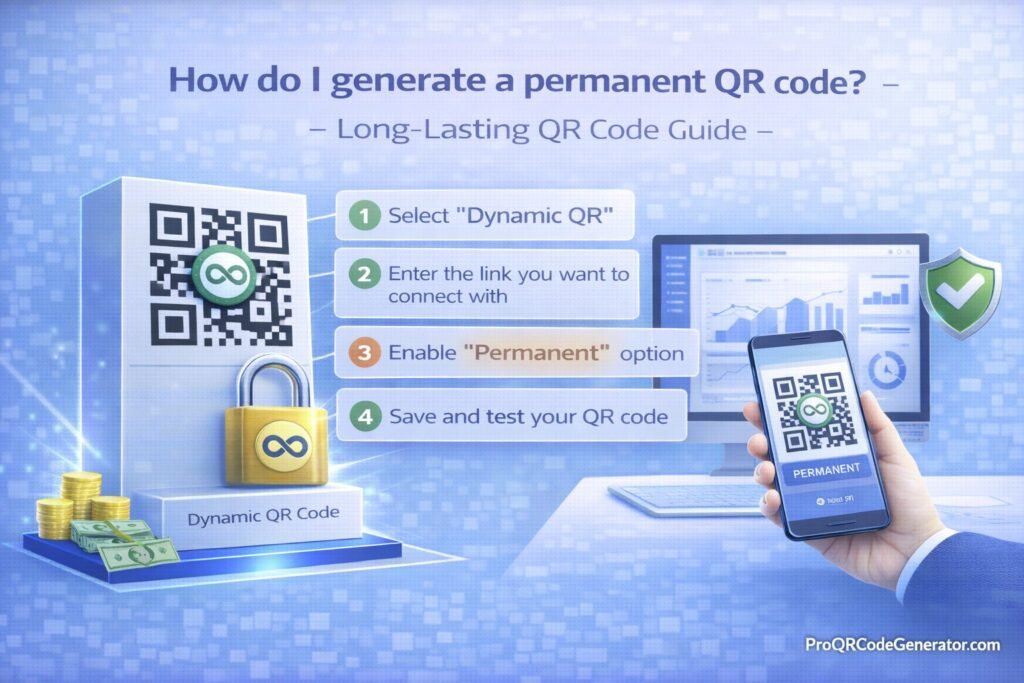
5. Step-by-Step Guide: How Do I Generate a Permanent QR Code?
If you are ready to create a highly reliable, non-expiring link, follow this exact technical process.
Step 1: Select a Professional Enterprise Platform
Do not use anonymous, free web tools. Choose a dedicated management platform like ProQRCodeGenerator.com that guarantees server uptime, offers SSL-secured redirections, and provides clear data privacy policies.
Step 2: Choose Your Data Type Strategy
What are you trying to connect the user to?
- URL / Website: The most common. Routes to a landing page.
- vCard Plus: A digital business card. (Highly recommended to use Dynamic for this, as phone numbers and titles change over time).
- PDF Document: Great for user manuals, restaurant menus, or whitepapers.
- App Store Link: Automatically detects if the user is on iOS or Android and routes them to the correct app store.
Step 3: Input Data and Select Dynamic
When prompted, input your destination URL. Ensure you actively select the “Dynamic” option. This is the crucial step that generates the intermediate short-link, securing your ability to edit the destination in the future.
Step 4: Design for Physical Longevity (Brand Customization)
A permanent code should look like it belongs to your brand.
- Logo Integration: Embed your company logo in the center of the code. This prevents malicious actors from easily pasting a fake code over yours, as users will look for your branded logo.
- High-Contrast Colors: While you can change colors, always keep the QR pattern significantly darker than the background. A lack of contrast is the number one reason codes fail to scan in low light.
- Calls to Action (CTA): Frame the code with text like “Scan for Manual” or “Get 20% Off.” Codes with clear instructions receive up to 80% more scans.
Step 5: Configure Error Correction Levels
Error correction allows a QR code to sustain physical damage (like being scratched on a product label) and still remain scannable. There are four levels:
- Level L (Low): 7% data recovery.
- Level M (Medium): 15% data recovery. (Standard for most uses).
- Level Q (Quartile): 25% data recovery.
- Level H (High): 30% data recovery. (Essential for industrial environments, outdoor signage, or when using a very large center logo).
Step 6: Download in a Vector Format (Crucial for Print)
If you are generating a permanent QR code, you must download it in a permanent file format.
- Do NOT use PNG or JPG for print. These are raster images. If you enlarge them for a poster, they will pixelate, blur, and become unscannable.
- DO use SVG, EPS, or PDF. These are vector formats. They use mathematical equations to render the image, meaning you can scale the code to the size of a skyscraper, and the edges will remain razor-sharp.
Step 7: Test Before the Final Run
Print a sample at the exact size it will appear in the real world. Scan it with an older Android device and a new iPhone. Ensure the redirect is instantaneous.
6. Advanced Analytics & Tracking for Permanent Codes
One of the greatest blind spots for traditional print marketing is attribution. You know how many flyers you printed, but you don’t know how many people looked at them.
When you generate a permanent dynamic QR code, you transform physical media into trackable digital assets. A professional platform provides a dashboard revealing:
- Total vs. Unique Scans: Are 100 people scanning your code once, or is one person scanning it 100 times?
- Geographic Data: Heatmaps showing which cities or neighborhoods are generating the most engagement. This is vital for A/B testing localized direct mail campaigns.
- Device Operating Systems: Knowing whether your audience uses iOS or Android can inform future app development or ad targeting.
- Time and Day Metrics: Discovering that your product packaging is mostly scanned between 7 PM and 9 PM allows you to tailor the destination landing page to evening behaviors.
7. Business & Industry Applications
To truly understand how to leverage permanent QR codes, let’s look at how specific industries deploy them to solve costly operational friction.
The Real Estate Sector
Real estate agents place permanent metal signs in front of properties. Historically, they had to attach temporary plastic riders with the property’s specific web address. Today, elite agencies print one permanent QR code on the metal sign. When the sign is moved to a new listing, the agent simply updates the dynamic link in their dashboard to point to the new virtual tour.
Manufacturing and Industrial Equipment
Heavy machinery (like HVAC units or factory robotics) requires regular maintenance. Manufacturers engrave permanent QR codes onto metal nameplates attached to the machines. A technician scanning the code in 2026 sees the installation manual; scanning the same code in 2030, they see the updated maintenance logs, recall notices, and parts ordering forms.+1
CPG (Consumer Packaged Goods)
A beverage company prints millions of aluminum cans with a QR code. They use a permanent dynamic code to ensure that during the summer, the code links to a music festival sweepstakes, and during the winter, it links to a holiday recipe guide. The physical can remains identical; the digital experience evolves.
8. Calculating ROI: The Cost of a Free Expiring Code
Business leaders often ask about the cost of professional QR code software. The more accurate question is: What is the cost of a broken QR code?
Let’s break down a realistic scenario:
- You use a “free” generator for a QR code placed on 10,000 direct mail brochures.
- Printing and postage cost: $5,000.
- Two weeks after mailing, the free generator hits its arbitrary “scan limit” and deactivates your code, showing customers a 404 error.
- Your loss: $5,000 in sunk costs, zero conversions, and immeasurable brand damage.
By utilizing a professional business solution like ProQRCodeGenerator.com, you pay a predictable, minor subscription fee that acts as an insurance policy for your physical marketing spend. The platform guarantees unlimited scans and continuous server uptime. The ROI of not having to reprint a single campaign pays for the software for years.
9. Security Considerations for Long-Lasting QR Codes
When you deploy a digital asset that will exist in the physical world for years, security becomes a primary concern. “QR-Jacking” is a technique where malicious actors place stickers of their own QR codes over yours, routing your customers to phishing sites.
While no software can physically stop someone from placing a sticker, a professional platform mitigates digital risks:
- Custom Domains (White-labeling): Instead of your code routing through
randomqr.com/123, it routes throughqr.yourbrand.com/123. If users see your actual domain pop up on their screen before they click, they know it is secure. - Enterprise SSO & 2FA: Ensures that only authorized personnel in your company can log into the dashboard and change where the permanent QR codes point.
- Phishing Protection algorithms: Elite generators actively scan the destination URLs to ensure they haven’t been compromised, pausing the redirection and alerting the account owner if malware is detected on the destination site.
10. Common Mistakes to Avoid When Generating Codes
Even with the best software, human error can compromise the permanence and scannability of your codes. Avoid these frequent pitfalls:
- Ignoring the “Quiet Zone”: A QR code must have a clear margin (typically 4 modules wide) of empty space around it. If you print text or graphics too close to the edges, smartphone cameras cannot identify where the code begins and ends.
- Inverting Colors Incorrectly: While customizing, never make the background darker than the QR code pattern itself. Most standard scanners are programmed to look for dark squares on a light background.
- Sizing it Too Small: The minimum size for a QR code on a printed asset (like a business card) should be 0.8 x 0.8 inches (2 x 2 cm). Any smaller, and the camera lens may struggle to focus on the intricate data matrix.
- Linking to Intranet or Gated Pages: A permanent code is useless if the user hits a login wall they don’t have credentials for. Always ensure the destination is publicly accessible or properly optimized for mobile viewing.
11. Optimization Tips for Lifetime Scannability
To guarantee your code works flawlessly from 2026 into the 2030s, follow this optimization checklist:
- Audit Your Links Quarterly: Even if your QR code is permanent, the internet is not. Set a calendar reminder to click through all your active dynamic codes to ensure the landing pages haven’t been moved or deleted by your web team.
- Use UTM Parameters: When pasting your destination URL into the generator, append Google Analytics UTM tags (e.g.,
?utm_source=qr&utm_medium=print&utm_campaign=summer_mailer). This allows you to track QR performance directly inside your Google Analytics dashboard alongside your website traffic. - Design for the Physical Medium: A code printed on a glossy magazine page will reflect light differently than a code printed on a matte cardboard box. Always do a test print on the exact material to ensure the contrast holds up under standard lighting.
(Need help managing multiple campaigns? Our team at ProQRCodeGenerator.com provides the tools to organize and optimize bulk QR generation.)
12. Frequently Asked Questions (FAQ)
Do QR codes expire if they are free?
Yes, almost always. Most free generators actually create dynamic codes that are hard-coded to expire after a short trial period (e.g., 14 days) or after a certain number of scans (e.g., 100 scans). They do this to force you into a paid upgrade.
Can I make a QR code permanent for free?
You can create a Static QR code for free using various tools, and it will never expire. However, you will never be able to edit the destination URL, and you will not be able to track scan analytics.
How long does a QR code last?
A static code lasts forever, assuming the destination website remains online. A dynamic code lasts as long as the service provider hosting the redirection link remains active and you maintain your account.
Why did my QR code stop working?
There are three main reasons:
- The trial period of the generator expired.
- The destination URL was changed or deleted (creating a 404 error).
- The physical code was printed too small, lacks contrast, or the printed material was damaged.
Can I edit a permanent QR code after printing?
If you generated a Dynamic QR code, yes. You can log into your software dashboard and change the destination URL instantly without reprinting the physical code. If you generated a Static QR code, no, it cannot be edited.
What is the difference between static and dynamic QR codes?
Static codes encode the actual data directly into the image (permanent, but rigid). Dynamic codes encode a short URL that redirects to your data (requires hosting, but is fully editable and trackable).+1
Do static QR codes have scan limits?
No. Because static QR codes do not ping a routing server, there is no system tracking them. They can be scanned infinitely.
How do I know if my QR code is permanent?
If you created a Static code, it is permanent. If you created a Dynamic code, you must verify that your service provider guarantees unlimited scans and that your subscription or account is in good standing.
Can I change the link in a permanent QR code?
Only if it was generated as a Dynamic QR code.
Is there a QR code generator with no expiration?
Yes. Professional platforms like ProQRCodeGenerator.com offer both permanent Static codes and managed Dynamic codes that will not expire, backed by guaranteed server uptime.
Conclusion: Future-Proofing Your Digital Assets
The intersection of the physical and digital worlds relies heavily on trust. When you hand a client a business card, mail a catalog, or install permanent signage, you are making a promise that the information provided is accurate and accessible.
Asking how do I generate a permanent QR code is the first step in protecting that trust. By avoiding the pitfalls of “free” expiring links, understanding the critical differences between static hardcoding and dynamic routing, and adhering to strict physical design principles, you can create marketing assets that stand the test of time.
Don’t let a broken link damage your brand’s reputation or waste your printing budget. Invest in professional infrastructure, utilize high-resolution vector formats, and take control of your offline-to-online routing.

