
Table of Contents
In the rapidly evolving digital landscape of 2026, the bridge between physical storefronts and digital commerce has never been more critical. For entrepreneurs and local operators, the question is no longer if they should digitize, but specifically how to generate QR code for small business operations that drive measurable revenue.
A Quick Response (QR) code is far more than a simple barcode; for a small business, it is a high-speed conversion portal. Whether you are a restaurateur looking to eliminate paper menus, a boutique owner streamlining payments, or a service provider automating review collection, the execution of your QR strategy determines your operational efficiency.
However, many small businesses stumble by using “free” generators that expire, display third-party ads, or provide zero data insights. This guide provides a professional, step-by-step roadmap to deploying enterprise-grade QR technology tailored for small business budgets and scale.
What is a QR Code for Small Business?
At its core, a QR code for small business is a two-dimensional matrix barcode designed to be scanned by a smartphone camera. Unlike the traditional 1D barcodes found on retail packaging, QR codes can hold significantly more data and trigger complex digital actions—such as opening a specific PDF menu, initiating a WhatsApp chat, or launching a secure payment gateway.
For a local business, this technology functions as a friction-reduction tool. It removes the need for customers to type long URLs, manually enter contact details, or search for your business name on social media.
How It Works: The Mechanics of Small Business QR Codes
Understanding the underlying technology is essential before you begin printing collateral. QR codes operate through two distinct architectures:
1. Static QR Codes
A static code hardcodes the destination data directly into the pixel pattern.
- The Catch: Once printed, it can never be changed. If your website URL changes or you want to update a promotional offer, you must reprint all your signs and business cards.
- The Verdict: Generally avoided for modern business use cases.
2. Dynamic QR Codes
A dynamic QR code encodes a short redirection URL. When a customer scans the code, they are momentarily routed through a secure server that redirects them to the final destination.
- The Advantage: You can change the destination URL, PDF, or contact info at any time without changing the printed code.
- The Verdict: The industry standard for small businesses needing flexibility and tracking.
Benefits of QR Codes for Small Business Growth
Before we dive into the setup, consider the strategic advantages of mastering how to generate QR code for small business applications:
- Operational Efficiency: Reduce staff time spent explaining menus, giving out WiFi passwords, or collecting contact details.
- Zero-Friction Lead Generation: Capture email addresses or phone numbers instantly at the point of sale.
- Cost Reduction: Eliminate the recurring costs of printing and reprinting paper menus or promotional flyers when prices or services change.
- Data-Driven Decisions: Gain insight into which tables, flyers, or locations are driving the most traffic through scan analytics.
Business Applications & Use Cases
How are successful small businesses utilizing this technology in 2026?
1. Digital Menus and Catalogs
Restaurants and cafes use dynamic PDF QR codes on table tents. This allows them to update daily specials or adjust prices in real-time without touching a single piece of paper.
2. Contactless Payments & Invoicing
Service providers (plumbers, landscapers, consultants) carry a QR code that links directly to a Stripe, PayPal, or Venmo checkout page, ensuring they get paid before leaving the job site.
3. Automated Review Collection
Place a “Scan to Rate Us” code at the exit or on receipts. By linking directly to your Google Business Profile or Yelp page, you capitalize on the “peak-end” rule of customer psychology, significantly increasing review volume.
4. WiFi Access for Customers
Retailers and coffee shops use WiFi QR codes. Instead of customers asking for the password, they scan a small sticker and are instantly connected to the guest network.
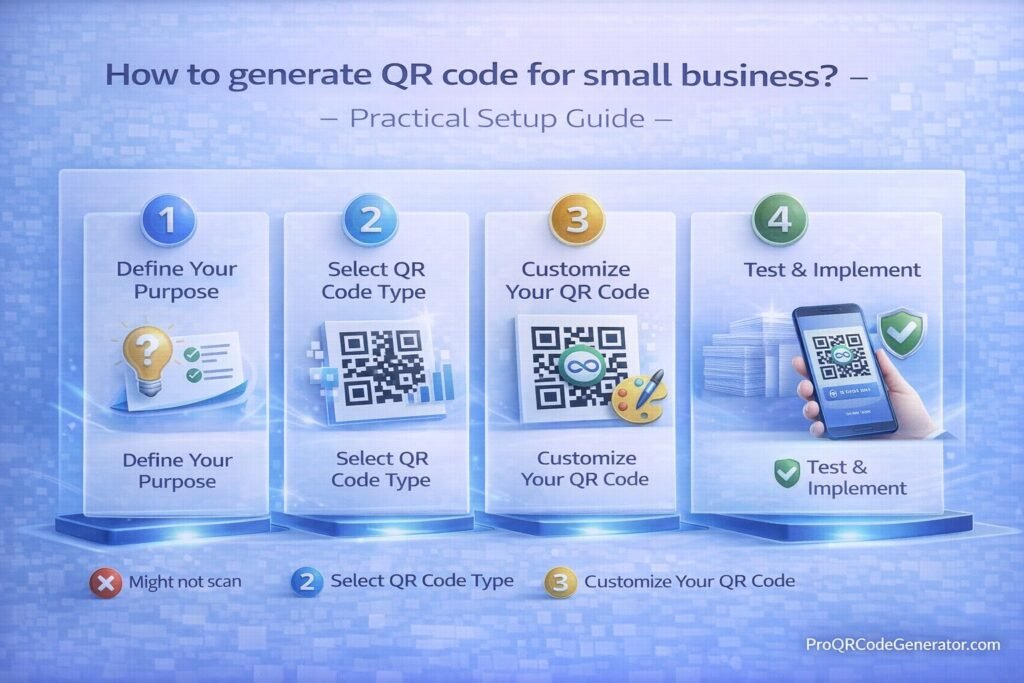
Step-by-Step Guide: How to Generate QR Code for Small Business
Follow this practical setup guide to deploy your first professional-grade campaign.
Step 1: Define Your Objective
Don’t just “create a QR code.” Determine the specific action you want the customer to take. Are you trying to get more Instagram followers, sell a specific product, or collect an email address?
Step 2: Choose a Professional Platform
Avoid “free” generators that lack security. Use a robust solution like ProQRCodeGenerator.com to ensure your codes are dynamic, trackable, and branded. Professional platforms allow you to manage all your codes from a single dashboard.
Step 3: Select the Code Type
Inside your dashboard, select the appropriate data type:
- URL: For websites or social profiles.
- PDF: For menus or brochures.
- vCard: For digital business cards.
- WhatsApp/SMS: To start a customer service chat.
Step 4: Customize the Design
Small business branding matters. Customize your code by:
- Adding your company logo to the center.
- Changing the color to match your brand (ensure high contrast).
- Selecting a “Frame” with a Call to Action (CTA) like “Scan for 10% Off.”
Step 5: Test Across Multiple Devices
Before printing, scan your screen with both an iPhone and an Android device. Ensure the redirect is fast and the destination page is mobile-optimized.
Step 6: Download in Vector Format
For printing signs or business cards, always download your code as an SVG or EPS (Vector) file. This ensures the code remains sharp at any size, preventing scanning failures caused by pixelation.
Comparison: Free Generators vs. Professional SaaS
Many entrepreneurs start with free tools, but the “hidden costs” often outweigh the savings.
| Feature | Free Basic Generator | Professional (ProQRCodeGenerator.com) |
| Editability | Static (Cannot change) | Dynamic (Editable anytime) |
| Analytics | None | Detailed (Time, location, device) |
| Branding | Generic / Third-party ads | Custom logos & colors |
| Reliability | May expire without notice | Unlimited scans & 99.9% uptime |
| Security | Minimal | SSL encryption & secure routing |
Advanced Analytics & Tracking
The true power of knowing how to generate QR code for small business lies in the data. When you use dynamic codes, you can track:
- Total Scans: Total volume of engagement.
- Unique Scans: How many individual customers interacted.
- Location Data: Which flyer or table is performing best.
- Device Type: Are your customers predominantly using iOS or Android?
(Small businesses can use these insights to stop spending money on marketing channels that don’t result in scans.)
ROI Discussion: Is It Worth the Investment?
For a small business, the ROI of a professional QR platform is typically realized in three months.
- Printing Savings: One restaurant saved $1,200 annually by switching to digital menus.
- Conversion Lift: A boutique increased their email list by 40% by placing a QR code on every shopping bag.
- Time Savings: Automating WiFi or review requests can save front-of-house staff up to 5 hours per week.
Common Mistakes to Avoid
- No Call to Action (CTA): A naked QR code is confusing. Always add text like “Scan to View Menu.”
- Poor Contrast: Avoid light-colored codes on light backgrounds. Black on white is the gold standard for scan reliability.
- The “Dead Link” Trap: Using a static code for a promotional offer that will eventually change.
- Ignoring the “Quiet Zone”: Don’t crowd your QR code with text or images. It needs a small white border to be recognized by cameras.
Optimization Tips for Small Business Success
- Use Vector Files: If you are printing on a large window or a tiny business card, SVG files prevent blurriness.
- Incentivize the Scan: “Scan for a Surprise” works better than “Scan for Info.”
- Mobile-First Landing Pages: Ensure the page the user lands on loads in under 2 seconds and looks perfect on a phone.
Security Considerations
As a small business, you are responsible for the digital safety of your customers.
- Avoid Malicious Redirects: Only use reputable platforms to host your dynamic links.
- Physical Integrity: Periodically check your physical QR stickers to ensure no one has placed a “malicious” sticker over your original code.
- SSL Protection: Ensure your QR codes route through HTTPS links to maintain customer trust.
FAQ: Small Business QR Codes
How much does it cost to generate a QR code for business?
While you can create static codes for free, professional dynamic plans (which include tracking and editing) typically range from $10 to $30 per month depending on the number of codes needed.
Can I change where the QR code goes after I print it?
Only if you use a Dynamic QR code. If you use a static one, you must reprint the material.
Do QR codes expire?
Static codes don’t expire, but the data they point to might. Dynamic codes last as long as your subscription with the service provider is active.
What is the best size for a QR code on a business card?
The minimum recommended size is 0.8 x 0.8 inches (2 x 2 cm). Any smaller, and some smartphone cameras may struggle to focus.
Conclusion: Turning Scans into Revenue
Mastering how to generate QR code for small business success is about more than just a digital image; it’s about creating a seamless customer journey. By choosing dynamic architecture and professional-grade tools, you ensure your business remains agile, trackable, and modern.
The transition from a passive physical presence to an active digital one starts with a single scan. Don’t leave your customer engagement to chance with unreliable, static tools.

