
Table of Contents
In the era of data-driven marketing, guessing is no longer an acceptable strategy. For years, offline marketing—billboards, print ads, and product packaging—remained a “black box” where ROI was difficult to calculate. The advent of modern QR technology has changed that entirely. Today, the most frequent question among digital strategists is: how to track how many people scan a QR code?+2
The ability to monitor engagement in real-time allows businesses to treat physical surfaces like digital landing pages. By understanding who is scanning, where they are located, and what devices they are using, organizations can refine their messaging, optimize their ad spend, and bridge the gap between physical touchpoints and digital conversions.
This comprehensive guide serves as an analytics blueprint. We will dissect the technical mechanics of scan tracking, explore the vital metrics you need to monitor, and provide a step-by-step framework for implementing a professional tracking strategy that turns every scan into a measurable data point.
Static vs. Dynamic: The Core of QR Code Tracking
To understand how to track how many people scan a QR code, you must first understand the fundamental difference between the two types of QR architecture.
Why Static Codes are Blind
A static QR code is a permanent, fixed data matrix. The information (usually a URL) is hard-coded directly into the black-and-white pixels. Because there is no intermediary server involved in the process, the scan goes directly from the phone to the destination.
- The Result: You have zero visibility. You cannot see how many times it was scanned, where it was scanned, or by whom. Once a static code is printed, it is analytically “dark.”
How Dynamic Routing Enables Data Collection
Dynamic QR codes utilize a redirection layer. Instead of encoding your final website URL, the code encodes a secure, shortened routing link.
- The Process: When a user scans the code, they hit a tracking server for a fraction of a second before being forwarded to the final destination. In that millisecond, the server logs the scan event. This is the only reliable way to gather comprehensive analytics.
What Data Points Can You Actually Track?
Professional QR management platforms provide a depth of data that rivals standard web analytics. Here is the specific information you can capture:
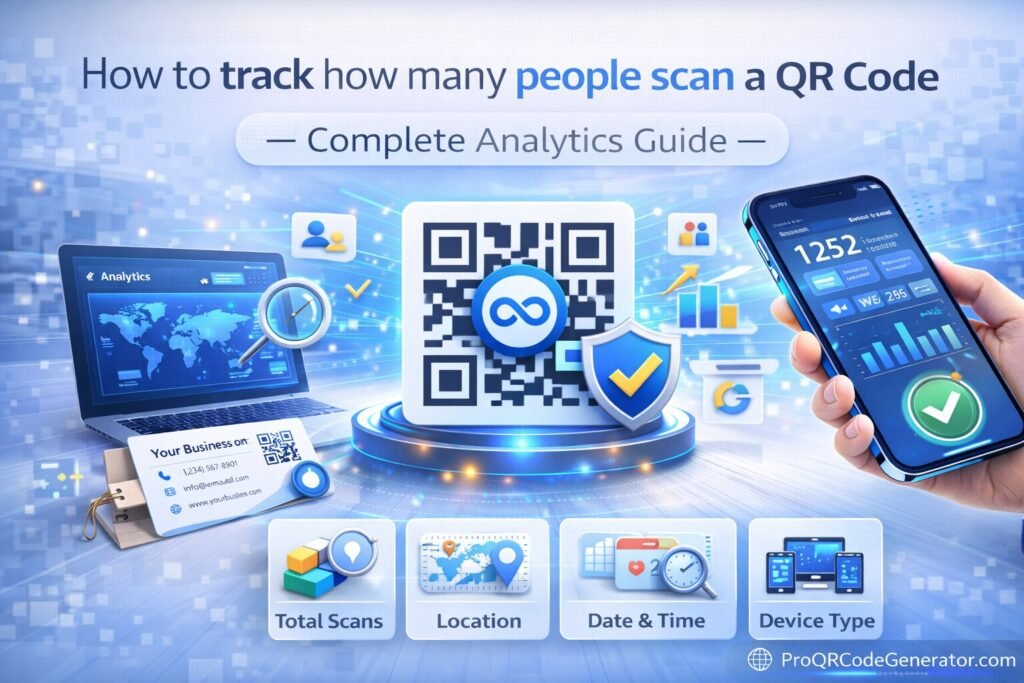
1. Total Scans vs. Unique Scans
This is the most fundamental metric.
- Total Scans: The raw number of times the code was triggered.
- Unique Scans: This identifies how many individual users scanned the code. If one person scans a restaurant menu three times during a meal, it counts as three total scans but only one unique scan. This helps you understand the actual reach of your campaign versus the frequency of engagement.
2. Geographic Heatmaps (City and Country)
By analyzing the IP address of the scanning device (anonymously), a tracking server can determine the user’s location. The best platforms provide a visual heatmap.
- Business Use Case: A national retail chain can see which specific storefront window is driving the most traffic, allowing them to replicate successful localized displays across other regions.
3. Time and Date Distribution
Tracking the exact timestamp of every scan allows you to identify peaks in engagement.
- Business Use Case: A coffee shop might notice that 70% of their scans occur between 7:00 AM and 9:00 AM. They can then update the dynamic link during those hours to show an “Early Bird” breakfast special, and change it to a “Lunch Combo” at noon.
4. Device and Operating System (iOS vs. Android)
Knowing the technology your audience uses is vital for mobile optimization. If 90% of your scanners are on iPhones, you can ensure your landing page is perfectly optimized for Safari and iOS-specific features.
How it Works: The Technical Journey of a Scan
The journey of a tracked scan is a marvel of modern web architecture. Here is the technical sequence:
- The Scan: The user points their camera at the matrix.
- The Routing Link: The phone recognizes a URL like
qr.proqrcodegenerator.com/xyz123. - The Analytics Server: The phone’s browser sends a request to the server. The server captures the User-Agent string (device info) and the IP address (location info).
- The Database: This event is logged in a real-time database.
- The Redirection: The server sends a
301or302redirect command to the phone, landing the user on your intended website.
This entire process happens so quickly that it is virtually imperceptible to the user, yet it provides the brand with a permanent record of the interaction.
Business Applications: Turning Scans into Strategy
Knowing how to track how many people scan a QR code is only useful if you apply that data to business growth.
Direct Mail A/B Testing
Send out two versions of a postcard. Version A has a QR code in the top right; Version B has it in the center. By using two different dynamic codes, you can see which layout generates a higher scan-through rate (STR), effectively A/B testing your physical mail just like an email campaign.
Retail Footprint Analysis
Place QR codes on different aisles within a store. By tracking scans, you can determine which sections of the store have the highest “dwell time” or interest level, providing insights that traditional foot-traffic counters cannot capture.
(For businesses that require this level of granular, real-time reporting, ProQRCodeGenerator.com offers a professional-grade analytics dashboard. It distills complex scan data into actionable charts, making it easy to see exactly which campaigns are driving ROI.)
Analytics & Tracking: Integrating with Google Analytics (GA4)
While a QR dashboard is great for scan data, you often want to see what users do after they scan. This is where UTM parameters come in.
To track the full funnel, you should append UTM tags to your destination URL inside your QR generator: https://yoursite.com/?utm_source=qr_code&utm_medium=print_flyer&utm_campaign=summer_sale
When you do this:
- The QR Generator tracks the physical scan event.
- Google Analytics tracks the digital session, showing you the bounce rate, time on page, and whether that scan resulted in a purchase.
This creates a complete “closed-loop” attribution model, proving exactly how much revenue your QR campaign generated.
The ROI Discussion: Measuring Cost-Per-Scan (CPS)
By tracking scans, you can finally calculate the Cost-Per-Scan (CPS).
If you spend $1,000 on a magazine ad and the tracking dashboard shows 500 scans, your CPS is $2.00. You can then compare this to your Cost-Per-Click (CPC) on digital platforms like Facebook or Google. If your offline CPS is lower than your digital CPC, you have a data-backed reason to increase your print marketing budget.
Mistakes to Avoid: Data Privacy and Sampling Errors
- Ignoring Privacy Laws: Ensure your tracking provider is GDPR and CCPA compliant. The best platforms, such as ProQRCodeGenerator.com, anonymize user data to protect privacy while still providing geographic insights.
- Using Short-Term Tools: If you use a free generator that deletes data after 30 days, you lose your ability to perform year-over-year (YoY) campaign comparisons. Always use a professional platform that offers long-term data retention.
FAQ
Can you see who scanned a QR code? No. For privacy reasons, QR tracking does not reveal personal names, phone numbers, or email addresses. It tracks devices and locations. To get personal info, you must direct the scan to a landing page with a lead-capture form.
Does a free QR code show how many scans it got? Usually, no. Most free tools are static. To get analytics, you must use a dynamic QR code provided by a professional tracking platform.
How do I get scan notifications? Many professional generators allow you to toggle “Scan Alerts.” You can receive an email every time your code is scanned, or a daily summary of scan activity.
Can I track location through a QR code? Yes. Tracking platforms use IP-based geolocation to show you the city and country where the scan originated.
Conclusion: Moving from Scanning to Knowing
Mastering how to track how many people scan a QR code is the difference between “blind” marketing and strategic growth. In 2026, every physical touchpoint should be a data-collection opportunity. By moving from static graphics to dynamic, tracked assets, you gain the visibility required to prove your marketing value and optimize the customer journey in real-time.
Stop wondering if your print ads are working. Start tracking, start measuring, and start converting.

