
Table of Contents
In the fast-paced world of physical-to-digital marketing, a single mistake can be catastrophic. Imagine the sinking feeling of receiving a shipment of 50,000 custom-printed product boxes, only to discover that the QR code on the side points to a staging URL, a page with a glaring typo, or a promotional offer that has already expired. Traditionally, this meant two choices: scrap the entire shipment and eat the cost of a massive reprint, or manually apply stickers over every single code—a labor-intensive nightmare.
However, modern marketing technology has introduced a safeguard. If you find yourself asking, can you change a QR code link after printing?, the answer is a definitive yes, provided you utilized the correct technical architecture from the start.
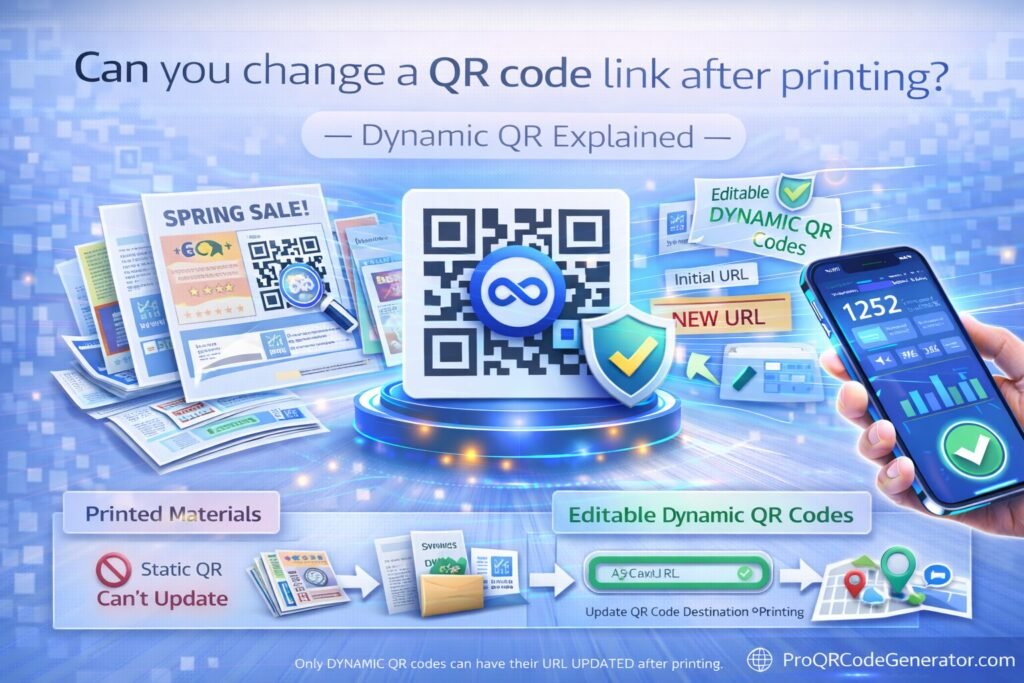
The secret lies in the distinction between Static and Dynamic QR codes. While a static code is a permanent digital etching, a Dynamic QR code serves as an agile, editable gateway that allows you to swap destinations, fix errors, and update campaigns in real-time without ever touching the physical printed asset.
What is a Dynamic QR Code?
To understand how you can change a QR code link after printing, you must first understand what a QR code actually “is” at a data level. A QR code is essentially a two-dimensional barcode that a smartphone camera translates into a string of text.
The Static Limitation
In a Static QR code, your final destination URL (e.g., www.yourbrand.com/summer-sale-2026) is encoded directly into the black-and-white pattern. Because the URL is the pattern, changing the link would require physically moving the squares on the paper. Once it is printed, it is “locked.”
The Dynamic Solution
A Dynamic QR code does not encode your final website URL. Instead, it encodes a short, secure “redirect link” (e.g., qr.brand.com/x123). This short link acts as a middleman. When someone scans the code, their phone hits a central server, which then instantly forwards them to whatever destination you have set in your software dashboard.
Because the printed pattern only points to the middleman, you can log into your account at any time and tell that middleman to send traffic to a different URL. The physical pattern stays the same, but the digital destination is infinitely flexible.
How It Works: The Mechanics of Redirection
The process of changing a QR link is handled via server-side redirection. When you use a professional platform to manage your campaigns, you are essentially renting space on a high-speed routing engine.
- The Scan: The user scans the printed Dynamic QR code.
- The Request: The phone’s browser requests the short URL encoded in the pattern.
- The Lookup: The hosting server (the QR platform) receives the request and checks its database to see which “Target URL” is currently assigned to that code.
- The Redirection: The server sends an HTTP 302 redirect back to the phone, which then loads your new destination page.
This entire sequence happens in a fraction of a second—usually under 200 milliseconds. To the user, it feels like an instantaneous jump to your website. For the marketer, it provides a “Command Center” where they can pivot strategies on the fly.
Professional tools like ProQRCodeGenerator.com provide the infrastructure to handle these redirections at scale, ensuring that even if your campaign goes viral and attracts millions of scans, the redirection remains stable and the destination remains editable.
The Core Benefits of Post-Print Editing
The ability to change a QR code link after printing is more than just an “Undo” button for typos; it is a strategic advantage that provides three primary business benefits.
1. Risk Mitigation and Insurance
Human error is inevitable. A marketing assistant might copy the wrong UTM parameter, or a web developer might change a URL slug during a site migration. If your codes are dynamic, these are 30-second fixes. If they are static, they are thousand-dollar mistakes.
2. Campaign Agility
Marketing is no longer seasonal; it is real-time. With dynamic codes, you can use the same printed asset for different phases of a campaign. A restaurant can use a single QR code on their tables that points to a “Breakfast Menu” from 8 AM to 11 AM, and then automatically (or manually) change the destination to the “Lunch Menu” for the afternoon.
3. Longevity of Physical Assets
High-quality signage, metal plaques, and permanent vehicle wraps are expensive. By using dynamic technology, you ensure these assets never become obsolete. When your company rebrands or moves its website to a new domain, you simply update the backend link. Your physical investment remains intact for years.
Business Applications of Editable QR Codes
Across various industries, the “edit after print” feature has become a standard requirement for operational efficiency.
Retail and E-Commerce
Retailers often print QR codes on store window decals or shelf talkers. If a specific product sells out, the marketing team can instantly change the QR code link to point to a “Notify Me” waitlist or a similar product, preventing the “404 Error” or “Out of Stock” frustration that kills customer loyalty.
Real Estate
A real estate agent can place a high-quality “For Sale” sign in front of a house with a QR code. Instead of printing a new sign for every listing, they can simply change the destination URL to the virtual tour of whatever house they are currently selling.
Restaurants and Hospitality
The “Digital Menu” became a staple of the hospitality industry recently. By using a dynamic PDF QR code, a manager can update the menu prices or remove an out-of-stock item by simply uploading a new PDF to the dashboard. The QR code on the table never has to be replaced.
Comparison: Static vs. Dynamic QR Codes
| Feature | Static QR Code | Dynamic QR Code |
| Editable After Printing? | No | Yes |
| Fix Typos? | No | Yes |
| Track Scan Analytics? | No | Yes |
| Pattern Density | Increases with URL length | Stays simple and easy to scan |
| Best For | One-time use (Wi-Fi, vCard) | All Marketing & Business Use |
Step-by-Step Guide: How to Change Your QR Destination
If you have realized you need to update a link, the process is straightforward if you are using a professional management platform.
- Log In: Access your dashboard on a platform like ProQRCodeGenerator.com.
- Locate the Code: Find the specific QR code campaign you wish to edit from your list of active codes.
- Click Edit: Select the edit or “Change URL” function.
- Enter New URL: Paste the new destination link (ensure you include the
https://prefix). - Save: Click save. The update is applied to the server immediately.
- Test: Scan your printed code with your phone. It will now lead to the new destination.
Note: There is no limit to how many times you can change the link on a dynamic code. This allows for constant A/B testing and optimization.
Advanced Analytics & Tracking
When you choose a dynamic solution to ensure you can change a QR code link after printing, you gain a secondary, equally powerful feature: Data.
Because the scan passes through a central server, the platform can record exactly when, where, and how the scan happened. Professional dashboards provide insights into:
- Total Scans vs. Unique Scans: Understand the depth of your engagement.
- Geolocation: See which city or even which specific store location is driving the most traffic.
- Device Data: Know if your audience is primarily using iOS or Android to optimize the landing page experience.
- Time of Day: Identify peak engagement hours to time your future marketing pushes.
By integrating these scans with UTM parameters, you can track the entire customer journey in Google Analytics, finally giving print media the same level of attribution as a digital Facebook or Google ad.
ROI Discussion: The Financial Impact of Dynamic Codes
Many businesses wonder if the subscription cost of a professional QR platform is worth it compared to “free” static generators. The ROI becomes clear the moment a single mistake is prevented.
Consider the cost of a 10,000-unit direct mail campaign:
- Design & Copy: $1,500
- Printing: $4,000
- Postage/Distribution: $6,000
- Total Investment: $11,500
If a static QR code is printed with a broken link, the entire $11,500 is wasted. If a dynamic code is used, the error is fixed in seconds at zero additional cost. In this context, a professional SaaS subscription is not just a tool; it is a specialized insurance policy for your marketing budget.
Furthermore, because you can change the link, you can reuse assets. Instead of printing new business cards every time your social media handle changes, you simply update the link in your dashboard.
Mistakes to Avoid When Using QR Codes
- Printing Static for Business: Never use a static code for anything printed in bulk. The lack of flexibility is a ticking time bomb for your operations.
- Over-complicating the Design: While branding is important, ensure the contrast remains high. A dark pattern on a light background is the gold standard for scanability.
- Small Sizing: A QR code that is too small (less than 2 x 2 cm) may struggle to scan on older smartphone models.
- No Call to Action (CTA): A naked QR code is a mystery. Adding a simple “Scan to Win” or “View Menu” frame can increase scan rates by over 80%.
Security Considerations: Protecting Your Redirects
When your marketing relies on a redirection server, security is paramount. “Quishing” (QR Phishing) is a rising concern where malicious actors attempt to hijack links.
To protect your brand:
- Use a Reputable Provider: Ensure your QR generator uses SSL encryption and has high uptime. ProQRCodeGenerator.com utilizes enterprise-grade security to ensure your redirects are never tampered with.
- Password Protect Sensitive Data: If your QR code leads to a private PDF or corporate document, use a platform that allows you to add a password layer to the scan.
- Monitor Analytics: Check your dashboard regularly. A sudden spike in scans from an unexpected country could indicate that your code has been shared in an unintended context.
FAQ
Does the physical QR code change when I update the link?
No. The visual pattern of a Dynamic QR code remains exactly the same. Only the instruction on the server changes.
Can I change a free QR code link?
Most “free” generators only provide static codes. If you didn’t create an account or use a dynamic service, you likely cannot change the link.
Do dynamic QR codes expire?
Dynamic codes require a server to host the redirect. As long as your subscription with your provider is active, your code will work indefinitely.
Can I change a static QR code to a dynamic one after it’s printed?
No. This is mathematically impossible. You must generate a dynamic code before you print.
How many times can I change the URL?
With professional platforms, you can change the destination URL as many times as you want—even hundreds of times a day if needed.
Conclusion: Why You Should Never Print a Static Link Again
The ability to change a QR code link after printing has transformed the way businesses approach physical marketing. It has moved us away from a “print and pray” mentality into an era of agile, data-driven, and risk-free offline engagement.
By utilizing Dynamic QR technology, you protect your budget, empower your marketing team to pivot strategies instantly, and gain invaluable data about your customers. In a world where digital destinations are constantly shifting, your physical assets must be able to keep up.

