
Table of Contents
In the rapidly evolving hospitality industry, the transition from physical to digital menus is no longer a temporary pandemic-era measure; it is a permanent operational standard. However, as restaurants settle into this new paradigm, a stark divide has emerged between those simply displaying a PDF on a screen and those leveraging digital infrastructure for business intelligence. If you are still relying on a basic, untrackable matrix to display your food offerings, you are leaving thousands of dollars in revenue and invaluable customer data on the table.
The modern solution—a dynamic QR code for restaurant menu with tracking—transforms a simple contactless convenience into a powerful engine for menu engineering, cost reduction, and customer analytics.
This comprehensive guide dissects the technology behind tracked restaurant QR codes. We will explore the server-side mechanics of dynamic redirection, detail how scan analytics can directly influence your pricing strategy, and provide a definitive blueprint for deploying a highly profitable, data-driven digital dining experience.
1. Introduction: The Evolution of the Digital Dining Room
For decades, the physical restaurant menu was a rigid, expensive liability. A single typo, a sudden supplier shortage, or a seasonal ingredient change required complete reprints, often costing thousands of dollars annually. When the industry adopted contactless technology, the immediate relief was financial: print costs plummeted.
Yet, the first wave of digital adoption was flawed. Most restaurateurs utilized free, static generators online. They solved the printing problem but created a new one: rigidity. If the URL of the menu changed, the physical codes printed on table tents and window decals immediately broke, leading to frustrated guests and lost sales.
Today, hospitality leaders recognize that the true value of a digital menu isn’t just about saving paper—it is about capturing data. By deploying a dynamic QR code for restaurant menu with tracking, operators gain real-time visibility into consumer behavior. You can finally see exactly when guests are scanning, what devices they are using, and which table locations yield the highest engagement, allowing for unprecedented operational agility.
2. What is a Dynamic QR Code for Restaurant Menu with Tracking?
To understand the strategic advantage of this technology, you must first understand the structural difference between the two primary types of QR codes: Static and Dynamic.
The Danger of the Static Menu
A static QR code permanently encodes your exact website URL (e.g., www.yourrestaurant.com/menu.pdf) directly into its black-and-white pattern.
- The Flaw: Because the URL is hard-coded into the image, it can never be changed. If you update your website, change your PDF hosting provider, or accidentally delete the file, every physical code on your tables instantly becomes a dead link. Furthermore, because the scan goes directly from the user’s phone to the final URL, no analytics can be intercepted or recorded.
The Power of Dynamic Tracking Architecture
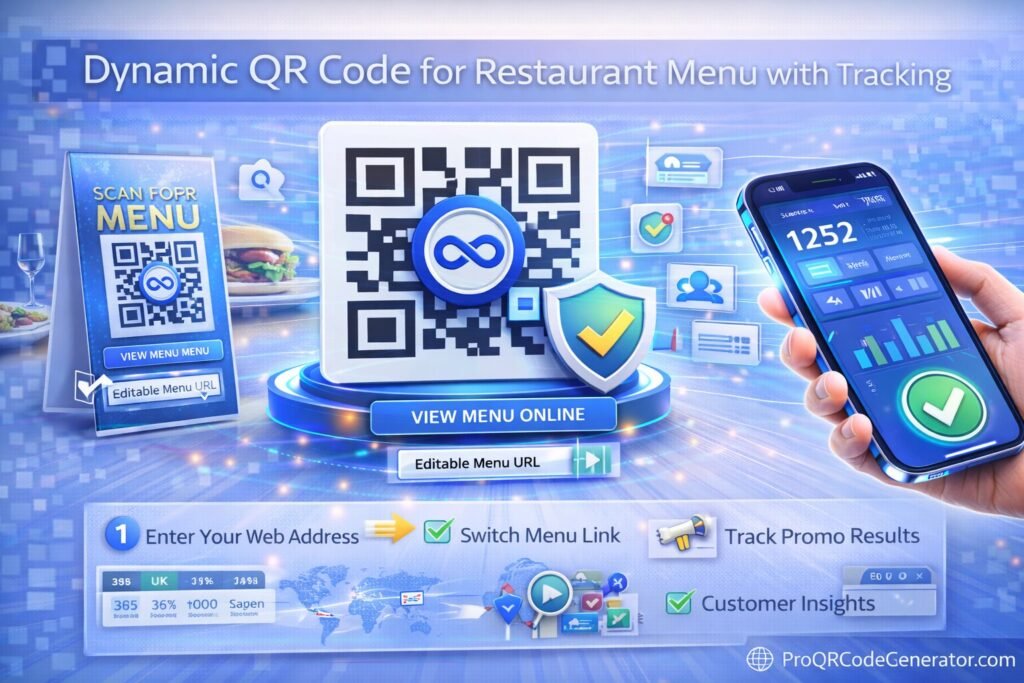
A dynamic QR code for restaurant menu with tracking does not encode your final menu link. Instead, it encodes a secure, intermediary “short link” hosted on a specialized server.
- The Advantage: When a guest scans the code, their smartphone hits the tracking server first. In a fraction of a second, the server logs the scan data (time, location, device) and then instantly redirects the guest to your current menu. Because the printed code only points to the tracking server, you can log into your backend dashboard at any time and change the final destination. The physical code on the table never has to change.
3. How the Tracking Mechanism Works
For restaurant operators stepping into digital marketing, understanding the mechanics of a server-side redirect is crucial for maximizing ROI.
When a hungry diner sits at your table and opens their smartphone camera, a highly sophisticated sequence occurs in less than 300 milliseconds:
- The Scan & Ping: The smartphone camera decodes the matrix and pings the short routing URL.
- Data Capture: The routing server receives the request. In this split second, it captures the user’s IP address (for geographic location), the User-Agent string (to identify if they are using iOS, Android, Safari, or Chrome), and the precise timestamp of the scan.
- The HTTP 302 Redirect: The server consults your account settings to see which menu is currently active. It then issues an HTTP 302 (Temporary Redirect) command to the smartphone, pushing it to the final menu destination.
- The Menu Loads: The guest views the menu seamlessly, completely unaware of the digital relay that just occurred.
By utilizing a professional platform like Pro QR Code Generator, this infrastructure operates with enterprise-grade speed and reliability, ensuring that even during a Friday night dinner rush with hundreds of simultaneous scans, your guests never experience lag or downtime.
4. The Business Benefits of Dynamic Menu Management
Implementing a dynamic QR code for restaurant menu with tracking fundamentally upgrades how a restaurant manages its offerings and its budget.
Operational Agility: The 86’ing Revolution
In a busy kitchen, running out of an ingredient is inevitable. With physical menus, servers must repeatedly apologize to guests for “86’d” (out of stock) items, creating friction in the dining experience. With a dynamic digital menu, the general manager can log into their platform, update the digital PDF or landing page to remove the item, and ensure no subsequent guests attempt to order it.
Eradicating Seasonal Print Costs
If your restaurant features a rotating seasonal menu, a farm-to-table concept, or a weekly fresh-catch special, reprinting menus is a massive drain on your profit margins. Dynamic codes allow you to invest once in high-quality, durable table assets (like engraved wood, acrylic stands, or metal plaques) and digitally rotate the menu behind the scenes infinitely.
Dynamic Dayparting
Why show a guest a breakfast menu at 7:00 PM? With dynamic routing, operators can manually (or automatically, depending on the platform’s API integrations) change the destination URL based on the time of day. The exact same table code can route to the brunch menu on Sunday morning, the happy hour menu on Tuesday afternoon, and the premium wine list on Friday night.
5. Advanced Analytics: Turning Scans into Strategy
The “tracking” element of a dynamic QR code for restaurant menu with tracking is where hospitality transforms into business intelligence. Gathering scan data allows you to perform advanced Menu Engineering.
Timestamps and Labor Optimization
By reviewing your scan timeline dashboard, you can pinpoint the exact minute your dining room hits peak capacity. If your scan data consistently shows a massive spike at 11:45 AM, but your kitchen staff isn’t fully scheduled until 12:00 PM, you have identified a critical labor gap that is likely slowing down ticket times.
Device Data for CX Optimization
If your analytics reveal that 85% of your guests are scanning with an Apple iPhone (iOS), you must ensure your menu PDF or landing page is flawlessly optimized for Safari. If the menu requires pinching, zooming, or sideways scrolling on an iPhone screen, you are actively degrading your customer experience (CX) and losing up-sell opportunities.
Table-Level Heatmapping via UTMs
Advanced operators utilize UTM parameters to track behavior down to the specific table. By generating a unique dynamic code for each table (e.g., Table 1’s code routes to menu.com/?utm_source=qr&utm_medium=table_1), the manager can see which areas of the restaurant turn tables the fastest, order the most items, or require the most server attention, directly inside Google Analytics.
6. Business Applications & Industry Use Cases
The utility of trackable QR technology scales across every tier of the hospitality industry.
- Fine Dining & Wine Bars: Sommelier-curated wine lists are notoriously long and constantly changing based on cellar inventory. A dynamic QR code allows the restaurant to offer a digital, searchable wine list where guests can read tasting notes, view vineyard photos, and see real-time inventory, elevating the luxury experience.
- Quick Service (QSR) & Drive-Thrus: Placed strategically in drive-thru lanes or on takeaway packaging, trackable codes allow QSRs to measure how many customers are interacting with loyalty programs or nutritional information, providing data on off-premise engagement.
- Hotel Room Service: Instead of printing a dense room service binder for 500 rooms, hotels place a single, branded dynamic code on the nightstand. The tracking data reveals exactly which wings or floors of the hotel order the most late-night food, allowing for targeted promotional drops.
7. Step-by-Step Guide: Implementing Your Trackable Menu
Transitioning to a data-driven infrastructure is straightforward when using a premium management platform. Here is how to execute the deployment correctly:
Step 1: Digitize Your Menu Assets
Decide whether you will link to a high-resolution, mobile-optimized PDF or a responsive HTML landing page on your website. Ensure the file size is compressed so it loads instantly on cellular data.
Step 2: Generate the Dynamic Code
Log into a dedicated tracking platform. Select the “PDF” or “Website URL” QR code option. Input your menu’s destination link. Ensure the “Dynamic” setting is toggled on to activate server-side routing and tracking.
Step 3: Customize for Brand Cohesion
A naked black-and-white code looks clinical. Use the platform’s design tools to incorporate your brand. Change the matrix color to match your restaurant’s palette, alter the “eye” shapes, and embed your restaurant’s logo directly into the center of the code.
Step 4: Add a Call to Action (CTA)
Never print a code without context. Use a frame that explicitly tells the guest what to do: “Scan for Today’s Menu & Specials.”
Step 5: Test, Download, and Print
Always download your code in a vector format (SVG or EPS) to ensure it prints perfectly crisp at any size. Scan it with multiple devices (iOS and Android) before sending the files to your commercial printer.
Looking for a seamless way to deploy this? ProQRCodeGenerator.com offers intuitive tools specifically designed to help businesses launch branded, trackable campaigns in minutes.
8. Comparison: Professional SaaS vs. Free Generators
Many restaurant owners attempt to save money by using “free” online QR generators. This is often the most expensive mistake they make in their digital strategy.
| Feature | Free “Static” Generators | Professional Dynamic Platforms |
| Link Editing | Impossible. Requires reprinting. | Instant, infinite edits via dashboard. |
| Tracking Analytics | None. Blind to user data. | Full capture: Time, Device, Location. |
| Ad Injections | High Risk. Forces guests to watch ads. | Zero Ads. Clean, instant redirects. |
| Uptime Reliability | Low. Free servers frequently crash. | Enterprise-grade 99.9% uptime. |
| Scan Limits | Often capped at 50-100 scans, then breaks. | Unlimited Scans. |
Using a free platform that injects a 5-second advertisement for a third-party app before showing your menu completely destroys the dining atmosphere. Professional infrastructure guarantees a premium guest experience
9. ROI Discussion: Calculating the Value of a Scan
To justify the minimal monthly subscription of a dynamic QR service, run a simple ROI calculation based on print savings alone.
- The Traditional Cost: A restaurant with 30 tables repaints its physical menus quarterly due to wear-and-tear and seasonal changes. At $4 per premium laminated menu, that is $120 per quarter, or $480 annually. If a sudden typo occurs, that cost doubles.
- The Dynamic ROI: A premium dynamic QR platform might cost $15 to $30 a month. For roughly the same annual cost as printing, the restaurant eliminates the physical wear-and-tear, gains the ability to fix typos instantly for free, and acquires a year’s worth of consumer behavioral data.
When you factor in the revenue gained by dynamically pushing high-margin daily specials to the top of a digital menu, the trackable code pays for itself in the first week of deployment.
10. Common Mistakes to Avoid
Even with the best technology, poor execution will result in low scan rates and frustrated guests.
- Poor Lighting and Low Contrast: Restaurants often have dim, ambient lighting. If you print a dark red QR code on a black background, smartphone cameras will struggle to read the matrix. Always ensure high contrast (ideally a dark code on a white or very light background).
- Placing Codes Under Glare: If you put a paper QR code under a highly reflective acrylic table-tent, the glare from the overhead lights will blind the phone’s camera. Use matte finishes whenever possible.
- Desktop-Only Destinations: Linking your code to a massive, multi-page PDF designed for an 8.5×11 inch piece of paper forces the user to pinch and zoom frantically on their 6-inch phone screen. Always format digital menus specifically for mobile scrolling.
11. Security & Privacy Considerations
When deploying a dynamic QR code for restaurant menu with tracking, you must be conscious of digital security for both your business and your patrons.
Preventing Quishing (QR Phishing)
In public spaces, malicious actors sometimes print their own static QR codes and stick them over a restaurant’s legitimate code, routing guests to a fake phishing website to steal credit card info.
- The Solution: Engrave your codes into wood or metal, or print them underneath a layer of sealed acrylic so they cannot be tampered with or covered by a sticker.
Data Privacy and GDPR/CCPA
Because dynamic tracking captures IP addresses and device data, you must ensure your platform complies with international data privacy laws like GDPR (Europe) and CCPA (California). Reputable platforms anonymize IP tracking to provide geographic heatmaps without storing personally identifiable information (PII) of your individual diners.
12. Optimization Tips for Maximum Scan Rates
To maximize the effectiveness of your tracked menus, implement these conversion-focused design tips:
- Centralized Table Placement: Do not hide the code in the corner of a napkin dispenser. Make it the centerpiece of the table so it is the first thing guests interact with when seated.
- Incentivize the Scan: If you want to push data collection further, use the dynamic link to route to a landing page that offers a value exchange: “Scan the menu and join our loyalty club for a free appetizer today.”
- Leverage Wi-Fi Codes: If your restaurant has poor cellular reception, consider placing a secondary dynamic code on the table specifically for instantly connecting guests to your guest Wi-Fi, ensuring they can easily load the digital menu code immediately after.
13. Frequently Asked Questions (FAQ)
How do I track how many people scanned my QR menu?
By using a dynamic QR code generator, every scan is routed through a tracking server. You simply log into your provider’s dashboard to view total scans, unique scans, and behavioral data over specific time periods.
Can I change my QR menu without reprinting the code?
Yes. As long as you generated a Dynamic QR code, you can log into your account and update the destination URL or upload a new PDF. The physical code on your tables will automatically route to the new menu instantly.
Is a dynamic QR code better than a static one for restaurants?
Absolutely. Static codes cannot be edited after printing and offer zero analytics. If a static link breaks, you must reprint everything. Dynamic codes provide infinite editability, advanced tracking, and total operational security.
How do I see which table scanned the QR code?
You can generate a unique dynamic QR code for each specific table and use UTM tracking parameters (e.g., ?table=12). When reviewing your analytics, you can segment the data to see exactly which table generated the scan.
What analytics can I get from a restaurant QR menu?
Professional platforms provide data on the total number of scans, the exact time and date of each scan, the geographic location (by city/region), and the device operating system (iOS vs. Android) used by the guest.
Are QR code menus free to track?
No. While there are free generators, they provide static, untrackable codes. Reliable tracking requires a server to host the redirect, which is why professional trackable codes require a SaaS subscription.
Can I password-protect my digital menu?
Yes, advanced dynamic platforms allow you to place a password gate on the destination link. This is useful for exclusive VIP events, speakeasy concepts, or hidden off-menu specials.
How do I update a PDF menu in a QR code?
In your dynamic QR dashboard, locate your active menu code, click “Edit,” delete the old PDF file, and upload the newly revised PDF. Click save, and the update is live immediately.
Do QR codes for menus expire?
Static codes never expire, but if the destination website goes down, they break. Dynamic codes will remain active and tracking as long as your subscription with your QR management platform remains in good standing.
Can I track the time of day people scan my menu?
Yes. Scan timestamps are a core feature of dynamic tracking, allowing restaurants to identify peak dining rushes and optimize their kitchen and floor staff scheduling accordingly.
How do I add my restaurant logo to a QR code?
Professional generators feature customization suites. After inputting your menu link, you can upload your restaurant’s logo (PNG or JPEG) and the software will safely embed it in the center of the code without destroying its scannability.
Does a QR code work if my restaurant has poor Wi-Fi?
A QR code itself does not need Wi-Fi to be scanned, but the guest’s phone requires an internet connection (cellular or Wi-Fi) to load the digital menu. If your cellular reception is poor, you must provide guest Wi-Fi.
Can I track location with a menu QR code?
Yes. When a smartphone pings the routing server, the server logs the IP address, which provides an approximate geographic location (city or neighborhood level). It does not track the user’s precise GPS coordinates for privacy reasons.
How does a dynamic QR code save money for restaurants?
It entirely eliminates the recurring costs associated with commercial printing, laminating, and distributing physical menus every time prices change, seasonal items rotate, or typos are discovered.
What is the best QR code generator for restaurant menus?
The best generators offer unlimited scans, no ad-injections, robust scan analytics, and vector-format downloads. Platforms built for business, like ProQRCodeGenerator.com, provide the necessary infrastructure for reliable, high-volume hospitality environments.
14. Conclusion: Future-Proofing the Restaurant Experience
The hospitality industry operates on razor-thin margins. In an environment where every dollar and every minute counts, relying on static, untrackable digital infrastructure is a strategic misstep. When you deploy a dynamic QR code for restaurant menu with tracking, you are doing far more than saving the cost of printer ink; you are transforming your tables into active data-collection points.
By embracing dynamic redirection, you protect your business from the costly errors of broken links, empower your front-of-house staff with real-time menu agility, and gain the precise customer insights necessary to engineer a more profitable menu. Data is the ingredient that modern restaurants need to thrive, and the humble QR code is the fastest way to harvest it.

