
Table of Contents
In the modern business landscape, the distribution of information must be instantaneous, trackable, and frictionless. For decades, organizations relied on printed collateral—product manuals, restaurant menus, B2B whitepapers, and technical data sheets—to transfer knowledge to consumers. However, physical documents suffer from three critical flaws: they are expensive to print, they become instantly obsolete the moment information changes, and they provide zero data regarding user engagement.
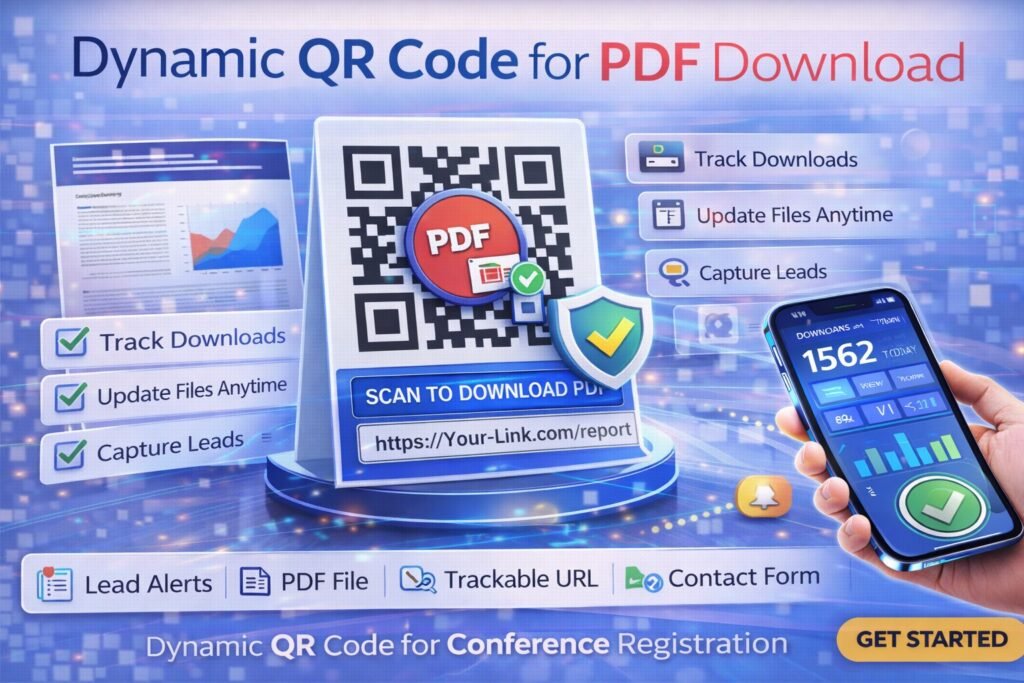
To solve the offline-to-online attribution problem, elite marketers and operational directors are replacing heavy print materials with agile digital architecture. By deploying a dynamic qr code for pdf download, businesses bridge the physical gap, allowing users to access complex documents instantly via their smartphones while providing the organization with granular tracking data.
This comprehensive guide dissects the technical mechanics of dynamic PDF routing, explores high-converting business applications, and provides a strategic blueprint for integrating editable, trackable document delivery into your operational workflows.
What It Is: Moving Beyond Static Document Sharing
To fully leverage this technology, you must understand the fundamental difference between standard barcode generation and dynamic routing infrastructure.
The Limitations of Static PDF Delivery
Historically, businesses used free internet tools to create static QR codes. A static code encodes the exact, permanent destination URL directly into its black-and-white visual matrix. If you encode a link to a PDF hosted on your website, that matrix is forever tied to that specific file path.
This creates a massive operational liability. If your engineering team updates a product manual, or your marketing team revises a pricing sheet, the original PDF link often changes. The moment that happens, every single static QR code printed on your product packaging, trade show banners, or business cards breaks, resulting in a frustrating “404 Not Found” error for the end user.
Defining the Dynamic PDF Architecture
A dynamic qr code for pdf download utilizes an entirely different infrastructure. Instead of encoding the final file path, the visual matrix encodes a secure, intermediary “short link.”
When a user scans the code, they are briefly routed through a management server before landing on your PDF. Because the printed code only points to this tracking server, you maintain absolute control over the final destination. You can log into your backend dashboard and swap the old PDF for a new version an infinite number of times. The physical QR code printed on your materials never changes, but the document the user downloads is always the most current version.
How It Works: The Mechanics of Document Redirection
For technical directors and marketing managers transitioning to data-driven collateral, understanding the server-side process of document delivery is crucial. When a customer scans your code, a highly sophisticated sequence occurs in roughly 150 to 300 milliseconds.
- The Scan Event: The user points their smartphone camera at the QR code printed on a catalog, product box, or display stand. The camera natively decodes the matrix and opens the mobile browser.
- The Server Ping: The browser pings the short URL encoded in the code. This request hits the routing servers of your QR management platform.
- Data Capture (Analytics): In a fraction of a second, the server logs non-personally identifiable analytics. It records the exact timestamp of the scan, the device operating system (iOS vs. Android), and the geographic location based on the IP address.
- The HTTP 302 Redirect: The server queries its database to see which PDF is currently assigned to that specific short link. It then issues an HTTP 302 (“Temporary Redirect”) command, pushing the smartphone seamlessly to the hosted document.
- The Final Load/Download: The user’s mobile browser automatically renders the PDF or prompts the device to download the file directly to their local storage.
By utilizing an enterprise-grade platform, this relay process handles thousands of simultaneous scans during high-traffic events like trade shows or product launches without latency.
Core Benefits of a Dynamic PDF QR Code
Transitioning your collateral distribution to dynamic infrastructure provides immediate, measurable benefits to your operational budget and your marketing intelligence.
1. Absolute Version Control and Agility
Information changes rapidly. Pricing tiers are adjusted, product specifications are updated, and event schedules shift. When you utilize a dynamic qr code for pdf download, you eliminate the financial risk of obsolete print collateral. When your 50-page technical manual requires a revision, you do not need to recall product packaging or reprint thousands of brochures. You simply upload the revised PDF to your dashboard. The existing printed codes instantly route users to the new document.
2. Massive Reduction in Print Overhead
Printing high-quality, multi-page documents is exceptionally expensive and environmentally taxing. By shifting from printed catalogs to a single, elegantly designed postcard featuring a dynamic code, companies can slash their commercial printing budgets by up to 80%. The physical footprint is reduced, while the volume of information delivered to the consumer is expanded.
3. Actionable Marketing Analytics
Physical brochures are a marketing black hole. You know how many you handed out, but you have no idea if anyone actually read them. Dynamic tracking transforms paper into a data collection tool. You can measure exactly how many users downloaded your PDF, at what time of day, and from which geographic region, allowing you to measure the direct ROI of your print campaigns.
Business Applications for Trackable PDFs
How do industry leaders leverage this technology? They use it to mitigate friction in the customer journey and streamline complex information delivery.
Touchless Restaurant and Hospitality Menus
The hospitality industry permanently adopted QR technology for menu distribution. However, elite restaurants use dynamic codes. When the chef changes the seasonal menu, or when a wine goes out of stock, the restaurant manager simply uploads the new PDF to the platform. The tabletop acrylic stands never need to be reprinted, saving the restaurant thousands of dollars in printing costs annually.
Consumer Electronics and Product Manuals
Modern product packaging is minimalist. Instead of including a bulky, 100-page multi-language instruction manual inside the box (which increases shipping weight and manufacturing costs), hardware companies print a single dynamic qr code for pdf download on the back of the device. This code links to a digital repository where the user can download the exact manual they need. If a firmware update changes how the device operates, the company updates the digital PDF, ensuring all users have the correct instructions.
B2B Lead Generation and Whitepapers
At B2B trade shows, sales teams no longer hand out heavy pitch decks. They display a prominent QR code at their booth. When scanned, the code routes the prospect to a lead-capture landing page. Once the prospect inputs their email address, the page automatically triggers the PDF download of the whitepaper. This bridges the gap between offline networking and online CRM data capture.
Real Estate Property Disclosures
Real estate agents use dynamic PDF codes on their open house tabletop displays. Instead of printing 50 copies of a 40-page property disclosure packet, buyers simply scan the code to download the PDF directly to their phones. If the seller updates the disclosures mid-week, the agent updates the backend file, ensuring total legal compliance without wasting paper.
Real-World Industry Examples
To truly conceptualize the value of this technology, consider how different sectors apply dynamic document updates.
- The Manufacturing Plant: A factory floor utilizes heavy machinery that requires daily safety checklists and maintenance logs. Management places a dynamic QR code directly on the machine. Technicians scan it to download the most current PDF safety protocol. When OSHA regulations change, the safety director updates the backend file. Every technician instantly has the new guidelines without having to swap out physical signage across a 100,000-square-foot facility.
- The University Campus: During freshman orientation, a university prints a QR code on the welcome packets linking to the campus map and event schedule PDF. When a keynote speaker’s location changes at the last minute due to rain, the event staff updates the PDF. The 5,000 students scanning the code on their lanyards are instantly routed to the updated rainy-day schedule.
(Looking to implement these exact strategies? You can generate, customize, host, and track these campaigns effortlessly using ProQRCodeGenerator.com as your central document management hub.)
Step-by-Step Guide: Creating a Dynamic QR Code for PDF Download
If you are currently locked into a static, untrackable system, migrating to a professional dynamic platform is essential. Here is the exact process for deploying a high-converting PDF campaign.
Step 1: Prepare and Optimize Your PDF
Before generating the code, ensure your document is ready for mobile consumption. Compress the PDF to reduce file size (ideally under 5MB) so it downloads instantly over a cellular connection. Ensure the font sizes are legible on smaller smartphone screens without requiring excessive pinch-to-zoom.
Step 2: Choose Your Hosting Strategy
You have two options for hosting the document:
- Self-Hosting: You upload the PDF to your own website’s media library (e.g.,
www.yourcompany.com/files/manual.pdf) and use that URL as the destination link for your dynamic code. - Platform Hosting: Professional SaaS tools allow you to upload the PDF file directly to their secure cloud servers. This is often faster and bypasses your own website’s bandwidth limitations.
Step 3: Generate and Brand Your Code
Log into your management dashboard. Select the option to create a dynamic qr code for pdf download (often labeled as a “File” or “Dynamic URL” code). Upload your file or paste your URL. Next, utilize the design suite to customize the aesthetics. Match the matrix color to your corporate branding. Crucially, upload your company logo or a recognizable PDF icon directly into the center of the code to build instant trust with the scanner.
Step 4: Add a Conversion-Focused CTA Frame
Never print a naked QR code. Wrap the code in a design frame that features a clear Call to Action (CTA). Users need to know what will happen when they scan. Effective CTAs include:
- “Scan to Download Full Menu”
- “Tap Here for Instruction Manual”
- “Scan for Technical Specs PDF”
Step 5: Export in High-Resolution Vector Format
This is the most critical step for print marketing. When downloading your code, never use a low-resolution PNG or JPEG for commercial printing. Download the file as an SVG or EPS vector. Vector files can be scaled to the size of a billboard without ever losing clarity, ensuring your code scans instantly on glossy brochures or large trade show banners.
Comparison Section: Static vs. Dynamic PDF QR Codes
To ensure you make the correct infrastructural choice for your business, review this direct capability comparison.
| Marketing Capability | Free Static QR Code | Dynamic Trackable QR Code |
| Change PDF After Printing | Impossible. Must reprint. | Instant via backend login. |
| Track Download Volume | None. Completely blind. | Full real-time analytics. |
| Fix Broken Links (404s) | Cannot be fixed. | Instantly update to new URL. |
| File Hosting Included | No (Must host yourself). | Yes (Cloud hosting available). |
| Print Quality/Resolution | Often low-res JPEGs. | High-fidelity Vector (SVG/EPS). |
Analytics & Tracking: Measuring Document Engagement
When you utilize dynamic architecture to solve the problem of offline document distribution, you unlock one of the most powerful tools in modern marketing: behavioral data.
Measuring Total Downloads vs. Unique Scanners
Your analytics dashboard will reveal a timeline of scan frequency. It distinguishes between total scans and unique devices. If your trade show banner generated 500 total scans, but only 300 unique visitors, it indicates that a significant portion of users downloaded the PDF, closed it, and scanned the banner again later to retrieve it—signaling high intent and interest in your product.
Device Demographics (iOS vs. Android)
Are your prospects using iPhones or Android devices? If your analytics show that 80% of your scans come from iOS devices, you must rigorously QA test your PDF specifically in the mobile Safari browser and the native iOS Files app to ensure a frictionless viewing experience.
Geographic Hotspots
If you distribute product manuals globally, dynamic tracking allows you to see the exact geographic origin of the scans. If you notice a massive spike in PDF manual downloads originating from Germany, it serves as a data-backed indicator that your next operational step should be translating that specific document into German to better serve that market segment.
(With a platform like ProQRCodeGenerator.com, all of these data points are automatically aggregated into clean, client-ready dashboards that marketing teams can use to prove campaign ROI.)
The ROI Discussion: Cutting Print Costs and Capturing Leads
Many businesses hesitate to pay a monthly subscription for PropTech or marketing software, assuming that “free” static generators save them money. A basic financial analysis proves this is a mathematical fallacy.
The Cost of Rigid Print Delivery:
Imagine a B2B hardware supplier launching a new product line. They print 5,000 premium, 20-page product catalogs to distribute at a national trade show.
- Cost of printing 5,000 heavy-stock catalogs: $8,500.
- Cost of shipping pallets of catalogs to the venue: $800.
- Two weeks before the show, the engineering team changes a key product specification.
- The Result: The $9,300 investment is entirely ruined. The company must either distribute inaccurate information or spend another $9,300 to reprint and rush-ship new catalogs.
The ROI of Dynamic Infrastructure:
By deploying a dynamic qr code for pdf download, the company prints a single, high-end, 5×7 postcard featuring the product hero image and the QR code linking to the digital catalog.
- Cost of printing 5,000 postcards: $600.
- Shipping cost: $50 (fits in a small box).
- Annual QR Software Subscription: ~$360.
- When the engineering team changes the specification, the marketing manager uploads the new PDF to the dashboard. The printed postcards remain perfectly accurate.
- Total Investment: ~$1,010.
In this scenario, utilizing dynamic architecture saves the company over $8,000 on a single campaign, entirely eliminates the logistical nightmare of shipping heavy collateral, and provides actual data on how many attendees downloaded the catalog.
Mistakes to Avoid When Linking to PDFs
The ability to deliver documents on the fly is powerful, but poor execution will kill your engagement rates. Avoid these common digital marketing pitfalls:
1. Uploading Massive Desktop-Optimized Files
The most common mistake is linking to a 45MB print-ready PDF. The user scanning your code is standing in an aisle, sitting at a restaurant, or walking through a lobby. If your file takes 40 seconds to download over a weak 4G connection, they will abandon the process. Always compress your PDFs for web viewing.
2. Forgetting the CTA (The “Naked” Code)
Dropping a black-and-white square onto a poster without context is a wasted opportunity. Consumers will not scan a code if they do not know the reward. Always use a CTA frame indicating that a document is waiting on the other side (e.g., “Scan for PDF Guide”).
3. Ignoring Mobile Formatting (Tiny Text)
A PDF designed for a standard 8.5×11 inch sheet of paper will look incredibly small on a 6-inch smartphone screen. If your primary distribution method is via QR code, design your PDF with a mobile-first mindset. Use single-column layouts, large, legible fonts (minimum 14pt), and high-contrast colors to eliminate the need for the user to constantly pinch and zoom.
Optimization Tips for Mobile PDF Viewing
To maximize the impact of your digital documents, integrate these advanced optimization strategies.
- Add Hyperlinks Inside the PDF: A PDF should not be a dead end. Include clickable links inside the document that route users back to your main website, your booking portal, or your e-commerce checkout page.
- Use A/B Testing: Create two different promotional flyers with two distinct dynamic codes, both routing to the same PDF. Distribute Flyer A at one event and Flyer B at another. Check your analytics to see which physical design drove a higher volume of PDF downloads.
- Implement Lead Gates for High-Value Assets: If your PDF is a highly valuable asset (like a proprietary industry report or a detailed whitepaper), do not link the QR code directly to the file. Link the QR code to a mobile-responsive landing page that requires an email address. Once the form is submitted, automatically trigger the PDF download.
Security Considerations for Document Sharing
As digital distribution increases, so do security protocols. Whether you are sharing restaurant menus or sensitive B2B technical documents, security must be prioritized.
Protecting Against Quishing (QR Phishing)
Quishing occurs when a malicious actor prints their own static QR codes on sticker paper and physically places them over your legitimate codes, routing your customers to a fake website designed to install malware or steal data.
- The Defense: Never use cheap stickers for your marketing materials; print the code directly onto the collateral. Additionally, by embedding your official company logo into the center of the dynamic qr code for pdf download, it becomes immediately obvious to your customers if a generic, unbranded sticker has been placed over it.
Secure File Hosting and SSL
Ensure your QR provider utilizes enterprise-grade SSL/TLS encryption (HTTPS). This guarantees that when a customer scans your code, the connection between their phone and the servers hosting your PDF is secure and encrypted, protecting both your intellectual property and the user’s device. Professional platforms like ProQRCodeGenerator.com ensure all routing URLs and hosted files are secured to enterprise standards.
Frequently Asked Questions (FAQ)
What is a dynamic QR code for PDF download?
It is an editable QR code that routes a user’s smartphone through a tracking server before delivering a PDF file. This allows the creator to change the PDF file at any time without having to reprint the physical QR code.
Can I update the PDF without changing the printed QR code?
Yes. This is the primary benefit of dynamic codes. You can log into your dashboard, delete the old PDF, and upload a new version. The physical QR code will instantly route users to the newly uploaded document.
Do QR codes track who downloads my PDF?
Dynamic QR codes track aggregate analytics, including the total number of scans, unique visitors, scan locations (city/region level), device types, and the time of the scan. They do not collect personally identifiable information (like names or emails) unless you link the code to a lead capture form.
Is there a file size limit for PDF QR codes?
If you host the file yourself, the limit is based on your own website’s server. If you use a QR SaaS platform to host the PDF directly, file limits vary by subscription tier, but it is highly recommended to keep mobile PDFs under 5MB to ensure fast download speeds.
How do I make a QR code with a PDF icon inside it?
Use a professional QR code generator with a design suite. During creation, select the option to add a logo, and upload a standard PDF icon or your company logo to sit in the center of the code.
What is the best format to print a QR code on a banner?
For large format printing, always export your QR code as a vector file (SVG or EPS format). Vector files scale infinitely without pixelating, ensuring the code remains sharp and scannable on massive banners or billboards.
Why does my PDF QR code say 404 Error?
If you used a free static code and later moved or deleted the PDF on your website, the link is broken permanently. If you used a dynamic code, simply log into your dashboard and update the destination URL to the correct, live file path.
How do I link a QR code to a Dropbox or Google Drive PDF?
Upload your PDF to Google Drive or Dropbox, ensure the sharing settings are set to “Anyone with the link can view,” copy that shareable link, and paste it into your dynamic QR code generator as the destination URL.
Are PDF QR codes safe to scan?
Yes, provided the code is generated by a reputable business using secure (HTTPS) hosting and the physical code has not been tampered with or covered by a malicious sticker.
Can I use a QR code for a restaurant menu?
Absolutely. It is the most common use case. Restaurants use dynamic codes to link to their PDF menus, allowing them to update prices, remove out-of-stock items, and change seasonal offerings without reprinting table tents.
Do users need an app to scan a PDF QR code?
No. All modern iOS (Apple) and Android smartphones have QR decoding software built natively into their standard camera applications. Users simply point their camera at the code.
What is the difference between static and dynamic PDF codes?
Static codes permanently lock the destination URL into the image and offer no analytics. Dynamic codes use a routing server, allowing for infinite link updates, file swapping, and real-time scan analytics.
How do I capture leads with a PDF QR code?
Instead of linking the code directly to the PDF file, link the dynamic code to a landing page on your website. Require the user to enter their email address on that page to unlock the PDF download.
Can a QR code link to a multi-page PDF?
Yes. A QR code simply directs the browser to a file. Whether that PDF is 1 page or 500 pages, the QR code functions identically. However, larger files will take longer for the user to download on a cellular network.
What is the best software to create dynamic PDF QR codes?
The most effective platforms offer cloud file hosting, unlimited dynamic routing, high-resolution vector downloads, custom branding, and robust analytics. Dedicated SaaS solutions built for enterprise use are recommended over free internet tools.
Conclusion: Future-Proofing Your Digital Documents
The pace of modern business demands agility. When you rely on static print materials or untrackable barcodes to distribute your vital information, you surrender control over versioning, incur unnecessary printing costs, and operate in an analytical void.
Deploying a dynamic qr code for pdf download is a fundamental upgrade to your organization’s infrastructure. You are transforming passive pieces of paper into interactive data portals. By abandoning rigid, blind distribution methods and embracing professional dynamic routing, you eliminate the logistical nightmare of obsolete collateral, ensure your customers always receive the most accurate information, and acquire the hard data necessary to measure the ROI of your offline marketing efforts.
Stop wasting your budget on heavy catalogs that cannot be updated. Take total control of your document distribution and build a smarter, more responsive operational workflow.

