
Table of Contents
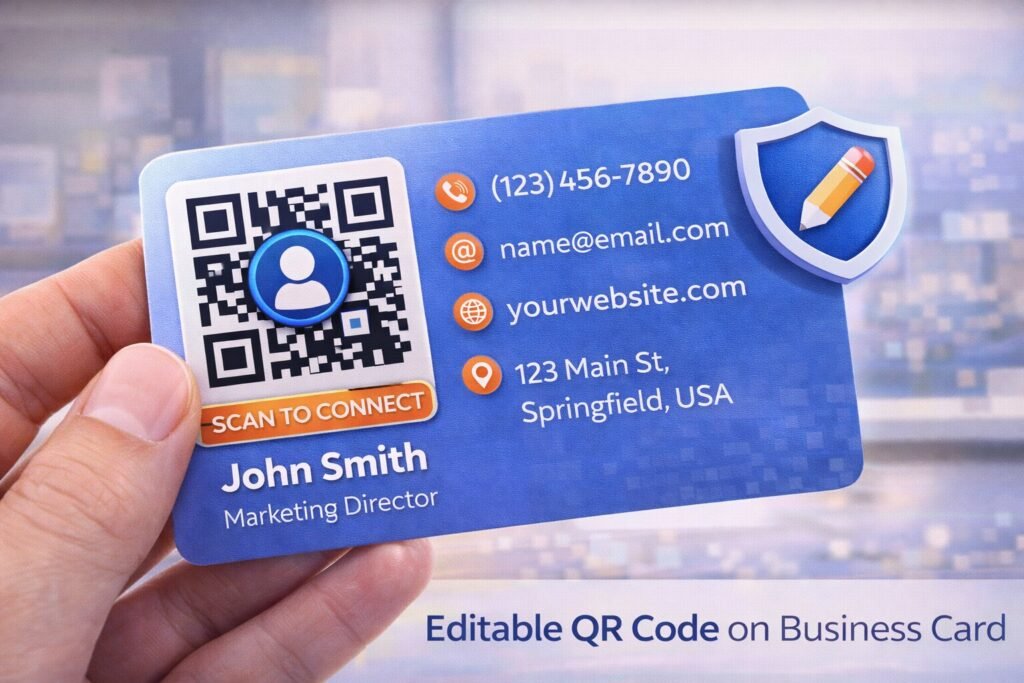
Traditional business cards have long been a cornerstone of professional networking. However, in today’s digital-first environment, professionals increasingly seek smarter ways to share contact information, portfolios, and online profiles. One of the most effective solutions is learning how to create QR code for business card that you can edit, allowing you to update your details without reprinting cards.
Editable QR codes transform static business cards into dynamic networking tools. Instead of printing fixed information that may become outdated, professionals can use dynamic QR technology to ensure their contact details remain current, track engagement, and optimize personal branding strategies.
In this comprehensive guide, you’ll discover:
- What editable QR business cards are and how they work
- The difference between static and dynamic QR codes
- Step-by-step instructions to create editable QR codes
- Best QR types for networking and contact sharing
- Analytics and lead-tracking opportunities
- Branding strategies for modern business cards
- ROI considerations and networking benefits
- Optimization and security best practices
By the end, you’ll understand how to turn a simple business card into a powerful digital engagement tool.
What Is an Editable QR Code for Business Cards?
An editable QR code for business cards is a dynamic QR code that allows you to update the destination content without changing the printed QR code.
Instead of embedding fixed contact details, dynamic QR codes store a redirect link managed through a dashboard.
When someone scans the QR code:
- The scan request goes to a redirect server
- Interaction data may be logged
- The user is redirected to your updated profile or contact page
This approach ensures that even if your email, phone number, website, or job title changes, your business cards remain relevant.
Static vs Dynamic QR Business Cards
Understanding the difference between static and dynamic QR codes is essential before designing a networking strategy.
| Feature | Static QR Card | Editable Dynamic QR Card |
|---|---|---|
| Editable after printing | ❌ No | ✅ Yes |
| Scan tracking | ❌ No | ✅ Yes |
| Branding flexibility | Limited | Advanced |
| Networking analytics | ❌ No | ✅ Yes |
Static QR Codes
Static QR codes embed contact details directly into the QR image.
Example:
BEGIN:VCARD
NAME: John Doe
TEL:+123456789
EMAIL:[email protected]
END:VCARD
If your contact details change, the QR code must be replaced.
Dynamic QR Codes
Dynamic QR codes use a redirect system that allows updates anytime.
Professional QR platforms such as ProQRCodeGenerator.com provide dynamic QR infrastructure designed for business networking and personal branding use cases.
How Editable QR Codes Work
Editable QR codes rely on a centralized redirect and content management system.
Instead of encoding final data, the QR code stores a short dynamic link.
Example:
qrplatform.com/profile123
When scanned:
- system logs scan interaction
- user is redirected to your current contact page
Because the destination is stored in a dashboard, you can update it anytime.
This technology supports:
- digital business cards
- portfolio updates
- career transitions
- rebranding efforts
Step-by-Step: Creating an Editable QR Code for Business Cards
Creating an editable QR business card requires a structured workflow.
Step 1 – Choose Contact Destination Type
Decide where the QR code will lead users.
Common options include:
- digital contact page
- LinkedIn profile
- personal website
- portfolio page
- vCard landing page
Example:
https://yourname.com/contact
Step 2 – Use Dynamic QR Code Generator
Select a QR platform that supports:
- editable QR links
- scan analytics
- branding customization
- unlimited scans
Step 3 – Create Dynamic QR Code
Paste your destination link and generate the QR.
Step 4 – Customize QR Design
Effective business card QR codes should include:
- brand colors
- logo integration
- clear scan instructions
Example CTA:
Scan to Save Contact
Step 5 – Test QR Code
Test scanning on multiple devices before printing.
Step 6 – Print and Distribute
Place the QR code strategically on the card.
Recommended placement:
- back side center
- front corner with CTA
Step 7 – Update Contact Info Anytime
Platforms like ProQRCodeGenerator.com allow professionals to update destination links after printing, ensuring long-term networking flexibility.
Best QR Types for Business Cards
Different QR formats serve different networking goals.
vCard QR Codes
Best for instant contact saving.
Profile Page QR Codes
Ideal for personal branding.
Portfolio QR Codes
Useful for creative professionals.
Social Media QR Codes
Helps build online presence.
Landing Page QR Codes
Supports lead generation and marketing.
Analytics & Networking Lead Tracking
Editable QR codes can provide valuable networking insights.
Key metrics include:
- scan volume
- geographic engagement
- peak interaction times
- device usage
Example analytics:
| Metric | Example |
|---|---|
| Total scans | 520 |
| Unique users | 340 |
| Top region | Dubai |
| Peak time | 6 PM |
These insights help professionals refine networking strategies.
Networking Use Cases
Editable QR business cards are widely used across industries.
Sales Professionals
Track lead engagement from networking events.
Consultants
Share dynamic service pages.
Designers & Creators
Showcase evolving portfolios.
Real Estate Agents
Update property listings.
Startup Founders
Adapt branding during company growth.
Branding Strategies for Digital Business Cards
QR business cards should align with personal brand identity.
Best practices include:
- consistent color palette
- professional typography
- high contrast QR design
- minimalist layout
This improves scan engagement and perception.
ROI of Editable QR Business Cards
Editable QR codes reduce long-term costs.
Example:
- traditional card reprint cost → recurring
- dynamic QR card → one-time print
Additionally, analytics provide measurable networking ROI.
Common Mistakes to Avoid
Professionals often misuse QR business cards.
Using Static QR Codes
Limits long-term flexibility.
Poor QR Placement
Makes scanning inconvenient.
No Call-to-Action
Reduces scan rate.
Linking to Non-Mobile Pages
Decreases engagement.
Optimization Tips
To maximize performance:
- use minimum QR size 1.5 cm
- ensure high contrast
- test print quality
- optimize landing page speed
These improvements increase networking effectiveness.
Security & Privacy Considerations
When using dynamic QR business cards:
- use secure HTTPS pages
- avoid public personal data exposure
- host on trusted QR infrastructure
Professional QR platforms maintain secure redirect systems.
Frequently Asked Questions
Can I edit a QR code after printing?
Yes, if it is dynamic.
What is the best QR type for business cards?
vCard or landing page QR codes.
Can QR business cards track leads?
Yes, dynamic QR analytics enable tracking.
Do QR codes replace traditional business cards?
They enhance them rather than replace them.
Are editable QR codes permanent?
They remain active while hosted on the platform.
Conclusion: Transforming Business Cards with Editable QR Technology
Learning how to create QR code for business card that you can edit enables professionals to modernize networking strategies, reduce reprint costs, and measure engagement.
Editable QR systems provide:
- flexible contact updates
- networking analytics insights
- branding customization
- scalable digital identity
Solutions such as ProQRCodeGenerator.com offer dynamic QR infrastructure that allows professionals to create editable business card QR codes, track networking performance, and maintain up-to-date digital profiles.
As digital networking continues to evolve, editable QR business cards are becoming essential tools for professionals who want to stay relevant and data-driven.

