
Table of Contents
In the rapidly evolving landscape of 2026, the bridge between offline marketing and online conversion has never been shorter. Businesses are constantly seeking ways to remove friction from the customer journey. One of the most effective, yet often underutilized, tools in this arsenal is the click-to-call QR code.
The short answer to the question Can a QR code trigger a phone call? is a resounding yes. However, understanding the technical mechanics, the user experience (UX) implications, and the strategic implementation is what separates a standard marketing campaign from a high-converting, enterprise-grade communication strategy.
In this exhaustive guide, we will dive deep into the “tel:” URI scheme, the psychological impact of frictionless dialing, and the step-by-step process for deploying secure, trackable call-based QR codes.
What is a Call QR Code?
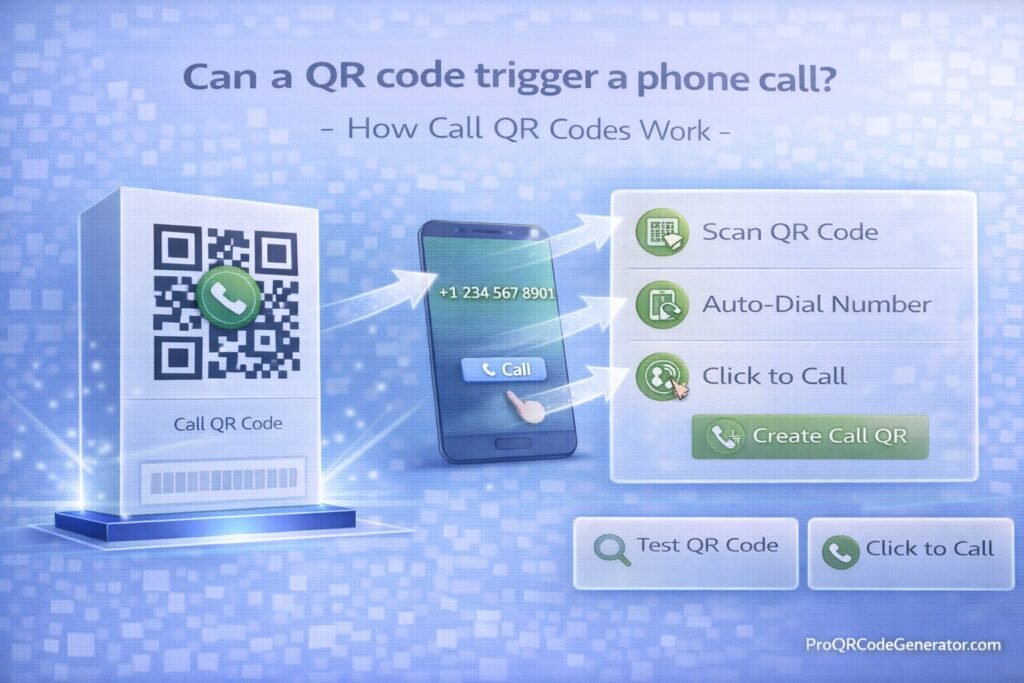
A Call QR Code is a specialized type of matrix barcode that contains a specific command for mobile operating systems. Unlike a standard URL QR code that directs a user to a website, a call-triggering code initiates the smartphone’s native dialing application.
When a customer scans this code, they aren’t forced to memorize a ten-digit number, scribble it on a notepad, or manually type it into their phone—a process that is historically prone to “fat-finger” errors and drop-off. Instead, the phone recognizes the command and prepares to dial the number instantly.
The Featured Snippet Answer
Can a QR code trigger a phone call?
Yes. By encoding a phone number using the tel: URI scheme, a QR code can automatically open a smartphone’s dialer app. For security and to prevent accidental charges, the user must typically tap a confirmation prompt on their screen before the call is actually placed.
The Mechanics: Understanding the Tel: Protocol
To understand how a QR code triggers a phone call, we have to look at how smartphones interpret data. Every QR code is essentially a visual container for a string of text. The “magic” happens in how the mobile operating system (iOS or Android) reads that string.
How Your Smartphone Interprets a Call Command
When you scan a code, the camera software decodes the pixels into a string. Professional platforms like ProQRCodeGenerator.com format this string using the Uniform Resource Identifier (URI) scheme.
For a phone call, the standard protocol is:
tel:+[CountryCode][AreaCode][Number]
For example, a US-based business number would be encoded as:
tel:+15551234567
The Role of the Native Dialer App
Once the smartphone identifies the tel: prefix, it knows not to open a web browser. Instead, it triggers an “intent” or “action” to open the system’s dialer.
It is important to note that, as of 2026, mobile security standards (both on Apple’s iOS and Google’s Android) prevent “automatic dialing” without user consent. This is a critical safety feature to prevent toll fraud or malicious redirects. When the code is scanned, a pop-up appears saying “Call [Number]?” or “Open in Phone?”. The user remains in control, providing a final tap to initiate the conversation.
Benefits of Using QR Codes to Trigger Calls
In marketing, friction is the enemy of conversion. Every second a user spends performing a manual task is a second they have to change their mind.
1. Enhancing User Experience (UX)
Imagine a prospect driving past a billboard or standing in a crowded subway station. They see a service they need. Asking them to manually type a phone number into their dialer while on the move is a high-friction request. A QR code reduces this to a 2-second interaction: Scan. Tap. Talk.
2. Boosting Inbound Lead Conversion
Data from 2025 marketing studies suggests that click-to-call interactions have a significantly higher conversion rate than contact forms. A phone call represents a high-intent lead. By triggering that call directly from a flyer, business card, or product package, you capture the customer at the peak of their interest.
3. Accuracy and Error Reduction
Manually typing numbers leads to misdials. In a B2B environment, a misdialed number could lead a customer to a competitor or a dead line. A QR code ensures the number is perfectly transferred every single time.
Business Applications for Click-to-Call QR Codes
While the technology is simple, the applications are vast. Here is how various industries are using this technology to dominate their niches.
Real Estate: Instant Agent Connection
Real estate agents place call-triggering QR codes on “For Sale” signs. A prospective buyer standing in front of the house can scan the code to instantly reach the listing agent. This “hot lead” can then be given a virtual tour or a viewing appointment on the spot.
Customer Support: Scan for Help Desk
Modern hardware manufacturers often print QR codes directly on the back of devices or inside user manuals. If a customer encounters an error, they scan the code to be connected directly to a technical support line. This reduces the frustration of searching for a “Contact Us” page on a tiny mobile screen.
Field Services: Emergency Service Calls
Plumbers, electricians, and HVAC technicians use call QR codes on their service vehicle wraps. If a homeowner sees a local technician in their neighborhood during an emergency, they can scan the van to get a quote or request immediate service.
Table: Use Case Comparison
| Industry | Placement | Primary Objective |
| Retail | Product Packaging | After-sales support & Warranty activation |
| Real Estate | Yard Signs | Instant lead capture for property inquiries |
| Healthcare | Appointment Cards | Streamlining rescheduling and check-ins |
| Non-Profit | Direct Mail | Immediate “Pledge by Phone” donations |
| Automotive | Service Stickers | Booking the next oil change or repair |
Step-by-Step Guide: How to Create a Secure Call QR Code
Creating a QR code that triggers a call is easy, but creating one that is professional, branded, and secure requires a few extra steps.
Step 1: Choose a Professional Platform
While there are many “free” generators, businesses should use an enterprise SaaS like ProQRCodeGenerator.com. These platforms allow for Dynamic QR Codes, which are essential for long-term campaigns.
Step 2: Select the Phone Number or Call Type
In your dashboard, look for the “Phone” or “Call” category. This ensures the platform applies the correct tel: URI scheme automatically.
Step 3: Input Formatting (The E.164 Standard)
To ensure the code works globally, always use the international phone number format:
- Include the + sign.
- Include the Country Code.
- Include the Area Code.
- Omit any brackets or extra spaces (e.g.,
+12125551234).
Step 4: Customize the Aesthetics
Don’t settle for a plain black-and-white square.
- Logo: Add your brand logo to the center to increase trust.
- Colors: Match your brand’s palette while maintaining a high contrast ratio (dark pixels on a light background).
- Frames: Use a frame with a clear call-to-action (CTA) like “Scan to Call.”
Step 5: Test, Test, and Test Again
Before printing 10,000 brochures, scan the code with both an iPhone and an Android device. Ensure the number displayed in the prompt is correct.
Comparison: Static vs. Dynamic Call QR Codes
This is the most critical distinction for any business owner.
Static Call QR Codes
A static code has the phone number encoded directly into the pixels.
- Pros: It never expires.
- Cons: You cannot change the phone number once it is printed. If you get a new business line, the QR code becomes a “dead” asset. It also offers zero analytics.
Dynamic Call QR Codes
A dynamic code points to a secure short URL which then redirects the device to trigger the call.
- Pros: You can change the phone number in the backend at any time without reprinting the code. If your sales team moves to a new routing system, you just update the dashboard.
- Analytics: You can see exactly how many people scanned the code, what time of day they scanned, and their general location.
For professional use, the dynamic option provided by platforms like ProQRCodeGenerator.com is the industry standard, offering a “safety net” for your physical marketing assets.
Advanced Analytics: Tracking Your Scan-to-Call Funnel
One of the biggest advantages of modern QR technology is the ability to turn “offline” ads into “trackable” data.
By using dynamic call codes, you can measure:
- Attribution: Which billboard is driving the most calls?
- Peak Times: When are customers most likely to call? (This helps with staffing your call center).
- Geography: Which neighborhood is showing the most interest in your service?
This data allows you to calculate the ROI of a frictionless dial. If a $500 flyer campaign results in 50 scans and 10 converted sales calls, you have a clear picture of your customer acquisition cost (CAC).
Common Mistakes to Avoid
Even with simple technology, mistakes happen. Ensure your campaign avoids these pitfalls:
1. Missing the Country Code
If your customer is traveling or using an international SIM, a local number format (like 555-0199) may fail. Always use the + prefix.
2. Low Contrast Designs
A light-colored QR code on a light background is the leading cause of “scan failure.” Always aim for a contrast ratio of at least 4:1.
3. Too Much Complexity
If you add too many design elements to a static code, the pattern becomes dense and hard for older cameras to read. Dynamic codes solve this by keeping the pattern simple regardless of the data payload.
Security Considerations: Preventing Toll Fraud
When you publish a phone number via a QR code, you are making it public.
- Quishing Protection: Always use a reputable generator. Some “free” sites may swap your number for a premium-rate number (a form of “quishing” or QR phishing). Professional platforms like ProQRCodeGenerator.com use encrypted redirects to prevent this.
- Call Screening: Ensure the receiving line has basic IVR (Interactive Voice Response) to filter out potential bot-scrapers who might find the number via automated web crawlers.
Frequently Asked Questions (FAQ)
Does it dial the number automatically?
No. For security and user privacy, the smartphone will always ask the user for confirmation before the call is placed.
Do I need a special app to scan these codes?
No. In 2026, all modern smartphone cameras have native QR detection that recognizes the tel: protocol.
Can I track who exactly called me via the QR code?
You can track the number of scans and the metadata (location, device). However, to link a specific scan to a specific phone call, you would typically use a unique tracking number for each campaign.
Is there a limit to how many times a code can be scanned?
Static codes have no limit. Professional platforms like ProQRCodeGenerator.com offer unlimited scans on their dynamic business plans, ensuring your campaign never goes dark.
Conclusion: Optimizing Inbound Communication
The ability for a QR code to trigger a phone call is more than just a technical trick—it is a powerful tool for customer engagement. By removing the manual barriers to communication, you show your customers that you value their time and are ready to assist them instantly.
Whether you are a real estate agent looking for more property inquiries or a large-scale manufacturer providing technical support, the click-to-call QR code is your fastest path to a live conversation.
Ready to revolutionize your inbound sales funnel? Don’t settle for static, untrackable links. Create your first branded, dynamic call QR code today and start measuring your real-world impact.

