
Table of Contents
Every veteran marketer, business owner, and print designer has experienced the “stomach-drop” moment. You just took delivery of 10,000 beautifully printed direct mailers, product packages, or trade show banners. You pull out your smartphone, open the camera, scan the data matrix to admire your work, and realize the truth: the link is broken, the promotional page has expired, or the destination URL has a glaring typo. Panic sets in, and immediately, you type a desperate query into a search engine: how to change QR code location?
In the high-stakes world of physical-to-digital marketing, your print budget is unforgiving. A dead link on a physical asset represents not just wasted printing costs, but lost customer acquisition, damaged brand trust, and severed conversion funnels.
The definitive answer to whether you can alter the destination of an already-printed matrix depends entirely on the technical architecture of the code you generated. If you are trying to figure out how to change QR code location, this comprehensive, elite-level guide will break down the exact server-side mechanics of redirection, the hard truths about static versus dynamic architecture, and the strategic solutions required to future-proof your offline marketing collateral.
Understanding the Problem: Why Do You Need to Change a QR Code Location?
Before diving into the technical fixes, it is crucial to understand why destination agility is a non-negotiable requirement for modern business operations. The need to update a destination URL is rarely just about fixing typos. In 2026, dynamic redirection is a core component of agile marketing.
1. The Broken Link Emergency
The most common catalyst for needing to know how to change QR code location is human error. A URL was copied incorrectly, a website migration resulted in broken permalinks, or a landing page was accidentally unpublished. When physical assets are tied to a 404 Error page, the immediate priority is digital triage—rerouting traffic before more customers bounce.
2. Time-Sensitive Promotional Swaps
Retailers and e-commerce brands frequently use a single printed asset (like a storefront window decal) to promote rotating offers. A code that points to a “Summer Sale” in July must point to a “Black Friday Blowout” in November. Reprinting the window decal every season is a massive waste of operational budget.
3. Inventory and Stock Fluctuations
If a physical product tag points to a specific SKU on your e-commerce store, what happens when that item sells out? Instead of sending a highly qualified buyer to an “Out of Stock” page, savvy marketers change the QR code location to point to a waitlist signup form or a similar, in-stock product.
4. A/B Testing Physical Collateral
Digital marketers split-test landing pages constantly. Offline marketers can do the same. By printing one master code on a magazine advertisement, a marketing team can route traffic to Landing Page A for the first two weeks of the month, analyze the conversion data, and then seamlessly change the QR code location to Landing Page B for the remainder of the month.
The Hard Truth: Static vs. Dynamic Architecture
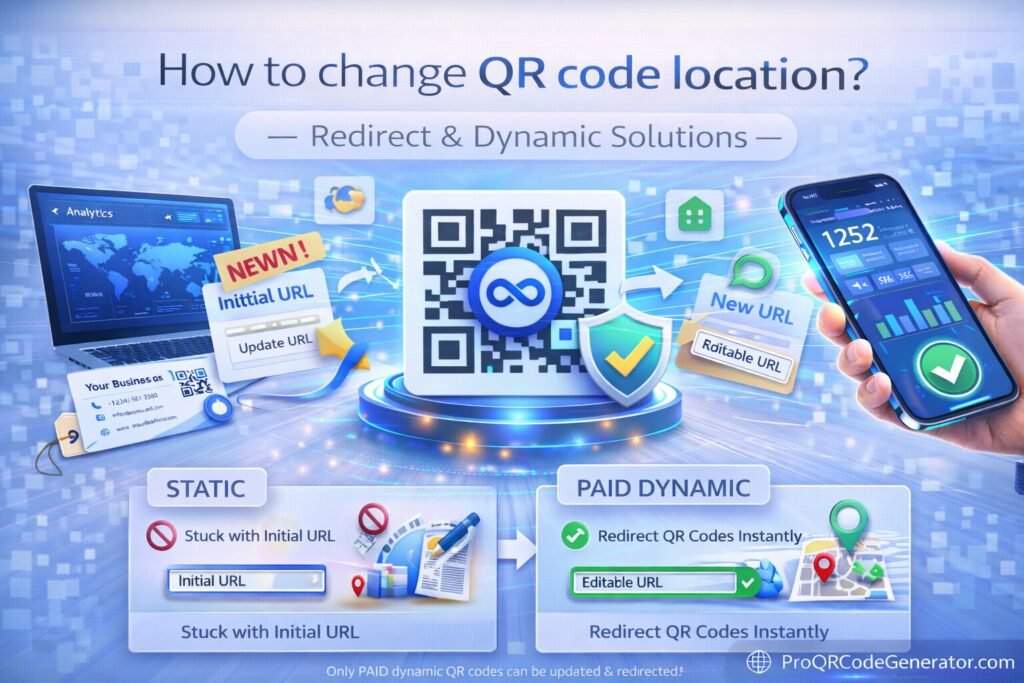
When a user asks how to change QR code location, the answer hinges entirely on one technical distinction: Did you generate a Static or a Dynamic code?
What is a Static QR Code? (The Immovable Matrix)
A static QR code is a direct, mathematical translation of text into a visual pattern. If your website is www.yourdomain.com/sale, those exact alphanumeric characters are permanently baked into the black-and-white squares.
- The Problem: Because the final URL is hard-coded into the image, the smartphone camera translates the squares and sends the browser directly to that exact URL. There is no middleman.
- The Reality: If you generated a static code, you cannot change the QR code itself. The pattern is permanent.
What is a Dynamic QR Code? (The Agile Solution)
A dynamic QR code does not encode your final website URL. Instead, it encodes a short, secure routing link owned by a software provider (e.g., qr.provider.com/x7y8z).
- The Solution: When the smartphone scans the code, it goes to the routing server first. That server instantly looks up where
x7y8zis supposed to point, and then forwards the user to your actual website. - The Reality: Because the printed code only points to the middleman server, you can log into your software dashboard and tell the server to forward the traffic somewhere else. The physical pattern never changes, but the destination is infinitely editable.
The Static Code Workarounds: Fixing a Mistake After Printing
If you are reading this because you already printed 5,000 flyers with a Static code that points to the wrong place, you are likely in panic mode. While you cannot alter the physical printed code, there are server-side workarounds if you control the destination domain.
Workaround 1: The 301 Server-Side Redirect
If your printed static code points to www.yourcompany.com/old-page, and you need it to point to www.yourcompany.com/new-page, you can intercept the traffic at the server level.
- Access your website’s hosting control panel (cPanel, WP Engine, Shopify routing, etc.).
- Locate your URL redirection tool or
.htaccessfile. - Set up a Permanent 301 Redirect. Rule: Any traffic hitting
/old-pagemust immediately be routed to/new-page. - When users scan the printed static code, their phone requests
/old-page, your server intercepts it, and serves/new-pageinstead.
Workaround 2: Rebuilding the Dead Page
If the code points to a URL that currently shows a 404 error (e.g., www.yourcompany.com/typo-page), the easiest fix is simply to log into your CMS (Content Management System) and create a brand-new page with that exact URL slug. Even if the URL looks ugly or has a typo in it, rebuilding the page ensures the scanning customer lands on a functional, conversion-optimized destination.
The Fatal Flaw of Static Workarounds
These workarounds only function if the static code points to a domain you own. If you generated a static code pointing to a third-party site (like a YouTube video that got deleted, or a Google Review link that changed), you have zero control over that external server. In this scenario, the printed collateral is completely dead and must be destroyed and reprinted. This catastrophic financial risk is exactly why enterprise businesses universally abandon static generation.
The Mechanics: How QR Code Redirection Works (Dynamic Architecture)
To truly master offline-to-online marketing, you must understand the infrastructure that enables editable destinations. When you utilize a professional SaaS platform to figure out how to change QR code location, you are leveraging advanced HTTP routing.
The Split-Second Journey of a Dynamic Scan
- The Scan Request: The user’s smartphone camera decodes the matrix and identifies the short routing URL (the “vanity link”).
- DNS Resolution: The mobile browser pings the Domain Name System to locate the IP address of the QR code provider’s tracking server.
- The HTTP Request & Data Logging: The browser requests the page from the tracking server. In this millisecond, the server logs the user’s IP address (for location mapping), the User-Agent (to identify iOS vs. Android), and the precise timestamp.
- The HTTP 302 Redirect: The tracking server consults its database, checks the current destination URL you have set in your dashboard, and sends an HTTP 302 (Found/Temporary Redirect) status code back to the phone. Note: Professional platforms use 302s instead of 301s because a 302 explicitly tells browsers NOT to cache the destination, ensuring that if you change the link again tomorrow, the user’s phone will fetch the new link.
- The Final Destination: The mobile browser automatically follows the redirect and loads your final landing page.
This entire sequence happens in roughly 150 to 300 milliseconds. The user experiences a seamless transition, while you retain total, granular control over the routing logic. Platforms like ProQRCodeGenerator.com utilize enterprise-grade routing infrastructure to ensure this latency is virtually non-existent, preventing user bounce rates.
Core Benefits of Editable QR Destinations
Transitioning to dynamic architecture and mastering how to change QR code location fundamentally upgrades your marketing department’s capabilities.
1. Zero-Waste Print Budgets
Print marketing carries heavy overhead. A slight adjustment to a campaign’s digital landing page should never necessitate a $10,000 reprint of physical assets. Dynamic redirection acts as an insurance policy for your print budget. You print the code once, and you own the routing forever.
2. Contextual Relevancy
Consumer intent changes based on time and location. A dynamic code allows you to adapt to that context. For example, a restaurant can use a single table-tent code that routes to a breakfast menu from 6:00 AM to 11:00 AM, automatically shifts to a lunch menu until 4:00 PM, and routes to a dinner and drinks menu in the evening.
3. Error Eradication
Mistakes happen. A graphic designer might grab the wrong staging link, or a social media manager might send traffic to an expired Shopify discount code. With editable locations, a crisis that would normally take weeks to fix via commercial reprinting can be solved in 30 seconds via a web dashboard.
4. Lifecycle Marketing
Product packaging often outlives the promotional campaign it was printed alongside. A customer might buy a box of electronics that sits on a shelf for two years before they scan the warranty registration code. If your website structure changes in those two years, a static code breaks. An editable location ensures that your legacy packaging always routes to your current digital infrastructure.
High-ROI Business Applications for Changing Code Locations
How are leading organizations utilizing editable destinations to drive revenue?
The Real Estate Property Pivot
A real estate agency invests heavily in premium, metal “For Sale” signs. Instead of printing a new sign for every new property, they print a master sign with a dynamic code. When the sign is placed in front of 123 Main Street, the agent logs into their dashboard and changes the QR code location to the 3D virtual tour for that specific house. When the house sells, they move the sign to 456 Oak Lane, update the link, and reuse the physical asset indefinitely.
The Trade Show Lead Magnet
A B2B software company prints a massive code on their primary trade show booth. On Day 1 of the conference, the code points to a “Schedule a Live Demo” booking calendar. On Day 2, they realize the booth is too crowded for live demos, so they change the QR code location to point to a high-value “Download Our Industry Report” lead-capture form. On Day 3, as the conference winds down, they route the code to a “Join our Monthly Newsletter” page. The physical booth never changes, but the conversion funnel optimizes in real-time.
The Restaurant Menu and Inventory Manager
A local bistro uses a PDF QR code on their tables. Because their wine list changes weekly based on distributor availability, the manager simply logs into their platform every Monday morning, uploads the new PDF file, and updates the destination. The physical table codes remain untouched, saving the restaurant thousands of dollars in paper and lamination costs annually.
Real-World Industry Examples: The Cost of Being Static
To underscore the importance of understanding how to change QR code location, consider these real-world scenarios where dynamic agility saved the day (and where static rigidity caused disaster).
- The Super Bowl Disaster: A major cryptocurrency firm spent millions on a Super Bowl commercial featuring a bouncing QR code. The traffic surge crashed their primary landing page. Because they used a dynamic routing structure, their engineering team was able to instantly change the QR code location to a lightweight, secondary backup server, salvaging the multi-million dollar ad spend. Had the code been static, the commercial would have driven millions of users to a dead server.
- The Consumer Packaged Goods (CPG) Recall: A food manufacturer printed millions of cereal boxes with a code pointing to a sweepstakes. A minor product recall occurred, requiring urgent consumer communication. The brand instantly logged into their dashboard, paused the sweepstakes redirect, and changed the QR code location to route directly to the safety and recall information page. The physical boxes on store shelves immediately became a critical safety communication tool.
Step-by-Step Guide: How to Change QR Code Location
If you have deployed dynamic infrastructure, updating your destination is a frictionless process. By logging into a centralized dashboard—such as the intuitive interface provided by ProQRCodeGenerator.com—marketing teams can execute updates in seconds.
Here is exactly how to change QR code location using a professional SaaS platform:
Step 1: Access Your Command Center
Log into your QR code management dashboard using your administrative credentials. Ensure you have the appropriate user permissions if you are working within a larger enterprise team.
Step 2: Locate the Specific Campaign
Navigate to your active campaigns or code repository. If you are managing hundreds of codes, utilize the search function or folder tags to isolate the exact code you wish to modify (e.g., “Spring_Mailer_2026_Code_A”).
Step 3: Open the Editing Interface
Click the “Edit” or “Modify Destination” button associated with that specific code. You will see the current target URL displayed in the routing field.
Step 4: Input the New Destination
Delete the old URL and paste your new destination URL into the field. Crucial SEO/Tracking Tip: If you are using Google Analytics, ensure your new URL includes the correct UTM parameters (e.g., ?utm_source=qr&utm_campaign=spring_update) before pasting it into the dashboard.
Step 5: Save and Verify
Click “Update” or “Save.” The server-side routing rule is rewritten instantly. Grab your smartphone, scan the physical code (or the digital preview on your screen), and verify that the 302 redirect successfully lands on your new destination.
Your physical asset has now been successfully repurposed without a single drop of new ink.
Comparison Section: Dynamic SaaS vs. Free Tools vs. 301 Redirects
When evaluating your options for destination management, you must weigh cost, control, and reliability.
| Redirection Method | How it Works | Pros | Cons (The Catch) |
| Server-Side 301 Redirect | Intercepting a static URL at your domain host. | Free (if you own the domain). Keeps SEO equity. | Highly technical. Requires IT access. Cannot track scan data. Fails if the URL is on a third-party site. |
| Free “Dynamic” Generators | Third-party routing with no monthly fee. | No upfront cost. Easy to use. | Dangerous. Providers often hijack your traffic with interstitial ads, or break the link after 100 scans to extort a premium upgrade. |
| Professional SaaS Platform | Dedicated, enterprise-grade 302 routing. | Total control. Instant edits. Comprehensive analytics. Zero ads. High uptime SLAs. | Requires a modest monthly or annual subscription fee. |
Unlike free tools that hijack your traffic or hold your links hostage, professional solutions like ProQRCodeGenerator.com offer transparent, flat-rate pricing with unlimited scans, ensuring your redirections are clean, secure, and entirely under your brand’s control.
Analytics & Tracking: What Happens When You Change a Destination?
A common anxiety among data analysts is: If I learn how to change QR code location and swap the link mid-campaign, what happens to my historical scan data?
Continuous Data Logging
When you use a professional dynamic platform, the analytics are tied to the routing link (the short URL), not the final destination. Therefore, if you change the final destination from Page A to Page B on Wednesday, your dashboard will show a continuous, unbroken timeline of scan data for the entire week.
Segmenting the Shift in GA4
While your QR dashboard tracks the physical scans smoothly, Google Analytics 4 (GA4) requires a bit of manual segmentation to understand the change.
To accurately track the impact of the location change:
- When routing to
Page A, use the tag:utm_content=version_1. - When you change the QR code location to
Page B, update the tag to:utm_content=version_2.By doing this, GA4 will clearly delineate user behavior before and after the destination swap, allowing you to definitively measure which landing page yielded a higher conversion rate from the same physical print asset.
The ROI Discussion: Saving Print Costs with Dynamic Links
To justify the subscription cost of dynamic QR infrastructure to a Chief Financial Officer, you simply need to calculate the cost of a single static mistake.
The Static Scenario:
You print 25,000 direct mailers at a cost of $0.40 each. Total print cost: $10,000.
Postage costs an additional $8,000.
Total campaign investment: $18,000.
A typo is discovered in the static QR code after printing but before mailing. The 25,000 mailers must be shredded and reprinted.
Financial Loss: $10,000 (plus delayed campaign rollout).
The Dynamic Scenario:
You invest $25/month in a professional dynamic QR platform.
You print the same 25,000 mailers with a dynamic code.
A typo is discovered in the destination URL.
A marketer logs into the dashboard, updates the target URL in 15 seconds, and clicks save.
Financial Loss: $0.
The ability to change a QR code location is not merely a “nice-to-have” marketing feature; it is foundational risk mitigation for corporate print budgets. A single saved print run will pay for decades of a SaaS subscription.
Costly Mistakes to Avoid When Redirecting QR Codes
Even with dynamic infrastructure, human error can sabotage a redirection. Avoid these common pitfalls when updating your locations:
1. Dropping the UTM Parameters
The most frequent mistake marketers make when updating a destination is pasting the “naked” URL (e.g., www.site.com/new-page) into the routing field, forgetting to re-attach their UTM tracking tags. Instantly, all traffic flowing from the physical code will show up in Google Analytics as generic “Direct” traffic, destroying your attribution modeling. Always rebuild your UTM strings before saving the new location.
2. Redirecting to Desktop-Only Pages
When you change a location in a panic, it is easy to grab a link that looks great on your office monitor. However, 100% of QR scans occur on mobile devices. If you change the routing to a heavy, desktop-formatted webpage, or a PDF that is not optimized for mobile viewing, your bounce rate will skyrocket. Always test the new destination on an actual smartphone before finalizing the redirect.
3. The Infinite Redirect Loop
If you get overly complex with your routing (e.g., pointing a dynamic QR code to a server that has its own 301 redirect pointing back to another page with a redirect), you can accidentally create a redirect loop. The mobile browser will throw an ERR_TOO_MANY_REDIRECTS code, locking the user out entirely. Keep your routing clean: Dynamic Code -> Final Destination.
Optimization Tips for Seamless QR Redirects
When you execute a location change, consider the psychological experience of the user scanning the code.
- Maintain Scent: “Information Scent” is the concept that the destination must visually match the promise of the physical code. If your printed flyer says “Scan for 20% Off Shoes,” and you change the location to the homepage because the shoe page broke, the user loses the scent and bounces. If you must redirect, build a rapid landing page that acknowledges the shift (e.g., “Our shoe sale is upgrading! In the meantime, take 20% off site-wide!”).
- Utilize Deep Linking: If your brand has a mobile app, do not just redirect to your mobile website. Advanced dynamic platforms allow you to change the location to an App Store deep link. If the user has the app installed, the code opens the app directly to the specific product page; if they don’t, it routes them to the App Store download page.
Security Considerations: Safe Redirection and Phishing Prevention
Understanding how to change QR code location also means understanding how to protect your brand from malicious routing.
The Threat of Quishing (QR Phishing)
If you use a weak, free provider with poor security, bad actors can potentially breach your account and change your QR code locations to point to phishing sites designed to steal customer credit card data. This is a catastrophic liability.
Securing Your Routing Infrastructure
To ensure your redirections are ironclad:
- Force HTTPS: Only use platforms that enforce SSL encryption (HTTPS) on their short routing domains. This prevents “man-in-the-middle” attacks when customers scan codes on public Wi-Fi networks.
- Two-Factor Authentication (2FA): Ensure the SaaS platform you use to manage your codes requires 2FA to log in. This guarantees that even if a disgruntled employee or hacker gets a password, they cannot log in and change your physical asset destinations.
- Custom Vanity Domains: Enterprise platforms allow you to route codes through your own subdomain (e.g.,
qr.yourbrand.com). Because you control the top-level domain, it is significantly harder for third parties to spoof or hijack the routing.
Frequently Asked Questions (FAQ)
How to change QR code location if it is already printed?
If you generated a dynamic QR code, you can log into your generator’s dashboard, locate the specific campaign, edit the destination URL, and save. The printed code will instantly route to the new location. If you printed a static code, you cannot change it unless you own the domain it points to and can set up a server-side 301 redirect.
Can you make a static QR code dynamic?
No. A static code’s pattern is permanently locked to the specific URL encoded within it. You cannot convert the physical pattern into a dynamic one after it has been generated. You must generate a new dynamic code to gain editing capabilities.
Will changing the destination URL erase my previous scan data?
No. Professional dynamic platforms track analytics based on the routing server’s short link, not the final destination. Your historical scan data (time, location, device) remains intact even after you update the target URL.
Is there a limit to how many times I can change a QR code location?
With premium SaaS platforms, there is no limit. You can change the destination URL infinitely. This allows for daily, hourly, or seasonal updates without ever altering the physical code.
Why does my free QR code say the link is expired?
Many free generators operate on a predatory “freemium” model. They provide a dynamic code but cap the scans (often at 50 or 100). Once the limit is reached, they break the link and demand a high subscription fee to restore the location routing. To avoid this, always use platforms offering unlimited scans.
How fast does a QR code location change take effect?
When using enterprise-grade dynamic routing, the change is instantaneous. The moment you click “Save” in your dashboard, the server updates the routing rule, and the very next scan will reflect the new destination.
Conclusion: Future-Proof Your Print Marketing
The anxiety of a broken link on a printed asset is a relic of the past. By understanding the mechanics of dynamic architecture and mastering how to change QR code location, modern marketers can operate with unprecedented agility. You are no longer bound by the finality of ink on paper.
Transitioning from rigid, static images to intelligent, server-routed matrices transforms your physical marketing collateral into a living, breathing digital network. Whether you are correcting a disastrous typo, A/B testing a landing page, or rotating seasonal promotions, the ability to control the destination after the print run guarantees that every scan delivers maximum ROI and a frictionless customer experience.
Do not leave your print budget to chance, and never let a static link dictate the lifespan of your marketing campaigns.

