
Table of Contents
In the high-stakes environment of omnichannel marketing, print collateral represents a significant, irreversible capital expense. When thousands of dollars are committed to trade show banners, direct mail campaigns, or product packaging, the margin for error is non-existent. Yet, destinations change. Landing pages expire, products sell out, and URLs migrate. When faced with a shift in digital strategy—or a panicked realization that a printed link contains a typo—marketing directors inevitably ask one critical question: can I change the QR code destination?
The definitive answer is yes, but it comes with a strict technical caveat. Your ability to alter where a scanned code sends a user depends entirely on the underlying architecture of the matrix you generated. If you are locked into a static image, your options are severely limited. If you deployed a dynamic architecture, your destination is infinitely agile.
This comprehensive, elite-level guide breaks down exactly how destination editing works. We will dissect the server-side mechanics of redirection, explore the business applications of agile offline marketing, and provide a definitive roadmap for future-proofing your print assets so you never have to ask, can I change the QR code destination? in a state of panic again.
The Definitive Answer: Can I Change the QR Code Destination?
To address the core search intent immediately: whether you can change the QR code destination hinges on the “Static vs. Dynamic” divide.
When you generate a QR code, the software translates a string of text into a two-dimensional matrix of black and white squares.
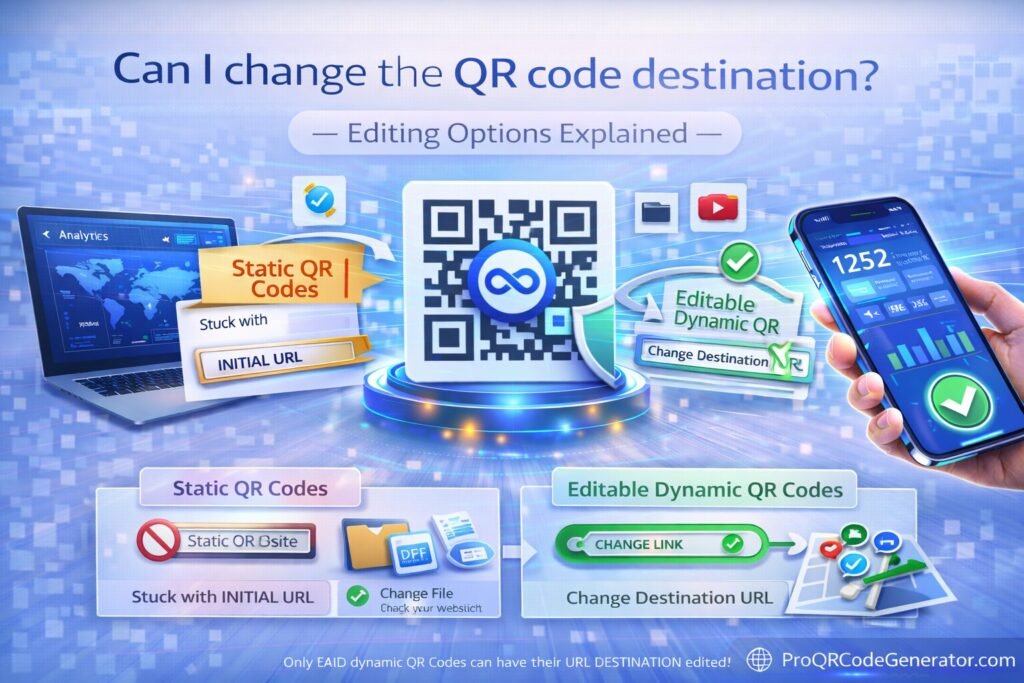
- If you generated a Static QR Code: No, you cannot change the destination. The actual, final website URL (e.g.,
www.yourcompany.com/sale) is permanently hard-coded into the physical squares. Altering the destination would require physically rearranging the printed squares on the paper. - If you generated a Dynamic QR Code: Yes, you can change the destination infinitely. The printed matrix does not contain your final URL; it contains a short, intermediary routing link hosted by a software platform.
Therefore, when marketers ask, can I change the QR code destination after printing?, they are essentially asking if they had the foresight to use dynamic routing infrastructure before sending their files to the commercial printer.
What It Is: Understanding Editable QR Architecture
To fully grasp your editing options, you must understand what a dynamic QR code actually is. It is not just an image; it is an active, server-side routing mechanism.
The Anatomy of a Dynamic Link
When you use a professional platform to create a code, the system generates a unique, secure short URL (for example, qr.yourbrand.com/promo123). This short URL is what gets translated into the visual matrix.
Because this short URL points to a centralized server rather than a static webpage, the server acts as a digital traffic cop. It catches the incoming scan, checks its database to see where you want that traffic to go today, and instantly forwards the user.
The Limitations of Static Patterns
Why do free generators default to static codes? Because they require zero ongoing server maintenance. Once the generator converts your text to an image, the transaction is over. The generator holds no responsibility for the traffic. While this is fine for sharing a personal Wi-Fi password at home, relying on a static code for a commercial campaign is a catastrophic operational risk. If your destination URL changes, the printed static code becomes a permanent dead end.
How It Works: The Mechanics of Destination Editing
When you change the QR code destination in your software dashboard, a sophisticated series of computational events occurs under the hood. For marketing technologists and IT professionals, understanding this sequence is vital for ensuring campaign uptime.
Server-Side Routing and the HTTP 302 Redirect
When you update a destination, you are not altering the image. You are rewriting a routing rule on the host server.
- The Scan: A smartphone camera decodes the matrix and opens the mobile browser, pinging the short routing URL.
- DNS Lookup: The browser locates the IP address of the routing server.
- The Database Query: The routing server receives the request, logs the analytics (timestamp, device type, location), and queries its database for the current destination URL associated with that specific code.
- The HTTP 302 Response: The server responds to the smartphone with an HTTP 302 status code (“Found” or “Temporary Redirect”) along with the new destination URL. Professional platforms explicitly use a 302 redirect rather than a 301 (Permanent Redirect) because a 302 instructs the mobile browser not to cache the destination. This ensures that if you change the destination again tomorrow, the user’s phone will fetch the newest link rather than loading a cached, outdated page.
- The Final Load: The mobile browser automatically follows the redirect and loads your target webpage.
Latency and User Experience
In a premium SaaS environment, this entire multi-step database query and redirection process occurs in roughly 150 to 300 milliseconds. To the end-user standing in a retail aisle, the transition is invisible. They scan the code and immediately see your landing page.
(This frictionless routing is why enterprise brands rely on dedicated infrastructure like ProQRCodeGenerator.com, ensuring that editing a destination never introduces lag or timeout errors that could spike bounce rates.)
Core Benefits of Editable QR Code Destinations
If you are currently evaluating your marketing technology stack and asking, can I change the QR code destination?, understanding the operational benefits of dynamic architecture will justify the investment.
1. Absolute Budget Protection (Zero Reprinting)
The primary benefit of an editable destination is financial insurance. Print campaigns—involving graphic design, commercial printing, freight, and distribution—often run into the tens of thousands of dollars. A single typo in a static URL destroys that entire investment. Dynamic architecture ensures that human error can be corrected in seconds from a web browser, completely eliminating the risk of costly reprints.
2. Marketing Agility and Lifecycle Management
A physical product might sit on a retail shelf for six months. A consumer might keep a branded box in their pantry for a year. If the QR code on that packaging points to a static, time-sensitive promotion that ended months ago, the brand experience is broken. Editable destinations allow you to update the physical packaging’s digital experience to reflect current seasons, current inventory, or current corporate messaging without ever touching the physical item.
3. Rapid A/B Testing for Offline Channels
Digital marketers rely on A/B testing to optimize conversion rates. Dynamic QR codes bring this capability to the physical world. You can deploy a single printed banner at a conference and route the traffic to Landing Page A for the morning session. In the afternoon, you can change the QR code destination to Landing Page B. By the end of the day, you have definitive data on which page converted higher, all from one physical asset.
Business Applications for Changing Destinations
How do sophisticated organizations leverage editable destinations to drive revenue and streamline operations?
E-Commerce and Inventory Fluidity
A DTC (Direct-to-Consumer) apparel brand includes a premium insert card in every shipped order: “Scan to shop the matching accessories for your new jacket.” If one of those accessories sells out, the marketing team does not want to send highly engaged, repeat buyers to an “Out of Stock” page. Instead, they log into their dashboard and change the QR code destination to point to a different, fully-stocked accessory line, preserving the up-sell funnel.
Real Estate Portfolio Management
A commercial real estate firm utilizes heavy, weather-proof metal signage for their properties. Instead of commissioning a new sign for every new building, they use master signs equipped with dynamic codes. When the sign is installed at Property A, the code routes to Property A’s virtual tour. When the building is leased, the firm moves the physical sign to Property B, logs into their account, and updates the destination URL. The physical asset becomes infinitely reusable.
Event Management and Ticketing
Music festivals and large-scale conferences use dynamic codes on attendee wristbands or lanyards.
- Pre-Event: The code routes to the event schedule and map.
- During Event: The code routes to a live “Now Playing” page or an emergency weather update broadcast.
- Post-Event: The code routes to a “Buy Early Bird Tickets for Next Year” sales page.A single, inexpensive printed matrix serves three distinct phases of the customer journey simply by changing the server-side destination.
Real-World Industry Examples: The Power of the Pivot
To truly understand the value of an editable destination, consider these scenarios where static codes would have caused catastrophic failure.
- The Automotive Recall: A major car manufacturer prints millions of owner’s manuals featuring a QR code that links to a standard “Vehicle Maintenance” video. A sudden, minor safety recall is issued. The manufacturer instantly changes the QR code destination so that any owner who scans the manual is immediately routed to the urgent recall registration page. The offline asset instantly becomes a critical safety communication tool.
- The Viral Super Bowl Ad: A beverage company airs a commercial featuring a QR code. The traffic is so immense that their primary Shopify server crashes under the load. Because the code was dynamic, the engineering team quickly changes the destination to a lightweight, static backup server hosted on AWS. The traffic is saved, the downtime is minimized to seconds, and the multi-million dollar ad spend is rescued.
Step-by-Step Guide: How to Change the Destination
If you are using a professional platform, the process of updating your target URL is designed to be frictionless and immediate. Here is exactly how to execute a destination swap.
Pre-requisite: Verify Your Architecture
Before proceeding, confirm that your code is dynamic. If you created it on a free website without creating an account or subscribing to a service, it is likely static, and these steps will not work. You must use a dedicated tracking platform.
Step 1: Log into Your Command Center
Access your QR code management dashboard. If you are operating within a team, ensure your user profile has “Editor” or “Admin” privileges to alter live campaigns.
Step 2: Isolate the Target Campaign
Navigate to your active codes. Use the search or tagging functionality to find the specific code you need to alter (e.g., “Storefront_Window_Decal_NYC”).
Step 3: Prepare the New URL (with UTMs)
Never paste a raw URL into your routing platform if you care about analytics. First, take your new destination and append Google Analytics UTM parameters.
Example: Instead of www.site.com/fall-collection, use www.site.com/fall-collection?utm_source=qr&utm_medium=print&utm_campaign=store_window.
Step 4: Execute the Update
Click “Edit Destination” on your dashboard. Delete the old URL and paste your newly optimized UTM link into the target field.
Step 5: Save and QA Test
Click “Save.” The server updates instantly. Crucial: Always perform a QA (Quality Assurance) test. Point your own smartphone at the printed code or the digital preview to ensure the 302 redirect smoothly lands on the correct, mobile-optimized page.
Would you like to manage your offline destinations with this level of simplicity? A professional platform gives you total control over your print collateral.
Comparison Section: Static vs. Dynamic Destination Editing
To visualize why enterprise businesses categorically reject static generation, review this technical capability matrix.
| Feature / Capability | Static QR Code | Dynamic QR Code (SaaS Platform) |
| Can I change the destination? | No. Permanently locked. | Yes. Infinite edits. |
| Correction of Typos Post-Print | Requires complete reprinting. | Instant server-side update. |
| Scan Analytics & Tracking | Zero data captured. | Full location, time, and device data. |
| A/B Testing Capability | Impossible. | Easy via dashboard URL swapping. |
| URL Length Impact | Long URLs create dense, hard-to-scan codes. | Codes remain simple and easy to scan regardless of URL length. |
Analytics & Tracking: What Happens When You Change Links?
A major concern for data-driven marketers asking can I change the QR code destination? is the fear of losing historical analytics. If you change the link halfway through a campaign, does the data reset?
Data Continuity on the Native Dashboard
When you use a professional dynamic platform, the analytics (total scans, unique scans, geographic heatmaps, device operating systems) are tethered to the short routing link, not the final destination URL.
Therefore, if you change the destination from a product page to a homepage on a Wednesday, your QR dashboard will show an unbroken, continuous timeline of scan data for the entire week. You do not lose a single data point.
Segmenting the Shift in Google Analytics 4 (GA4)
While your QR dashboard tracks the physical scans continuously, you will want Google Analytics 4 to track the digital behavior before and after the change.
To do this correctly, rely on the UTM parameters discussed in Step 3.
- Phase 1: When routing to your first destination, use the tag
utm_content=v1. - Phase 2: When you change the QR code destination, update the tag to
utm_content=v2.Inside GA4, you can now filter your acquisition traffic byutm_content. This definitively shows you the bounce rate and conversion rate of the audience that experienced Destination 1 versus Destination 2, proving exactly which landing page performed better.
ROI Discussion: The True Cost of Rigid Collateral
To justify transitioning to a dynamic QR infrastructure, you must calculate the financial penalty of rigidity.
Consider a regional restaurant chain that prints 5,000 table-tent menus for their 10 locations. The printing and lamination cost is $3,000.
They use a free, static QR code that links to a PDF hosted on their website.
Six months later, they update their website, and the URL structure changes. The old PDF link breaks and returns a 404 error.
- The Static Penalty: The restaurant must throw away all 5,000 table tents and spend another $3,000 to reprint them with a new static code.
- The Dynamic ROI: If the restaurant had utilized a dynamic code via a platform costing $20/month, the marketing manager would simply log in, upload the new PDF, and update the destination.In this single scenario, the ability to change the destination saved the company $3,000 in raw materials, days of operational headache, and preserved the customer experience. A dynamic infrastructure pays for itself the very first time you make an update.
Mistakes to Avoid When Editing Destinations
Even with the power of dynamic routing, human execution errors can sabotage a campaign. When you update a destination, avoid these critical mistakes:
1. Breaking the UTM Chain
As previously mentioned, pasting a “naked” URL into your routing dashboard strips all attribution data from the scan. Traffic will show up in Google Analytics as “Direct” (people typing your URL into their browser), completely blinding your marketing team to the effectiveness of the printed code. Always rebuild your tracking tags.
2. The Mobile Optimization Trap
When marketers rush to change a destination, they often grab a URL from their desktop browser. They fail to realize that 100% of QR scans occur on mobile devices. If you change the QR code destination to a heavy, desktop-formatted website or an unformatted PDF that requires pinching and zooming, the user will immediately bounce. Always verify that your new destination is hyper-optimized for mobile UX.
3. Creating Redirect Loops
If you change your QR destination to point to a webpage that also has a server-side redirect pointing somewhere else, you risk creating a redirect loop. The user’s smartphone will get caught bouncing between servers and will eventually throw an ERR_TOO_MANY_REDIRECTS browser error. Keep your routing clean and direct.
Optimization Tips for Destination Swaps
To ensure a high conversion rate when transitioning traffic from one campaign destination to another, focus on consumer psychology.
Contextual Consistency (Information Scent)
When a user scans a physical code, they do so with a specific expectation based on the printed call-to-action (CTA). If a direct mailer says “Scan to see our Winter Coat Collection,” and you decide to change the QR code destination to your generic homepage because the coats sold out, you break the “information scent.” The user is confused and leaves.
If you must change a destination, build a rapid bridge page that matches the original context: “Our Winter Coats sold out fast! But you can still use this exclusive 20% off coupon on any item in our store.”
Timing Your Updates
Analyze your scan velocity data before making a change. If your dashboard shows peak scan activity between 12:00 PM and 2:00 PM, do not execute your destination swap at 1:00 PM. Schedule your URL updates during low-traffic hours (e.g., 3:00 AM) to ensure you have time to QA test the new link without disrupting live users.
Security Considerations for Editable Codes
When you deploy editable infrastructure, security becomes paramount. The ability to change a destination is a superpower, but it is one that must be protected.
Preventing Unauthorized Swaps
If a malicious actor gains access to your QR code dashboard, they can change the QR code destination of your printed materials to point to a phishing site designed to steal customer data. To prevent this, enterprise platforms enforce strict security protocols.
- Two-Factor Authentication (2FA): Never use a QR provider that does not offer 2FA for account logins.
- Role-Based Access Control (RBAC): If you have a large marketing team, use a platform that allows you to grant “View Only” access to analysts, restricting “Edit Destination” privileges to senior managers.
SSL/TLS Encryption
Ensure your provider uses HTTPS for their short routing URLs. This encrypts the connection between the user’s smartphone and the routing server, preventing “man-in-the-middle” attacks where hackers try to intercept the scan on public Wi-Fi networks.
(When you utilize a trusted platform like ProQRCodeGenerator.com, these enterprise-grade security protocols, including forced SSL and secure login architecture, are built into the foundation of your account.)
Frequently Asked Questions (FAQ)
Can I change the QR code destination after it has been printed?
Yes, but only if you originally created a Dynamic QR code. Dynamic codes use a routing server that allows you to log in and update the final destination URL at any time without altering the printed image. Static QR codes cannot be changed.
Will changing the destination URL break the printed QR code?
No. Because a dynamic QR code only encodes the link to the routing server (not the final destination), the physical printed pattern remains perfectly scannable and intact regardless of how many times you update the final target URL in your dashboard.
How much does it cost to change a QR code destination?
With a subscription to a professional QR SaaS platform, changing the destination is included as a core feature. You can typically update your URLs infinitely at no extra cost beyond your standard monthly or annual subscription fee.
Can I change a static QR code to a dynamic QR code?
No. The mathematical pattern of a static code is permanently locked to the exact text or URL encoded within it. You cannot “upgrade” an existing physical static code to become dynamic. You must generate a new dynamic code to gain editing capabilities.
Does changing the link erase my previous scan data?
No. Professional tracking platforms log analytics based on the short routing link, not the final destination. Your historical scan data (location, time, device type) remains completely intact and continuous even after you update the target URL.
Is there a limit to how many times I can edit a dynamic QR code?
On enterprise-grade platforms, there is no limit. You can update the destination URL hourly, daily, or seasonally to match rotating campaigns, inventory changes, or A/B testing requirements.
Conversion-Focused Conclusion
The era of rigid, unchangeable print marketing is over. When marketing professionals ask, can I change the QR code destination?, they are recognizing the necessity of operational agility. The modern consumer journey is fluid; your offline entry points must be equally adaptable.
By avoiding the trap of static generation and embracing dynamic, server-routed architecture, you transform every physical asset—from product packaging to billboard advertisements—into an infinitely editable digital gateway. You protect your print budgets from human error, you gain the ability to A/B test physical collateral, and you ensure that your audience always lands on the most relevant, high-converting destination possible.
Do not let a static image dictate the lifespan of your campaigns. Take total control of your offline-to-online routing.

