
Table of Contents
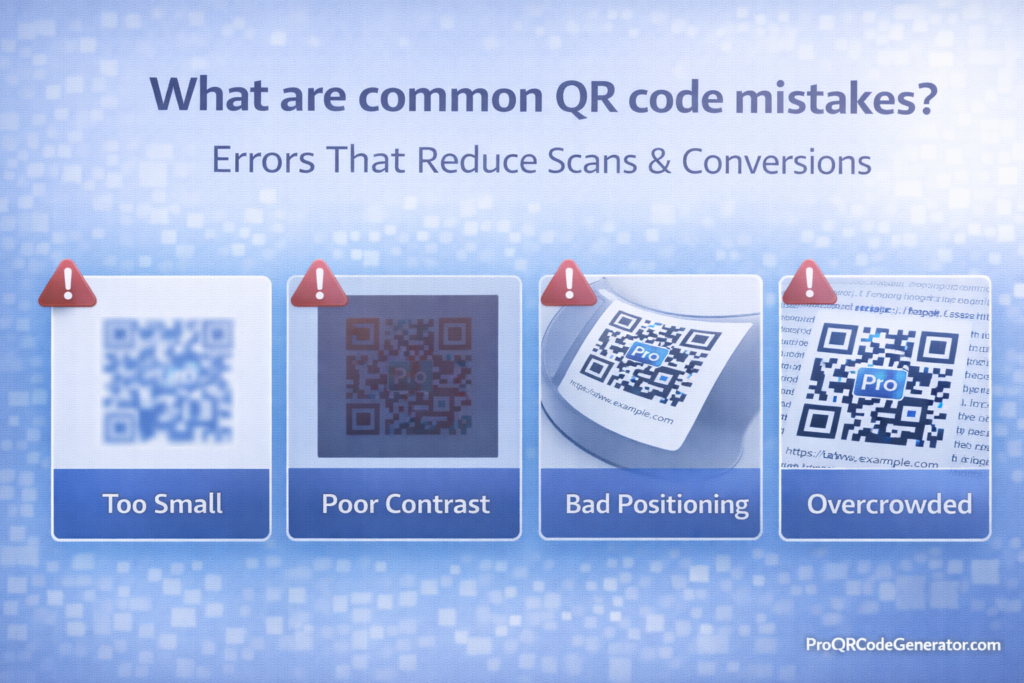
If you’re asking what are common QR code mistakes, you’re likely trying to improve scan rates, user experience, and campaign performance.
QR codes are simple in theory — but small errors in design, placement, formatting, or strategy can dramatically reduce scans and conversions.
In this guide, we’ll break down:
- The most common QR code mistakes
- Why they happen
- How they reduce scan rates
- How to fix them
- Technical and marketing-level errors
- Conversion-focused best practices
If your QR codes are underperforming, the issue is usually not the technology — it’s execution.
1. Using Low Contrast Colors
The Mistake
Designing QR codes with:
- Light gray on white
- Pastel on pastel
- Busy patterned backgrounds
- Brand colors with poor contrast
Why It Reduces Scans
QR scanners rely on high contrast between dark and light modules. Poor contrast makes it harder for cameras to detect patterns.
The Fix
- Use dark foreground + light background
- Avoid gradients behind data modules
- Test contrast under real-world lighting
Best practice: Black on white remains the most reliable combination.
2. Removing the Quiet Zone
The Mistake
Cropping the white border around the QR code too tightly.
Why It Reduces Scans
The quiet zone (white margin) allows scanners to detect boundaries.
Without it:
- The QR blends into background
- Edge detection fails
- Scan attempts increase
The Fix
Maintain a minimum 4-module quiet zone around the code.
Never crop it for aesthetic reasons.
3. Printing QR Codes Too Small
The Mistake
Using tiny QR codes on:
- Packaging
- Posters
- Business cards
Why It Reduces Scans
Small codes:
- Require close proximity
- Fail at distance
- Become unreadable on glossy materials
The Fix
Minimum print size:
- 2 x 2 cm (0.8 x 0.8 inches)
For larger viewing distances, increase size proportionally.
4. Using Static QR Codes for Marketing Campaigns
The Mistake
Using static QR codes in:
- Advertising
- Product packaging
- Billboards
- Events
Why It Reduces Conversions
Static QR codes:
- Cannot be edited
- Cannot be tracked
- Cannot be optimized
If the landing page changes or contains errors, you must reprint everything.
The Fix
Use dynamic QR codes for marketing.
Professional platforms such as ProQRCodeGenerator.com allow:
- Editable destinations
- Scan tracking
- Performance analytics
- Unlimited scans
For campaigns, dynamic is almost always the smarter choice.
5. Not Testing Before Mass Printing
The Mistake
Generating a QR code and immediately printing thousands of units.
Why It Reduces Scans
Possible issues:
- Wrong URL
- Broken link
- Incorrect phone number
- Low resolution image
- Wrong error correction level
The Fix
Always test:
- Multiple smartphones
- Different lighting conditions
- Printed samples
- Both iOS and Android
Testing prevents costly reprints.
6. Encoding Long, Complex URLs
The Mistake
Embedding very long URLs with tracking parameters.
Why It Reduces Scans
Long URLs:
- Increase data density
- Make QR patterns complex
- Reduce scan reliability
The Fix
- Shorten URLs
- Use dynamic QR codes
- Simplify tracking parameters
Dense codes scan more slowly and fail more often.
7. Poor Placement
The Mistake
Placing QR codes:
- Too high to reach
- In low light
- On curved surfaces
- On reflective materials
Why It Reduces Scans
If users cannot physically scan easily, conversion drops.
The Fix
Ensure:
- Eye-level placement
- Proper lighting
- Flat surface
- Minimal glare
QR usability depends on physical environment.
8. No Call-to-Action (CTA)
The Mistake
Displaying a QR code with no instruction.
Users see a code but don’t know what it does.
Why It Reduces Conversions
People hesitate if they don’t know:
- What will happen
- Why they should scan
- What value they’ll receive
The Fix
Add clear CTAs such as:
- “Scan to Get 20% Off”
- “Scan to Join Our WhatsApp Group”
- “Scan for Free Download”
Clarity increases scan intent.
9. Linking to Non-Mobile-Optimized Pages
The Mistake
Sending QR traffic to desktop-only websites.
Why It Reduces Conversions
QR codes are scanned via smartphones.
If the landing page:
- Loads slowly
- Is not responsive
- Requires pinch-zoom
Users abandon immediately.
The Fix
Ensure:
- Mobile optimization
- Fast load speed
- Clear conversion path
- Minimal friction
10. Over-Designing the QR Code
The Mistake
Adding:
- Huge logos
- Excessive shape distortion
- Heavy gradients
- Decorative overlays
Why It Reduces Scans
Over-design compromises:
- Error correction balance
- Pattern recognition
- Scanner detection
The Fix
- Keep logo under 25–30%
- Maintain high error correction
- Avoid excessive visual modification
Branding should not compromise functionality.
11. Ignoring Analytics
The Mistake
Not tracking scan performance.
Why It Reduces Conversions
Without data, you cannot:
- Identify weak placements
- Compare campaigns
- Optimize messaging
- Improve ROI
The Fix
Use dynamic QR codes with analytics dashboards.
Professional SaaS solutions provide:
- Scan counts
- Geographic data
- Device tracking
- Time-based metrics
Data transforms QR codes from static images into marketing tools.
12. Using Low-Resolution Images
The Mistake
Downloading small PNG files and scaling them up for print.
Why It Reduces Scans
Scaling up low-resolution images causes:
- Pixelation
- Blurry edges
- Scanning errors
The Fix
Use:
- SVG for scalable print
- EPS for packaging
- High-resolution PNG (300 DPI minimum)
Always export appropriately for your medium.
13. Failing to Consider User Journey
The Mistake
Focusing only on the QR code — not the experience after scanning.
Why It Reduces Conversions
If the landing page:
- Is confusing
- Lacks a clear next step
- Loads slowly
- Overwhelms users
Conversions drop.
The Fix
Design the entire funnel:
Scan → Landing page → Clear CTA → Conversion
QR codes are entry points, not the full strategy.
14. Not Updating Expired Content
The Mistake
Using static codes tied to content that later changes.
Why It Reduces Trust
Broken links:
- Damage brand credibility
- Reduce user trust
- Lower campaign effectiveness
The Fix
Use dynamic QR codes when content may evolve.
Platforms like ProQRCodeGenerator.com allow updating destinations without reprinting.
Quick Checklist – Avoid These QR Code Mistakes
- ❌ Low contrast colors
- ❌ Cropped quiet zone
- ❌ Too small print size
- ❌ No CTA
- ❌ Static codes for campaigns
- ❌ Long complex URLs
- ❌ No testing
- ❌ No mobile optimization
- ❌ No analytics
- ❌ Over-designed visuals
Correcting these issues can dramatically increase scan rates.
Why QR Code Mistakes Reduce Conversions
QR performance depends on:
- Technical reliability
- Physical usability
- Psychological clarity
- Landing page optimization
- Tracking and analytics
Most underperforming QR campaigns fail due to:
- Poor execution
- Lack of measurement
- Design over function
The QR code itself is rarely the problem — implementation is.
Conclusion – How to Avoid Common QR Code Mistakes
If you’re wondering what are common QR code mistakes, the answer is simple:
Most errors come from prioritizing design or convenience over usability and strategy.
To maximize scans and conversions:
- Maintain high contrast
- Preserve quiet zones
- Use proper sizing
- Add clear CTAs
- Optimize landing pages
- Test thoroughly
- Use dynamic QR codes for campaigns
- Track analytics
When implemented strategically, QR codes become powerful conversion tools.
Professional platforms such as ProQRCodeGenerator.com help businesses avoid many of these mistakes by offering:
- Dynamic editing
- Analytics dashboards
- High-resolution exports
- Secure hosting
- Unlimited scans
The difference between a low-performing QR code and a high-converting one is rarely luck — it’s precision.

