
Table of Contents
In an increasingly contactless and fast-paced business environment, the traditional paper business card is rapidly losing its utility. Professionals are constantly asking, “How do I create a QR code with my details?” to streamline networking, ensure their contact information actually makes it into their prospects’ phones, and modernize their brand presentation.
By 2026, relying on a physical card that requires manual data entry is not just an inconvenience; it represents a leak in your lead generation and professional networking pipeline. A Contact QR Code—specifically utilizing the vCard (Virtual Contact File) standard—solves this by instantly transferring your name, phone number, email, company details, and social links directly into a scanner’s native address book.
This comprehensive guide covers everything from the underlying technology of vCard QR codes to advanced business applications, ROI tracking, and the step-by-step process of creating a dynamic, branded contact solution.
What is a Contact QR Code (vCard)?
A Contact QR Code is a two-dimensional matrix barcode specifically encoded to hold personal and professional contact information. When scanned by a smartphone camera, the mobile operating system recognizes the data format and immediately prompts the user to “Add to Contacts.”
The Underlying Technology: vCard vs. MeCard
To understand how these codes function, it is necessary to differentiate between the two primary data protocols used to encode contact information:
- MeCard: Developed by NTT DoCoMo, this is a legacy format designed for older barcode scanners. It holds very basic information (Name, Phone, Email) and results in a less complex QR code pattern. However, it lacks the capacity for modern networking needs.
- vCard (VCF): The global standard for electronic business cards. A vCard payload can hold extensive data, including multiple phone numbers, physical addresses, job titles, company names, profile pictures, and URLs. Most modern Contact QR codes utilize the vCard 3.0 or 4.0 standard.
When you ask, “How do I create a QR code with my details?”, you are essentially asking how to compile a vCard file and visually represent it as a scannable matrix.
How It Works: The Mechanics of the Scan
The seamless magic of a Contact QR code relies on the native capabilities of modern iOS and Android devices. You do not need a specialized app to read these codes; the technology is built into the default camera.
The Scanning Process
- Optical Recognition: The smartphone camera detects the three position detection patterns (the large squares in the corners of the QR code).
- Data Decoding: The device reads the encoded string of text. For a standard static vCard, the text string looks like this in the backend:Plaintext
BEGIN:VCARD VERSION:3.0 N:Smith;John;;; FN:John Smith ORG:Acme Corp TITLE:Senior Director TEL;TYPE=WORK,VOICE:+1234567890 EMAIL:[email protected] URL:www.acmecorp.com END:VCARD - Action Prompt: Because the smartphone OS recognizes the
BEGIN:VCARDsyntax, it bypasses the web browser and directly opens the native Contacts application, auto-populating the fields. The user simply taps “Save.”
The Benefits of Upgrading to Digital Contact Codes
Shifting from analog networking to digital QR-based contacts provides immediate, measurable advantages for both individuals and enterprise teams.
1. Zero Friction Data Entry
The primary reason professionals fail to follow up after networking events is the friction of manual data entry. A vCard QR code reduces the time it takes to exchange information from two minutes to two seconds, guaranteeing your details are saved with 100% accuracy.
2. Infinite Information Capacity
A physical 3.5″ x 2″ piece of cardstock forces you to choose between legibility and information density. A digital contact code allows you to share your LinkedIn profile, portfolio links, scheduling calendar (like Calendly), and multimedia presentations without cluttering the visual design.
3. Eco-Friendly and Cost-Effective
The environmental footprint of printing, shipping, and inevitably discarding paper business cards is substantial. Digital QR codes represent a sustainable alternative that aligns with modern corporate ESG (Environmental, Social, and Governance) initiatives.
Business Applications: Who Uses vCard QR Codes?
The use case for contact codes extends far beyond the traditional networking event. Innovative businesses are embedding them directly into their operational workflows.
Sales and Account Management
Sales executives embed their personal QR codes into presentation decks. At the end of a pitch, instead of passing out cards, the final slide displays the rep’s QR code. Prospects scan the screen and instantly have the executive’s direct line saved for follow-up.
Retail and Local Services
Store managers, boutique owners, and local service providers place customized QR codes on their store windows, reception desks, and receipts. This allows customers to easily save the store’s customer service number, email, and location data to their phones.
Event Management and Conferences
Trade show badges are now frequently equipped with dynamic vCard QR codes. Exhibitors can simply scan an attendee’s badge to capture their lead data directly into their CRM, bypassing the need for expensive, proprietary lead retrieval hardware.
Ready to modernize your team’s networking? Utilizing a professional platform like ProQRCodeGenerator.com allows you to deploy branded, trackable contact codes across your entire organization seamlessly.
Industry Examples in 2026
To contextualize the power of digital contacts, consider how different industries deploy this technology:
- Real Estate: Agents place their Contact QR code on “For Sale” yard signs. A prospective buyer driving by can scan the sign from their car, instantly saving the agent’s details and a link to the property listing.
- B2B SaaS: Account executives use virtual backgrounds on Zoom or Microsoft Teams that feature their personal vCard QR code. Attendees can scan the screen during the video call to save the AE’s contact info.
- Healthcare: Medical clinics place QR codes at the reception desk. Patients scan the code to instantly add the clinic’s emergency line, standard operating hours, and patient portal URL to their mobile devices.
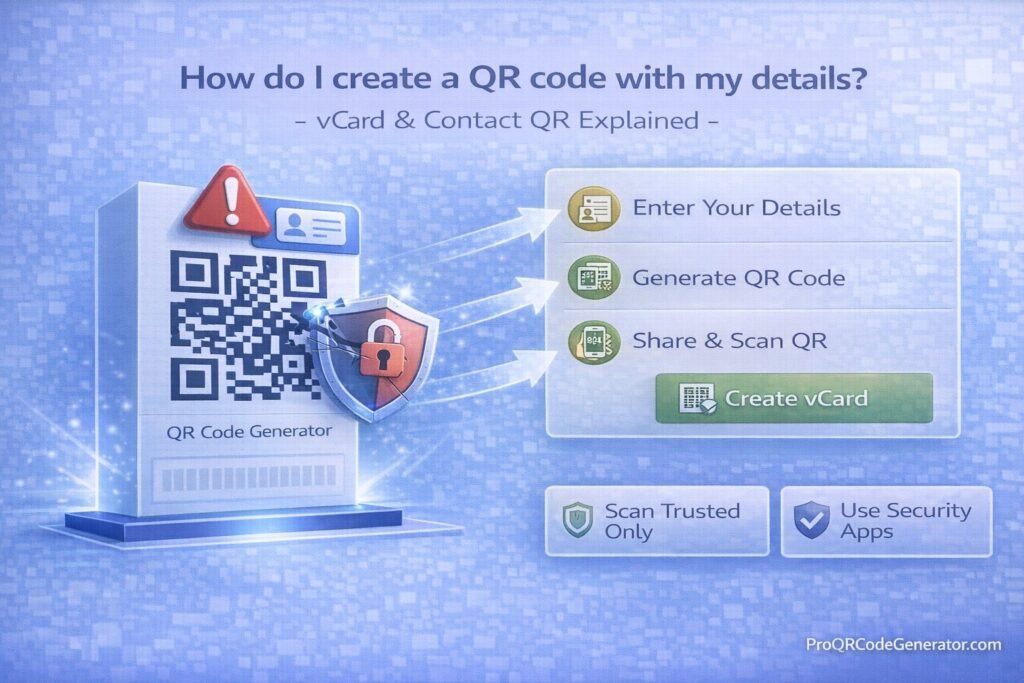
Step-by-Step Guide: How do I create a QR code with my details?
Creating a professional-grade contact QR code requires more than just pasting your name into a free website. To ensure maximum compatibility and brand alignment, follow this systematic approach.
Step 1: Choose Between Static and Dynamic
Before generating the code, you must decide on the architecture.
- Static vCard: The actual contact data is hard-coded into the QR pattern.
- Dynamic vCard: The QR code contains a short URL that redirects to a mobile-optimized profile page where the user can download your vCard file. Dynamic is highly recommended for business use.
Step 2: Select a Professional Generator Platform
Avoid “fly-by-night” free generators that may inject ads or expire your code. Log into an enterprise-grade platform. For instance, ProQRCodeGenerator.com offers dedicated vCard and Link-in-Bio templates specifically designed for professional networking.
Step 3: Input Your Data Payload
Navigate to the “vCard” or “Contact” generation tool. You will be prompted to enter:
- First and Last Name
- Company Name and Job Title
- Contact Numbers (Mobile, Work, Fax)
- Email Addresses
- Website and Social Media URLs
- Physical Address (Optional)
Step 4: Customize the Design and Branding
A generic black-and-white square is easily ignored. Optimize the code’s appearance to match your brand identity:
- Color Palette: Change the foreground color to your brand’s primary hex code. (Ensure high contrast against the background).
- Logo Integration: Upload your company logo or a professional headshot to be embedded in the center of the QR code.
- Call to Action (CTA): Add a frame around the code with text like “Scan to Save Contact” or “Let’s Connect.”
Step 5: Generate, Test, and Download
Generate the code and download it in a vector format (SVG or EPS) if you plan to print it on physical marketing collateral, or a high-resolution PNG for digital use. Crucial Step: Always test the code using both an iOS device and an Android device to ensure the address book mapping works flawlessly before deployment.
Comparison Section: Static vs. Dynamic Contact QR Codes
Understanding the difference between static and dynamic codes is the most critical technical decision when answering “How do I create a QR code with my details?”
| Feature | Static vCard QR Code | Dynamic Contact QR Code |
| Data Storage | Hard-coded directly into the visual pattern. | Stored on a secure server; QR code holds a short URL. |
| Editability | No. If your phone number changes, you must generate a new code. | Yes. Update your title, email, or number instantly without reprinting the code. |
| Visual Density | Very dense and complex. Harder for older phones to scan from a distance. | Clean, simple pattern. Scans instantly from further away. |
| Analytics/Tracking | None. Cannot track scans. | Comprehensive. Track scan location, time, and device type. |
| User Experience | Direct prompt to save to contacts. | Opens a branded mobile landing page with a “Save Contact” button and social links. |
For serious professionals, the dynamic route is the only logical choice. A platform like ProQRCodeGenerator.com allows you to manage all dynamic contact codes from a central dashboard, ensuring your network always has your most up-to-date information.
Analytics & Tracking: Measuring Your Networking ROI
One of the greatest blind spots of traditional networking is the lack of attribution. When you hand out 50 paper cards at a conference, you have no idea how many were kept, read, or thrown away.
By utilizing dynamic QR codes, you unlock enterprise-level analytics for your personal branding.
What Can You Track?
- Total vs. Unique Scans: Understand how many distinct individuals interacted with your code versus people who scanned it multiple times.
- Time and Date Stamping: Identify peak networking hours. Did your code get scanned during the keynote speech or at the after-party?
- Device Operating Systems: See the breakdown of iOS vs. Android users in your prospect pool.
- Geographic Location: If you deploy your code on direct mailers or nationwide digital ads, you can track which cities or regions are generating the most contact saves.
Integrating with CRM
Advanced teams can connect their dynamic QR code platforms via API or webhooks to their Customer Relationship Management (CRM) software. When a prospect scans the code and fills out a reciprocal contact form on your mobile landing page, that lead data flows directly into Salesforce or HubSpot.
ROI Discussion: The True Cost of Digital vs. Analog
Let’s break down the return on investment.
The Analog Cost:
A mid-sized company with 50 employees might spend $2,500 annually on high-quality business cards. When an employee is promoted, changes their phone number, or leaves the company, those cards are destroyed. Furthermore, the “lost opportunity” cost of prospects losing paper cards before entering the data into their phones is estimated to cost B2B companies thousands of dollars in missed pipeline revenue.
The Digital ROI:
Investing in a professional QR SaaS platform requires a predictable annual subscription. However, it yields:
- Zero Reprint Costs: Update titles and numbers dynamically.
- Higher Conversion Rates: The instant “Save to Contacts” feature reduces the prospect drop-off rate by over 60%.
- Measurable Attribution: You can finally prove the value of sending your team to a specific trade show based on scan volume.
Mistakes to Avoid When Creating Contact QR Codes
Even with the best tools, human error can ruin the effectiveness of your networking efforts. Avoid these common pitfalls:
1. Overstuffing Static Codes
If you choose a static vCard and input a long bio, two addresses, and five URLs, the QR code matrix will become incredibly dense. The “squares” will be microscopic, making it impossible for a smartphone to scan unless perfectly lit and held two inches away.
2. Ignoring Error Correction Levels
QR codes have built-in error correction (levels L, M, Q, and H). If you plan to put a large logo in the center of your code, you must use a high error correction level (Level H – 30%) so the camera can still read the data payload despite the missing pixels in the center.
3. Poor Contrast and Inverted Colors
While branding is important, contrast is non-negotiable. The foreground (the QR pattern) must always be significantly darker than the background. Never use a white QR code on a yellow background. Furthermore, avoid “inverted” codes (light pattern on a dark background), as older Android barcode scanners cannot read them.
4. Forgetting the Call to Action
A naked QR code floating on a presentation slide creates hesitation. Users might wonder, “Does this go to a website? A payment portal?” Always frame your code with a clear CTA: “Scan to Save My Contact Info.”
Optimization Tips for Maximum Conversions
To truly master the answer to “How do I create a QR code with my details?”, you must optimize for the end-user experience.
- Utilize a Mobile-First Landing Page: Instead of a raw vCard download, use your dynamic QR generator to create a “Link-in-Bio” style landing page. This page can feature your professional headshot, a brief bio, links to your latest projects, and a prominent “Add to Contacts” button.
- Test Sizing for Print: If printing the code on a physical asset (like a brochure or the back of a phone case), ensure it is at least 2 cm x 2 cm (0.8 x 0.8 inches). Anything smaller risks being unscannable.
- Leverage NFC Integration: Combine your printed QR code with Near Field Communication (NFC) technology. Place the QR code on an NFC-enabled smart card. Users can either tap their phone to the card or scan the QR code if their device lacks NFC capabilities.
Security Considerations: Protecting Your PII
When dealing with vCards, you are dealing with Personally Identifiable Information (PII).
Data Scraping Risks
If you place a static vCard QR code on a public billboard, anyone—including malicious bots and data scrapers—can scan it and harvest your direct phone number and email, leading to an influx of spam.
How to Mitigate Risks
- Use Professional Gateways: By using a dynamic code hosted on a platform like ProQRCodeGenerator.com, you benefit from enterprise-grade server security and bot filtering, preventing automated scrapers from downloading your vCard file.
- Control Your Payload: Only include the information you are comfortable sharing publicly. Instead of a direct mobile number, consider linking to a business VoIP line or a unified communications routing number.
- GDPR and CCPA Compliance: Ensure that the QR platform you use to track scan analytics is compliant with international data privacy laws. Tracking locations and device types must be done securely without capturing the scanner’s unauthorized PII.
Frequently Asked Questions (FAQ)
Can I create a QR code for my contact details for free?
Yes, there are free generators available that allow you to create basic, static vCard QR codes. However, for dynamic editability, brand customization, and scan analytics, a professional SaaS solution is highly recommended.
Why is my contact QR code not scanning?
The most common reasons are: the code is too dense (too much text in a static code), there is insufficient color contrast between the pattern and the background, or the print size is too small.
Do I need an app to scan a vCard QR code?
No. In 2026, both Apple iOS and Google Android have native QR code reading capabilities built directly into their default camera applications. Point the camera at the code, and a prompt will appear.
How do I update my QR code if my phone number changes?
If you created a static QR code, you cannot update it; you must generate a new one. If you created a dynamic contact QR code using a platform like ProQRCodeGenerator.com, you simply log into your dashboard, update your profile data, and the existing QR code will instantly route to the new information.
Can I include a profile picture in my QR code?
You can include a logo or small image in the center of the QR code design itself. Furthermore, if you use a dynamic landing page, you can feature a full high-resolution profile picture that the user sees immediately after scanning.
Conversion-Focused Conclusion
The era of manually typing names and phone numbers into an address book is over. Mastering the digital exchange of information is no longer just a technical parlor trick; it is a fundamental requirement for modern professional networking.
When you ask, “How do I create a QR code with my details?”, you are taking the first step toward streamlining your communication, ensuring your prospects never lose your information, and presenting yourself as a forward-thinking professional. While static codes offer a rudimentary fix, leveraging dynamic, trackable, and beautifully branded contact codes provides an undeniable edge in today’s competitive landscape.
Stop leaving leads on the table due to outdated networking methods. Upgrade your professional toolkit, gain valuable insights into your networking ROI, and make connecting with you completely frictionless.

