
Table of Contents
Managing a large-scale event is an exercise in mitigating friction. For event organizers, the most critical vulnerability in the entire attendee experience occurs in the first five minutes: the check-in and registration process. Long queues, misplaced paper tickets, and manual name badge searches do more than just frustrate attendees; they bottleneck venue traffic and instantly degrade your event’s Net Promoter Score (NPS) before the keynote speaker even takes the stage.
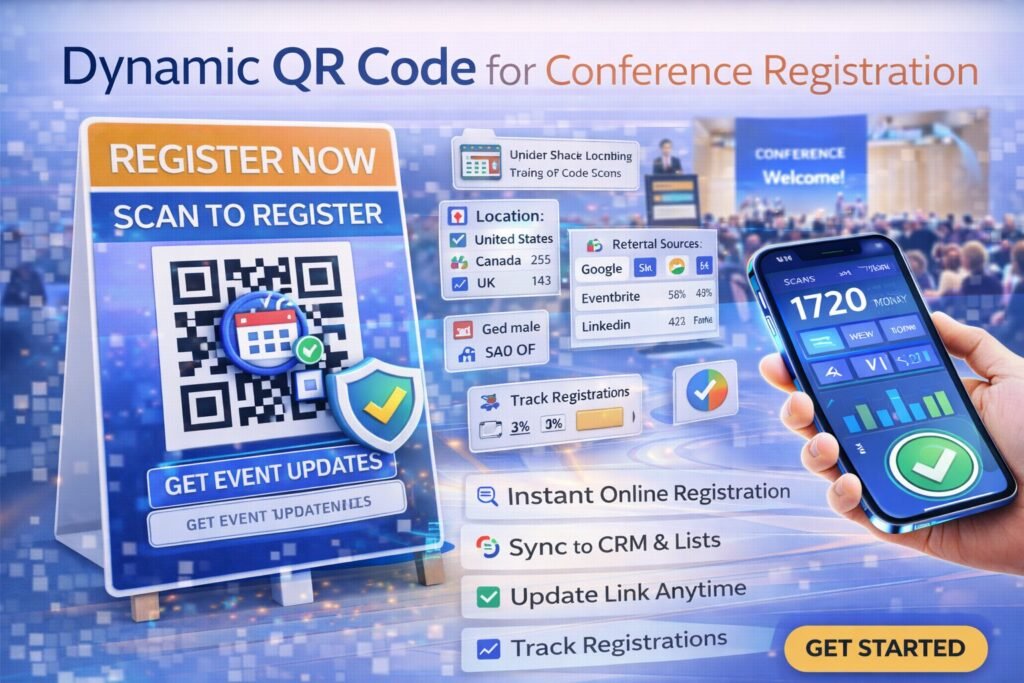
To eliminate this friction, elite event producers have abandoned manual processing in favor of agile, data-driven infrastructure. At the core of this operational shift is the deployment of a dynamic qr code for conference registration.
Unlike rigid, traditional barcodes, a dynamic routing framework allows organizers to process thousands of attendees in minutes, update backend ticketing links in real-time, and capture granular footfall analytics without ever reprinting physical signage. This comprehensive guide details the mechanics, deployment strategies, and ROI of integrating dynamic tracking into your event technology stack.
What is a Dynamic QR Code for Conference Registration?
At its most fundamental level, a dynamic QR code acts as an editable digital portal. When used for event management, it bridges the physical environment of the venue with the digital infrastructure of your ticketing or CRM software (such as Cvent, Eventbrite, or a custom backend).
When an attendee scans a static barcode, the destination data is hard-coded into the visual matrix. If your ticketing server changes, or if you need to redirect traffic to a different check-in portal, a static code breaks, resulting in a 404 error and absolute chaos at the registration desk.
A dynamic qr code for conference registration solves this by encoding a secure, intermediary “short link.” When an attendee scans the code printed on a welcome banner or an email confirmation, they are routed through a management server that instantly redirects them to the active registration page. Because the printed code only points to this intermediary server, event organizers maintain total backend control. You can change the final destination link an infinite number of times while the physical banners, flyers, and digital screens remain exactly the same.
How It Works: The Mechanics of Seamless Event Check-In
To understand why large-scale summits rely on this technology, you must understand the underlying server-side routing mechanism. The process occurs in a fraction of a second, invisible to the end user.
- The Scan Event: An attendee points their smartphone camera at the registration QR code displayed on a digital kiosk or printed lobby banner.
- DNS and Routing: The phone’s browser pings the short URL encoded in the matrix. This request is instantly received by the routing server of your chosen software platform.
- Data Logging: In approximately 150 milliseconds, the server logs non-personally identifiable analytics, including the exact timestamp of the scan, the device operating system, and the geographic location.
- The 302 Redirect: The server issues an HTTP 302 (Temporary Redirect) command, pushing the attendee’s browser to your active ticketing, check-in, or badge-printing portal.
- The Final Action: The attendee successfully loads the registration page, inputs their confirmation number, and automatically triggers the badge printer at the desk.
By using an enterprise-grade platform like ProQRCodeGenerator.com, this relay process handles thousands of simultaneous pings during the morning registration rush without latency or server crashes.
Core Benefits for Event Organizers and Attendees
Transitioning from manual check-ins or static barcodes to dynamic infrastructure fundamentally changes the economics and logistics of event management.
Unprecedented Agility and Error Mitigation
Event logistics are inherently unpredictable. Imagine you print 50 large-format, rigid foam-core signs directing attendees to scan and register. The night before the event, your ticketing provider’s server goes down, forcing you to migrate to a backup registration portal.
If you used static codes, those 50 signs are now useless, and you have no way to register attendees the next morning. If you deployed a dynamic architecture, you simply log into your management dashboard, update the destination URL to the new backup portal, and all 50 physical signs instantly route to the correct page.
Eradicating the Check-In Bottleneck
Queueing theory dictates that reducing transaction time by even 10 seconds per person exponentially reduces line length. By allowing attendees to scan a code from 10 feet away while walking toward the desk, they complete the digital registration process on their own devices. When they reach the desk, the staff simply hands them a lanyard.
Sustainability and Overhead Reduction
Printing multi-page itineraries, floor maps, and paper tickets is environmentally irresponsible and financially draining. A single dynamic code displayed on digital screens throughout the venue can route attendees to a comprehensive digital hub, drastically reducing commercial printing overhead.
Business Applications: Beyond the Registration Desk
While the primary use case is front-door check-in, savvy event directors deploy this technology across the entire event lifecycle to generate revenue and drive engagement.
1. Session and Breakout Room Tracking
Organizers need to know which breakout sessions are actually attended versus merely RSVP’d. By placing a specific dynamic qr code for conference registration outside each seminar room, attendees scan to “check in” to the session. This provides organizers with real-time capacity management and post-event data on which speakers drove the highest engagement.
2. Lead Retrieval for Event Sponsors
Sponsorship ROI is judged entirely on lead generation. Instead of renting expensive badge-scanning hardware, sponsors can place dynamic codes at their booths. When an attendee scans the code, they are directed to a gated landing page where they exchange their contact info for a whitepaper or digital asset.
3. Frictionless Wi-Fi Access
Large venues often have complex Wi-Fi passwords. Generating a dynamic Wi-Fi QR code and placing it on attendee lanyards allows users to connect to the venue’s network instantly upon scanning, reducing the burden on the venue’s IT help desk.
4. Seamless Networking via vCard
Replace the outdated practice of exchanging paper business cards. Attendees and speakers can generate dynamic vCard QR codes. One scan instantly prompts the recipient’s smartphone to save the contact’s name, email, LinkedIn profile, and headshot directly into their native address book.
Real-World Industry Examples
- The Global SaaS Summit: A 15,000-person technology summit uses a dynamic QR code on massive digital billboards in the local airport and train stations. Attendees arriving in the city scan the billboard, complete their digital registration while in transit, and bypass the venue’s registration hall entirely by utilizing automated badge-printing kiosks.
- Medical Continuing Education (CME) Conferences: Medical professionals must prove attendance to earn CME credits. Dynamic codes are placed at the exit doors of specific lectures. Doctors scan on their way out to timestamp their departure, automatically triggering an API call that credits their continuing education account.
- Trade Show VIP Routing: A trade show uses two different codes at the entrance. General Admission routes to standard registration, while the VIP code routes to a private portal offering expedited badge printing, complimentary coat check, and an invitation to the evening networking gala.
Step-by-Step Guide: Deploying Registration QR Codes
Deploying a flawless event architecture requires precision. Follow this execution blueprint to ensure maximum uptime and scannability.
Step 1: Establish Your Digital Destination
Ensure your ticketing platform (e.g., Splash, Bizzabo, or Eventbrite) provides a mobile-optimized check-in link. The page must load in under 2 seconds on a cellular connection, as venue Wi-Fi is often unstable during the initial morning rush.
Step 2: Generate and Brand the Code
Log into a professional management portal. Select the “Dynamic URL” option and paste your check-in link. Next, utilize the design suite. A generic black-and-white code looks unprofessional. Match the matrix color to your event’s branding palette. Crucially, embed your conference logo in the center of the matrix. This increases brand trust and reassures attendees that the link is safe to scan. (ProQRCodeGenerator.com offers an extensive suite of branding tools specifically for high-end corporate events).
Step 3: Integrate a Conversion Frame
Attendees will not scan a code if they do not know what it does. Wrap your QR code in a design frame with a clear Call to Action (CTA). Use directive language such as:
- “Scan to Check-In & Print Badge”
- “Tap Here for Event Registration”
- “Scan for Digital Floor Plan”
Step 4: Export in High-Resolution Vector Format
For large format printing (lobby banners, step-and-repeats, or hanging signage), you must download the QR code as an SVG or EPS vector file. If you use a standard JPEG or PNG and stretch it to fit a 6-foot banner, the image will pixelate, and smartphone cameras will fail to decode the matrix.
Step 5: Test Across Devices
Before sending files to the commercial printer, test the printed proof with both an iOS device (Safari) and an Android device (Chrome) to ensure the redirect works flawlessly across operating systems.
Static vs. Dynamic QR Codes for Events
To understand the operational risk of cutting corners on event tech, review this direct capability comparison.
| Capability / Feature | Static Free QR Code | Dynamic Trackable QR Code |
| Change URL After Printing | Impossible (Requires Reprinting) | Instant (Via Backend Dashboard) |
| Track Peak Scan Times | None. Completely blind. | Yes. Real-time footfall data. |
| Device Demographics | No tracking available. | Identifies iOS vs. Android usage. |
| Broken Link Recovery | Fatal Error (404 Page). | Instantly redirect to backup server. |
| Scan Limits | Often capped by free providers. | Unlimited scanning volume. |
Event Analytics & Tracking: Measuring Attendee Engagement
When you deploy a dynamic qr code for conference registration, you transform a physical piece of signage into a robust data collection tool. The analytics dashboard provides actionable insights that prove the event’s ROI to stakeholders.
Monitoring Peak Footfall Traffic
By analyzing the timestamp data of your scans, you can visualize the exact curve of your registration rush. If the data shows 60% of your 5,000 attendees checked in between 8:15 AM and 8:45 AM, you know exactly how to staff your registration desk, security checkpoints, and coffee stations for day two, optimizing labor costs.
A/B Testing Signage Placement
Generate two distinct dynamic codes for the same registration page. Place “Code A” on eye-level stanchion signs, and “Code B” on overhead hanging banners. Check your analytics dashboard to see which placement drives a higher scan volume, allowing you to optimize spatial design for future events.
Post-Event Attribution
By appending UTM parameters to the destination URL inside your dynamic QR code, you can track attendee behavior post-scan. You can see not only who checked in, but how many of those users went on to download the event app or view the sponsor directory.
(By centralizing your tracking through ProQRCodeGenerator.com, event marketers can export these data logs as clean CSV files, perfectly formatted for post-event stakeholder reports.)
The ROI Discussion: Reducing Overhead and Enhancing UX
Event budgets are notoriously tight. The decision to invest in a professional QR platform is easily justified by basic cost-benefit analysis.
The Cost of Inefficiency:
If an event relies on paper tickets or manual laptop searches, it takes approximately 45 seconds to process one attendee. For 3,000 attendees, that requires 37.5 hours of continuous labor. To process everyone in a one-hour window, you must hire, train, and pay 38 temporary staff members.
The ROI of Automation:
By utilizing dynamic scanning where attendees self-register via their phones and simply pick up a pre-printed badge, transaction time drops to 5 seconds. You can process the same 3,000 attendees with just 5 staff members.
The cost of a premium QR platform subscription (around $30/month) eliminates thousands of dollars in temporary staffing labor, while simultaneously eliminating the cost of emergency signage reprints.
Common Mistakes to Avoid in Event QR Deployments
Even with elite routing infrastructure, poor physical execution will cause traffic jams. Avoid these critical event management errors:
1. Inadequate Sizing and Distance
A QR code’s scannability is determined by the ratio of its size to the scanning distance. A general rule is a 10:1 ratio. If an attendee needs to scan a banner from 10 feet (120 inches) away to avoid blocking traffic, the QR code must be at least 12 inches by 12 inches. Do not print tiny codes on massive banners.
2. Ignoring Connectivity Dead Zones
Conference centers are notorious for acting as Faraday cages, blocking cellular signals. If you require attendees to scan a dynamic qr code for conference registration, you must ensure the lobby has an open, password-free Wi-Fi network specifically designated for check-in. If attendees have no internet access, the dynamic redirect cannot function.
3. Placing Codes on Creased or Curved Surfaces
Do not print QR codes across the fold of a brochure or on a tightly curved pillar. The smartphone camera needs to read the three distinct “positioning squares” in the corners of the code. If the surface is distorted, the scan will fail.
Optimization Tips for Maximum Scan Rates
- Pre-Event Education: Send an email blast 48 hours before the event stating, “Skip the line! Look for the Blue QR codes in the lobby to check in instantly from your phone.” * High Contrast Design: Always print a dark code on a light background. Reverse contrast (white codes on black backgrounds) can confuse older smartphone camera lenses.
- Redundancy: Always have a backup URL ready. If your primary ticketing platform crashes under heavy load, have a lightweight Google Form ready as a secondary destination. Update your dynamic code to route to the Google Form to keep the line moving.
Security Considerations for Event Data
As event technology becomes more sophisticated, so do the security threats. Protecting attendee data is a legal and ethical requirement.
Mitigating Quishing Attacks
“Quishing” (QR Phishing) occurs when malicious actors print their own QR stickers and place them over your official event signage, routing attendees to a fake website designed to steal credit card info or passwords.
- The Defense: Never use cheap stickers for event signage; print the code directly onto the rigid foam core. Additionally, by embedding your official logo into the center of the dynamic code, it becomes immediately obvious to attendees if a generic, unbranded sticker has been placed over it.
SSL Encryption and Platform Trust
Ensure your QR software utilizes enterprise-grade SSL/TLS encryption (HTTPS). When utilizing a platform like ProQRCodeGenerator.com, all routing servers are secured, ensuring that the brief hop between the scan and the registration page cannot be intercepted by third parties on public venue Wi-Fi.
Frequently Asked Questions (FAQ)
What is a dynamic QR code for conference registration?
It is a trackable, editable barcode that links to a secure routing server before redirecting an attendee to an event check-in page. It allows organizers to change the destination link at any time without reprinting physical signs.
Can I change the registration link after the banners are printed?
Yes. Because dynamic codes point to an intermediary server, you can log into your management dashboard and update the final destination URL instantly, completely independent of the physical printed material.
Do attendees need a special app to scan event QR codes?
No. All modern iOS and Android smartphones have QR decoding capabilities built natively into their standard camera applications.
What happens if the venue Wi-Fi goes down?
Dynamic QR codes require an internet connection to process the server redirect. If the venue has a total cellular and Wi-Fi blackout, you must have an offline, localized backup system (like pre-downloaded guest lists on staff iPads) to process attendees.
How do I track how many people checked in via the QR code?
Professional dynamic platforms feature an analytics dashboard that logs every scan. You can view total scans, unique visitors, and the exact time of day the scans occurred.
Can I put my conference logo inside the QR code?
Yes. Using a professional generator, you can upload your event or sponsor logo to sit in the center of the data matrix without affecting scannability.
What is the best format for printing large QR codes on banners?
Always download and provide your printer with vector files (SVG or EPS format). These formats can be scaled infinitely without losing resolution or becoming blurry.
Can a single QR code hold multiple links?
Yes, by linking the dynamic code to a mobile “Link Tree” or custom landing page, a single scan can give an attendee access to the registration portal, the event map, and the speaker schedule simultaneously.
How much does a dynamic QR platform cost for an event?
Most professional SaaS platforms cost between $15 and $50 per month, a negligible expense compared to the savings in temporary staffing and emergency commercial printing.
Is it safe to transmit attendee data through a QR code?
The QR code itself only transmits a URL string. As long as your destination registration page is secure (HTTPS) and your QR provider uses encrypted routing servers, the process is highly secure.
How large should the QR code be on a welcome banner?
Use the 10:1 ratio rule. For every 10 inches of scanning distance, the code needs 1 inch of size. If the attendee is 5 feet (60 inches) away, the code should be at least 6×6 inches.
Can a QR code automatically print an attendee badge?
Yes, if integrated properly. The QR code links to a check-in portal. Once the attendee inputs their details on that portal, it can trigger an API webhook that commands an on-site thermal printer to generate the badge.
What is the difference between static and dynamic codes for events?
Static codes encode a permanent link and offer no tracking. Dynamic codes use a short routing URL, allowing for infinite link updates, real-time analytics, and secure data logging.
Can I use QR codes for lead retrieval for my sponsors?
Absolutely. Sponsors can display dynamic codes at their booths that link to gated landing pages, allowing them to capture attendee contact information in exchange for digital assets.
What is the best software to create dynamic event QR codes?
Organizers should seek platforms that offer guaranteed uptime, high-resolution vector exports, deep analytics, and custom branding tools. Solutions built for business, like ProQRCodeGenerator.com, are ideal for high-traffic environments.
Conclusion: Future-Proofing Your Event Tech Stack
The success of a conference is often determined before the attendees even take their seats. Friction at the registration desk sets a negative tone that is difficult to overcome. By implementing a dynamic qr code for conference registration, event organizers reclaim control over the most chaotic part of their operations.
Moving away from static links and manual entry toward dynamic routing architecture provides unparalleled logistical agility. You eliminate the financial risk of printing errors, drastically reduce your reliance on temporary staffing, and acquire the hard data needed to prove event ROI to your sponsors and stakeholders.
Stop letting archaic check-in processes bottleneck your events. Upgrade your infrastructure to a flexible, trackable, and professional digital ecosystem.

