
Table of Contents
Businesses, marketers, and creators frequently ask the same question after printing flyers, packaging, menus, or business cards:
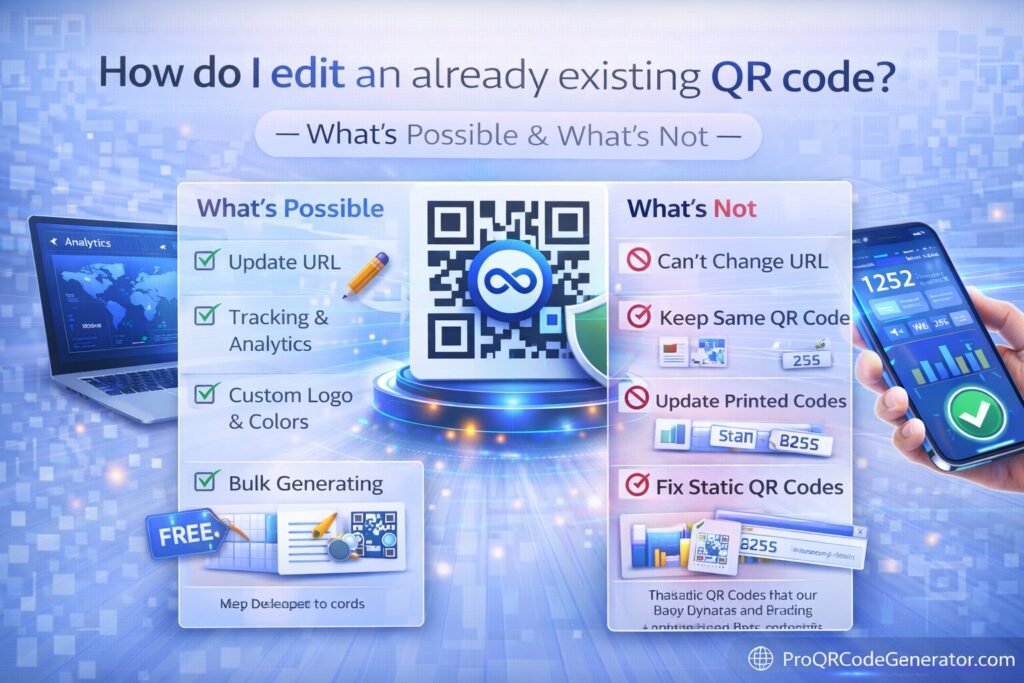
How do I edit an already existing QR code?
The answer depends entirely on what type of QR code you created. Some QR codes can be edited instantly—even after printing thousands of copies—while others are permanently locked once generated.
Understanding what’s possible and what’s not can save companies thousands of dollars in reprints, prevent broken campaigns, and enable flexible marketing strategies.
This guide explains:
- Whether you can edit an existing QR code
- The difference between static and dynamic QR codes
- What parts of a QR code can be modified
- What cannot be changed
- How editable QR codes technically work
- Step-by-step instructions to edit one
- Real business use cases
- ROI benefits of editable QR codes
- Common mistakes to avoid
If you rely on QR codes for marketing, packaging, events, or customer engagement, mastering QR editing is essential.
Can You Edit an Existing QR Code?
Yes—but only if the QR code is dynamic.
A QR code can either be:
- Static (not editable)
- Dynamic (editable)
The difference determines whether changes are possible.
| Feature | Static QR Code | Dynamic QR Code |
|---|---|---|
| Editable after creation | ❌ No | ✅ Yes |
| Editable after printing | ❌ No | ✅ Yes |
| Scan analytics | ❌ No | ✅ Yes |
| Campaign flexibility | Low | High |
| Best use case | Simple links | Marketing campaigns |
If your QR code is static, the information is permanently encoded inside the image.
If your QR code is dynamic, the QR image remains the same while the destination can be changed anytime.
Why Most QR Codes Cannot Be Edited
The reason most QR codes cannot be edited comes down to how they store information.
A static QR code directly contains the final content.
For example, a static QR may encode:
https://example.com/product
When someone scans it:
- Their phone reads the code
- The URL is extracted
- The browser opens that page
Because the data is physically embedded in the QR pattern, it cannot be changed later.
The only solution is generating a new QR code and replacing the printed one.
That’s why static QR codes are risky for marketing campaigns.
What Makes Dynamic QR Codes Editable
Dynamic QR codes solve this limitation by using a redirect system.
Instead of storing the final destination, the QR code contains a short tracking link.
Workflow:
- User scans QR code
- Scan request goes to a redirect server
- The system records analytics
- User is redirected to the final destination
Because the final destination lives on the server, it can be edited anytime.
Professional platforms such as ProQRCodeGenerator.com use this architecture to allow businesses to modify QR destinations without changing the printed code.
What Parts of a QR Code Can Be Edited?
If your QR code is dynamic, several elements can be updated.
Destination URL
The most common change is the landing page.
Example:
Before
example.com/spring-sale
After
example.com/summer-sale
No reprinting required.
File Content
Dynamic QR codes linking to files can be updated.
Example:
- Replace PDF brochure
- Update restaurant menu
- Change product manual
The QR code stays the same.
Campaign Parameters
Marketers often adjust tracking parameters.
Example:
- change UTM tags
- update campaign attribution
- modify tracking links
This allows ongoing optimization.
Redirect Destinations
Some businesses redirect traffic to different pages depending on campaign stage.
Example:
- pre-launch page
- launch landing page
- discount promotion
Dynamic QR codes support these changes.
What Cannot Be Edited in a QR Code
Even dynamic QR codes have limitations.
Some aspects are permanently fixed.
QR Image Design
Once printed, the visual code pattern cannot change.
This includes:
- color
- shape
- embedded logo
- frame design
To change appearance, you must generate a new QR code.
QR Code Type
If the original QR code was created as:
- WiFi QR
- vCard QR
- Email QR
You cannot convert it into a different type.
A new code must be generated.
Error Correction Structure
QR codes include internal redundancy.
That structure cannot be modified after generation.
Step-by-Step: How to Edit an Existing QR Code
If your QR code is dynamic, editing it is straightforward.
Step 1 — Access the QR Code Dashboard
Log into the platform where the QR code was created.
Look for your QR code management dashboard.
Step 2 — Locate the QR Code
Most platforms list QR codes by:
- campaign name
- creation date
- label
- project
Find the specific QR code you want to modify.
Step 3 — Edit the Destination
Change the content associated with the QR code.
Examples:
- update landing page URL
- replace PDF file
- change WhatsApp number
- modify redirect link
Step 4 — Save Changes
Once updated, the QR code image remains unchanged.
All future scans will go to the new destination.
Step 5 — Test the QR Code
Always test after editing.
Use multiple devices to confirm the redirect works correctly.
Tools That Allow Editing QR Codes
Not all QR code generators support editing.
Editable QR codes require dynamic QR platforms.
Typical platform capabilities include:
- redirect link management
- analytics dashboards
- campaign labels
- unlimited scan handling
- edit-after-printing capability
For example, professional QR infrastructure like ProQRCodeGenerator.com combines dynamic QR codes, scan analytics, and editable destinations into one system designed for business campaigns.
Business Applications of Editable QR Codes
Editable QR codes are especially valuable in industries where printed materials cannot easily be replaced.
Product Packaging
Manufacturers print QR codes on packaging linking to:
- tutorials
- manuals
- warranty forms
Dynamic QR allows content updates without redesigning packaging.
Restaurant Menus
Restaurants frequently update menu items and prices.
Dynamic QR codes allow menus to change instantly.
Event Marketing
Event organizers print QR codes on:
- posters
- tickets
- badges
They can update event schedules or resources without reprinting.
Real Estate Listings
Property signs include QR codes linking to listings.
Dynamic QR allows updating property pages if listings change.
Business Cards
Professionals can update:
- portfolio links
- LinkedIn pages
- booking calendars
Even after distributing thousands of cards.
ROI Benefits of Editable QR Codes
Editable QR codes provide significant financial advantages.
Reduced Printing Costs
Without dynamic QR codes, every link change requires new prints.
For large campaigns, that can cost thousands.
Campaign Flexibility
Marketing teams can:
- update promotions
- adjust landing pages
- optimize offers
Without changing the QR image.
Continuous Optimization
Editable QR codes enable:
- A/B testing landing pages
- seasonal promotions
- real-time campaign adjustments
This dramatically improves marketing performance.
Analytics and Tracking Advantages
Dynamic QR codes often include analytics.
Businesses can track:
- scan history
- geographic locations
- device types
- campaign performance
- unique vs total scans
This transforms QR codes into data-driven marketing tools.
Platforms like ProQRCodeGenerator.com provide analytics dashboards that allow businesses to monitor engagement trends and optimize campaigns.
Common Mistakes When Editing QR Codes
Several mistakes prevent successful QR editing.
Using Static QR Codes
Many users unknowingly generate static codes.
Always confirm the code is dynamic.
Not Labeling QR Campaigns
Businesses often lose track of multiple QR codes.
Proper naming helps manage campaigns.
Forgetting to Test After Editing
Redirect errors can break campaigns.
Testing ensures the QR code still works.
Linking to Non-Mobile Pages
QR traffic is mobile by nature.
Landing pages must be mobile-friendly.
Optimization Tips for Editable QR Codes
To maximize QR performance:
- Use clear calls to action
- Maintain high contrast designs
- ensure mobile optimized pages
- track campaign analytics
- test scanning conditions
These improvements increase engagement rates.
Security Considerations
Editable QR systems must maintain strong security.
Important elements include:
- HTTPS redirects
- encrypted data transfer
- reliable hosting infrastructure
- privacy-compliant analytics
Professional QR platforms implement secure redirect systems to protect users and businesses.
FAQ
Can I edit a QR code after printing it?
Yes, if the QR code is dynamic. Static QR codes cannot be edited after printing.
Can I change the link inside a QR code?
You can change the link only if the QR code uses a dynamic redirect system.
What happens if a static QR code link breaks?
You must create a new QR code and replace the printed one.
Are dynamic QR codes more expensive?
They often require a platform subscription, but they save significant costs by avoiding reprints.
Can dynamic QR codes track scans?
Yes. Dynamic QR systems typically provide analytics dashboards that track scan history and engagement.
Final Thoughts
Understanding how to edit an already existing QR code is essential for businesses using QR technology in marketing, packaging, events, or customer engagement.
The key principle is simple:
- Static QR codes cannot be edited
- Dynamic QR codes can be updated anytime
Editable QR codes provide:
- campaign flexibility
- cost savings
- analytics insights
- long-term usability
Platforms like ProQRCodeGenerator.com demonstrate how modern QR infrastructure enables businesses to create dynamic QR codes, edit destinations after printing, track scan analytics, and manage campaigns without reprinting materials.
When used strategically, editable QR codes turn printed materials into flexible, measurable digital marketing channels.

