
Table of Contents
Businesses increasingly rely on QR codes for marketing, payments, menus, product packaging, event check-ins, and customer engagement. But one issue often appears after QR codes are already printed on thousands of materials:
How can you edit an existing QR code online without replacing the printed code?
This question is extremely common because campaigns change. Links break. Offers expire. Businesses update menus, product pages, or promotions. Reprinting flyers, packaging, and signage can quickly become expensive.
The good news is that editing an existing QR code online is possible—but only under certain conditions. The key factor is whether your QR code is static or dynamic.
In this comprehensive guide, you will learn:
- Whether you can edit an existing QR code online
- Why some QR codes cannot be edited
- How dynamic QR codes allow real-time editing
- The tools that enable QR code modification
- A complete step-by-step editing workflow
- Business use cases for editable QR codes
- Analytics and tracking benefits
- ROI advantages for marketing campaigns
- Security and privacy considerations
If you use QR codes for business, marketing, or customer engagement, understanding how to edit existing QR codes online can dramatically increase campaign flexibility and reduce costs.
Can You Edit an Existing QR Code Online?
Yes, you can edit an existing QR code online if it was created as a dynamic QR code.
However, static QR codes cannot be edited after they are generated.
Understanding the difference between these two types is crucial.
| Feature | Static QR Code | Dynamic QR Code |
|---|---|---|
| Editable online | ❌ No | ✅ Yes |
| Editable after printing | ❌ No | ✅ Yes |
| Scan analytics | ❌ No | ✅ Yes |
| Campaign flexibility | Low | High |
| Marketing use | Limited | Recommended |
When people search for ways to edit an existing QR code online, they usually discover that their QR code was static. Static QR codes permanently embed the data inside the image, meaning changes require generating a new code.
Dynamic QR codes, on the other hand, allow content to be updated anytime through an online dashboard.
Why Static QR Codes Cannot Be Edited
To understand why editing is sometimes impossible, you need to know how QR codes store data.
A static QR code directly encodes the final information.
For example, a static QR code might contain:
https://example.com/menu
When someone scans the code:
- The phone reads the encoded data.
- The URL is extracted.
- The browser opens the page.
Because the data is embedded directly into the QR image pattern, there is no external system controlling the destination.
This means:
- The link cannot be changed.
- The content cannot be updated.
- No scan history can be recorded.
If the link becomes outdated, the only solution is creating a new QR code and replacing the printed materials.
Static vs Dynamic QR Codes
Dynamic QR codes solve the editing limitation through a redirect system.
Instead of storing the final destination, the QR code stores a short redirect link managed by a platform.
Here is how the process works.
| Step | Static QR Code | Dynamic QR Code |
|---|---|---|
| 1 | Scan reads final URL | Scan reads redirect URL |
| 2 | Opens website directly | Redirect server logs scan |
| 3 | No data recorded | User redirected to destination |
| 4 | No editing possible | Destination can be edited |
Because the destination exists on a server, it can be updated anytime.
Professional platforms such as ProQRCodeGenerator.com use this architecture to allow users to modify QR code destinations online, track scans, and manage campaigns without changing the printed code.
How Dynamic QR Code Editing Works
Dynamic QR codes rely on a redirect infrastructure.
When a dynamic QR code is scanned:
- The QR code directs the request to a redirect server.
- The server records the scan data.
- The system forwards the user to the destination link.
Because the destination is stored in the system, it can be modified at any time.
This allows businesses to:
- change URLs
- update files
- modify campaigns
- redirect traffic
All while using the same printed QR code image.
This is why dynamic QR codes are widely used in professional marketing campaigns.
Step-by-Step Guide to Editing QR Codes Online
If your QR code is dynamic, editing it online is straightforward.
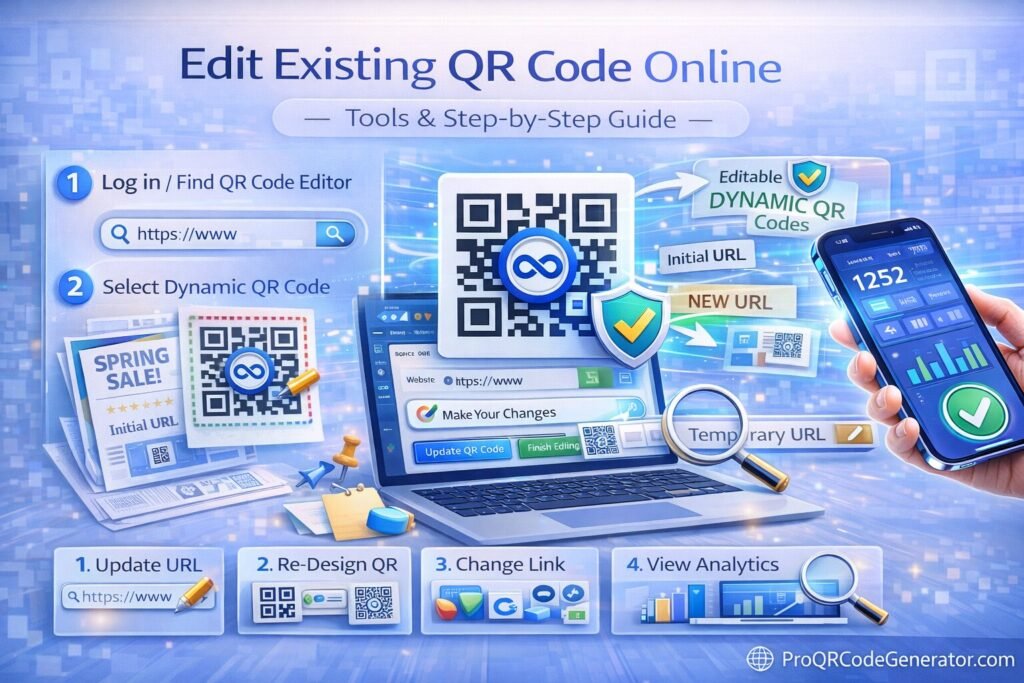
Step 1 — Access the QR Code Dashboard
Log into the platform where your QR code was created.
Most QR platforms provide a dashboard that lists all your codes and campaigns.
Step 2 — Locate the QR Code
Find the QR code you want to edit.
Codes are often organized by:
- campaign name
- creation date
- label
- project folder
Step 3 — Open the Editing Panel
Select the QR code and open its settings.
This section typically allows you to edit the destination.
Step 4 — Change the Destination
You can update:
- website URL
- landing page
- PDF document
- video page
- booking page
- promotion page
Once saved, the QR code will immediately redirect to the new destination.
Step 5 — Test the QR Code
Always test after editing.
Scan the code using multiple devices to ensure the redirect works correctly.
Tools That Allow Editing QR Codes Online
To edit QR codes online, you must use a dynamic QR code platform.
These platforms provide management tools such as:
- QR code dashboards
- destination editing
- campaign analytics
- scan tracking
- QR code branding options
Professional QR infrastructure tools like ProQRCodeGenerator.com combine dynamic QR codes with advanced analytics, custom branding, and unlimited scan capabilities designed for marketing and business use.
Using a dedicated platform ensures reliability and long-term campaign control.
Business Applications of Editable QR Codes
Editable QR codes provide flexibility across many industries.
Product Packaging
Manufacturers often print QR codes on packaging linking to:
- tutorials
- manuals
- support pages
Dynamic QR codes allow updates without changing packaging.
Restaurants
Restaurants frequently update menus and pricing.
Editable QR codes allow instant menu updates.
Event Marketing
Event organizers use QR codes for:
- schedules
- registration
- downloadable materials
Dynamic QR codes allow schedule updates without reprinting posters.
Real Estate
Property listings often change.
Dynamic QR codes allow updating property pages without replacing signage.
Business Cards
Professionals can update:
- portfolio links
- contact pages
- booking calendars
Even after distributing thousands of cards.
Analytics and Tracking Advantages
Another major advantage of dynamic QR codes is analytics.
Businesses can track:
- total scans
- unique users
- geographic locations
- device types
- campaign performance
These insights allow businesses to measure engagement and optimize campaigns.
Platforms such as ProQRCodeGenerator.com provide analytics dashboards that display scan history and performance metrics, helping businesses make data-driven marketing decisions.
ROI Benefits of Editable QR Codes
Editable QR codes can significantly reduce costs and increase campaign effectiveness.
Avoid Reprinting Costs
Without dynamic QR codes, every link change requires new printed materials.
For large campaigns, this can cost thousands of dollars.
Real-Time Campaign Updates
Businesses can update:
- promotions
- landing pages
- discounts
- product pages
Without replacing printed QR codes.
Marketing Optimization
Editable QR codes allow:
- A/B testing
- seasonal campaigns
- promotional adjustments
This flexibility improves conversion rates.
Common Mistakes to Avoid
Many businesses encounter problems when trying to edit QR codes online.
Using Static QR Codes
Static codes cannot be edited.
Always confirm that your QR codes are dynamic.
Forgetting to Label Campaigns
When managing many QR codes, labeling campaigns helps maintain organization.
Not Testing After Editing
After changing a QR destination, always test the code.
Linking to Non-Mobile Pages
QR code traffic is mobile by nature.
Landing pages must be mobile-friendly.
Optimization Tips for QR Campaigns
To maximize engagement when editing QR codes online:
- use clear call-to-action text
- place QR codes in visible locations
- ensure high contrast design
- test scanning conditions
- track campaign performance
These steps increase scan rates and conversions.
Security Considerations
QR code platforms should implement strong security features.
Important elements include:
- HTTPS encrypted redirects
- secure hosting infrastructure
- privacy-compliant analytics
- protection against malicious redirects
Professional QR platforms maintain secure redirect systems to protect both users and businesses.
Frequently Asked Questions
Can I edit an existing QR code online?
Yes, if the QR code is dynamic. Static QR codes cannot be modified after creation.
Can I change the link in a QR code?
Dynamic QR codes allow link updates anytime through a dashboard.
What happens if my QR code link breaks?
If the QR code is static, you must create a new one. Dynamic QR codes allow updating the destination.
Are editable QR codes more expensive?
They usually require a QR platform subscription but save significant costs by avoiding reprints.
Can dynamic QR codes track scans?
Yes. Dynamic QR systems typically include analytics dashboards that track scan history and engagement.
Conclusion: Choosing the Right Solution to Edit Existing QR Codes Online
Understanding how to edit an existing QR code online is essential for businesses that rely on QR technology for marketing, customer engagement, or product information.
The key takeaway is simple:
- Static QR codes cannot be edited.
- Dynamic QR codes can be updated anytime.
Editable QR codes provide:
- marketing flexibility
- reduced printing costs
- campaign optimization
- analytics insights
Professional QR platforms like ProQRCodeGenerator.com enable businesses to create dynamic QR codes, edit destinations online, track scan analytics, and manage campaigns efficiently without replacing printed materials.
For organizations using QR codes at scale, dynamic QR technology transforms static print assets into flexible, measurable marketing tools.

