
Table of Contents
In the realm of omnichannel marketing, print advertising and physical collateral have historically suffered from a massive attribution problem. Marketers could confidently measure the Cost-Per-Click (CPC) of a digital ad, but evaluating the exact return on investment for a billboard, direct mailer, or product package involved guesswork. Today, that attribution gap is closed by modern data matrices. But for organizations bridging the physical-to-digital divide, the foundational question remains: can you make a QR code trackable?
The definitive answer is yes—but it requires a specific technical architecture. You cannot simply generate a standard, static image and expect it to yield granular data. Making a QR code trackable requires deploying a dynamic routing system that intercepts the user’s scan, logs the interaction, and forwards them to your destination in milliseconds.
This comprehensive guide breaks down the precise mechanics of offline-to-online tracking. We will explore the critical differences between static and dynamic architectures, detail the exact data points you can legally capture, and provide a strategic blueprint for turning your physical marketing assets into measurable, high-converting data channels.
The Short Answer: Can You Make a QR Code Trackable?
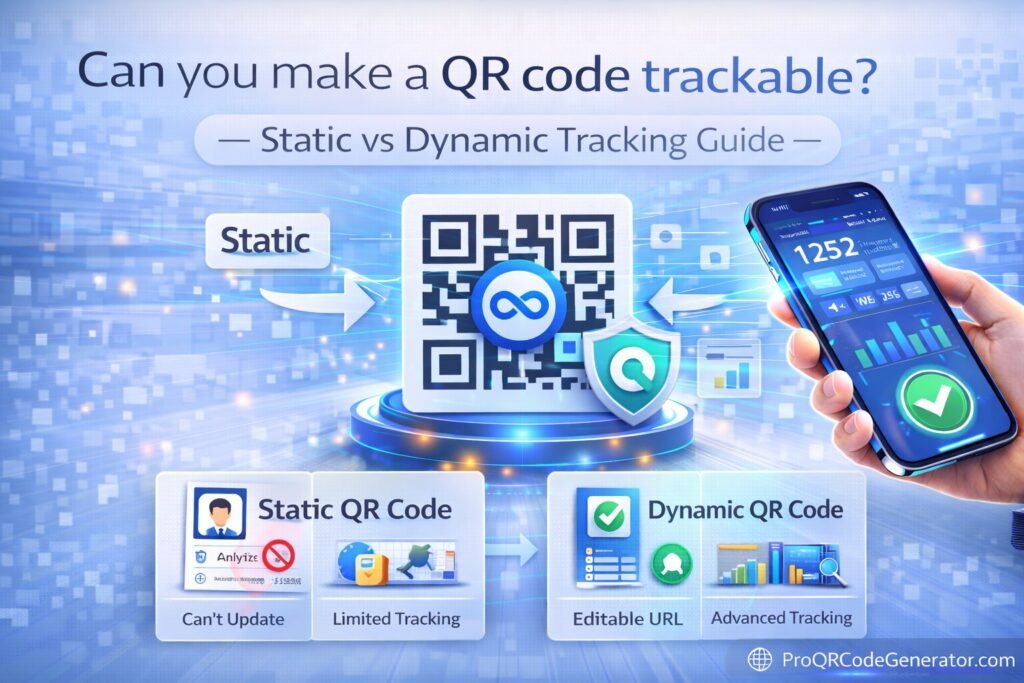
Yes, you can make a QR code trackable by generating a Dynamic QR Code rather than a Static one.
When people ask, can you make a QR code trackable?, they are usually discovering that their free, basic QR code generator provides zero analytics. To track scans, you must use a professional SaaS platform that hosts a secure redirect link. This middle layer captures the device data, time, and location before sending the user to your final webpage. If you pair this dynamic architecture with UTM parameters, you can track the entire customer journey from the physical scan all the way to a digital purchase.
The Mechanics of QR Code Tracking: How It Actually Works
To understand tracking, you must understand the handshake that occurs between a smartphone camera and a web server.
The Server-Side Handshake
A QR code itself is just a visual representation of text—usually a URL. A smartphone camera translates those black and white squares back into that URL and asks the phone’s browser to open it.
If the URL points directly to your website, the scan is virtually invisible to offline tracking tools; it just looks like direct web traffic.
However, if the URL points to an analytics server first, that server logs the request.
What Data is Actually Captured?
When the tracking server processes the scan, it reads the HTTP request headers. Within milliseconds, a professional tracking platform captures:
- IP Address Geolocation: The server translates the IP address into a geographic location (City, State, Country) to build scan heatmaps.
- User-Agent String: This identifies the device type (Smartphone vs. Tablet), the operating system (iOS vs. Android), and the browser being used.
- Timestamp: The exact date and time the server request was made to the millisecond.
- Unique vs. Total Pings: By using anonymous session identifiers, the server can distinguish between one person scanning a code five times, and five different people scanning it once.
Static vs. Dynamic QR Codes: The Tracking Divide
The ability to track data is the primary differentiator between amateur tools and enterprise-grade marketing infrastructure.
What is a Static QR Code? (The Blind Spot)
A static QR code permanently encodes your final destination data directly into the visual matrix.
- Trackability: Zero. You cannot track scan volume, location, or device type because there is no intermediary server to log the data.
- Editability: None. If you make a typo in the URL or the promotion ends, the printed code is permanently broken.
- Best Use Case: Exchanging a plain text message, a static Wi-Fi password for a home network, or offline serial numbers for warehouse inventory.
What is a Dynamic QR Code? (The Analytics Engine)
A dynamic QR code encodes a short, intermediary URL (e.g., link.yourbrand.com/promo).
- Trackability: Complete. Every scan hits the routing server, populating your analytics dashboard in real-time.
- Editability: Infinite. Because the printed code only points to the routing server, you can log into your dashboard and change the final destination URL at any time. The physical code never changes.
- Best Use Case: All business, marketing, retail, and enterprise applications where ROI tracking and brand safety are required.
(For businesses transitioning from static to dynamic infrastructure, ProQRCodeGenerator.com offers a seamless environment. It automatically provisions dynamic routing for every code generated, ensuring your marketing collateral is instantly trackable and infinitely editable without requiring advanced server knowledge.)
Core Benefits of a Trackable QR Code Strategy
Investing in trackable architecture completely shifts how organizations view print spend.
- Provable Offline ROI: Trackable codes allow you to calculate your Cost-Per-Scan (CPS). If a $5,000 magazine ad generates 2,500 unique scans, your CPS is $2.00. You can finally compare print performance directly against digital Google or Facebook Ads.
- Agile Campaign Management: Because trackable codes are dynamic, you can pivot campaigns instantly. If a retail product goes out of stock, you can change the QR code on the physical display to point to a digital waitlist instead of a dead 404 page.
- A/B Testing Physical Assets: You can generate two trackable codes pointing to the same product. Place Code A on a red flyer and Code B on a blue flyer. Your analytics dashboard will definitively tell you which design drove more engagement.
High-ROI Business Applications for Trackable Codes
When you answer the question of can you make a QR code trackable with a resounding “yes,” new operational playbooks open up across your organization.
Retail and E-commerce Omnichannel Attribution
Modern brick-and-mortar stores use trackable codes on store shelves. If a customer is browsing power tools but doesn’t buy, a trackable code offering a “Scan for Video Demonstration” bridges the gap. The retailer tracks the scan, drops a retargeting pixel on the resulting landing page, and serves that customer ads for the tool later that evening on Instagram.
B2B Networking and Lead Generation
Sales professionals utilize trackable vCard Plus QR codes on their business cards and conference badges. Instead of wondering if a prospect saved their contact info, the salesperson’s dashboard shows exactly when and where their badge was scanned, allowing for perfectly timed follow-up emails.
Real-World Industry Examples
- Real Estate: An agency places unique trackable codes on their “For Sale” yard signs across different neighborhoods. By tracking the scan velocity, they identify which neighborhoods have the highest drive-by engagement, allowing them to optimize where they spend their budget on physical signage.
- Direct Mail Marketing: A financial services firm sends out 50,000 mailers. By using a trackable code, they notice a massive spike in scans occurring specifically between 6:00 PM and 8:00 PM on Tuesdays. They use this data to time their follow-up digital email blasts for maximum open rates.
- Restaurants & Hospitality: A hotel chain uses trackable PDF QR codes for their room service menus. By analyzing the data, they realize iOS users scan the menu 40% more often than Android users, prompting them to prioritize Apple Pay integration on their mobile ordering system.
Step-by-Step Guide: How to Make a QR Code Trackable
If you are ready to deploy an enterprise-grade campaign, follow this exact workflow to ensure every scan is measured.
Step 1: Choose a Dynamic SaaS Platform
Do not use free generators. Select a professional platform that explicitly offers dynamic link routing and unlimited scans.
Step 2: Append UTM Parameters to Your URL
Before creating the code, structure your destination URL with Google Analytics tracking tags.
Example: https://yourwebsite.com/landing-page?utm_source=qr_code&utm_medium=print&utm_campaign=summer_mailer
Step 3: Generate the Dynamic Code
Input your UTM-tagged URL into your generator. The software will encode a short tracking link into the matrix, which will forward to your long UTM link.
Step 4: Customize for Trust
A generic code looks like spam. Upload your company logo to the center of the code and match the data matrix colors to your brand guidelines. Custom-branded trackable codes yield significantly higher scan-through rates.
Step 5: Download in Vector Format
To ensure the code scans perfectly when printed, download it as an SVG or EPS file. PNGs can become pixelated on large print runs, destroying your trackability.
Comparison Section: Static vs. Dynamic Tracking Capabilities
To clearly visualize why dynamic architecture is non-negotiable for business, consider this technical breakdown.
| Capability / Feature | Static QR Code (Free) | Dynamic QR Code (Professional) |
| Track Total Scans? | No | Yes (Real-time) |
| Track Unique Devices? | No | Yes |
| Track Scan Location? | No | Yes (City/Region Heatmaps) |
| Track Time / Date? | No | Yes (Chronological Logging) |
| Track Operating System? | No | Yes (iOS vs. Android vs. Desktop) |
| Change URL After Printing? | No (Code is permanent) | Yes (Instantly via dashboard) |
Advanced Analytics & Tracking Integration (UTM + GA4)
To master offline attribution, you must connect your physical scans to your digital conversion funnel. This requires integrating your QR platform with Google Analytics 4 (GA4).
The Dual-Dashboard Approach
When you ask, can you make a QR code trackable?, you are really asking two things: “Did they scan?” and “Did they buy?”
- The QR Dashboard: Your QR platform tracks the physical engagement (the “Did they scan?”). It tells you that 500 people in Chicago pointed their phone at your billboard at 5:00 PM.
- Google Analytics (GA4): Because you used a UTM parameter in Step 2, GA4 takes over the moment the webpage loads. GA4 tells you the “Did they buy?”—tracking the bounce rate, the session duration, and the final e-commerce conversion of those specific Chicago scanners.
(By leveraging an advanced suite like ProQRCodeGenerator.com, marketers can seamlessly manage thousands of dynamic links and UTM structures from a single centralized dashboard, preventing the messy spreadsheet management that usually plagues large print campaigns.)
The ROI Discussion: Why Tracking Justifies Print Budgets
For years, Chief Financial Officers have slashed print budgets because the returns were anecdotal. Trackable QR codes change the financial conversation.
Consider a direct mail campaign costing $10,000 for printing and postage.
- Without Tracking: You notice a slight bump in overall website traffic, but you cannot definitively prove the mailer caused it. The CFO cuts the budget for the next quarter.
- With Tracking: Your dynamic dashboard shows 1,200 unique scans. GA4 shows that those 1,200 scans resulted in 40 closed deals worth $25,000 in gross profit. You have mathematically proven a 150% ROI, transforming a “sunk cost” into a scalable revenue channel.
Costly Mistakes to Avoid When Tracking QR Codes
Even with the best tracking architecture, poor execution will result in zero data.
- Using Free Tools with Scan Limits: The most devastating mistake a business can make is using a “freemium” dynamic generator. These tools allow you to track data, but if your campaign goes viral and exceeds 100 scans, they deactivate the link until you pay a ransom. Always ensure your platform offers unlimited scans.
- Ignoring the Print “Quiet Zone”: A QR code requires a margin of white space around it to be readable by a camera. If your graphic designer places text or heavy colors right up against the edge of the data matrix, the code will not scan, and your tracking dashboard will remain empty.
- Linking to Desktop-Only Sites: 100% of QR code scans originate from mobile devices. If your trackable code leads to a website that requires pinching and zooming, the user will bounce immediately, rendering your tracking data useless.
Optimization Tips for Maximum Scan-Through Rates (STR)
Tracking is only valuable if people actually scan the code. To increase your STR, implement these psychological and visual cues:
- Incentivize the Action (The CTA): A naked QR code is easily ignored. You must wrap the code in a Call to Action. “Scan for 20% Off,” “Scan to View Menu,” or “Point Camera Here for Video Demo.”
- Contrast is King: A dark code on a light background is standard for a reason. Smartphones struggle to read inverted codes (white matrices on black backgrounds) under harsh retail or outdoor lighting.
- Optimal Sizing: The minimum size for a printed QR code on a handheld item (like a business card) is 0.8 x 0.8 inches. For a billboard, the code must be scaled up significantly using a vector file. A good rule of thumb is a 10:1 ratio (the code should be 1 foot wide for every 10 feet of distance between the code and the scanner).
Security and Privacy Considerations
When tracking user data, you must navigate global privacy legislation.
GDPR and Anonymized Tracking
Can you make a QR code trackable without violating privacy laws? Yes. Professional tracking platforms do not capture Personally Identifiable Information (PII) like names or phone numbers directly from the camera scan. They capture device metadata. To comply with the General Data Protection Regulation (GDPR), elite platforms anonymize the IP address before storing it, providing geographic data to the marketer without compromising the user’s personal identity.
Protection Against Quishing
QR Phishing (Quishing) is a rising cyber threat where malicious actors paste fake codes over legitimate ones. By using a secure, custom-branded dynamic code, users are reassured. Furthermore, professional platforms force SSL encryption (HTTPS) on all redirects, ensuring the transition from physical scan to digital landing page cannot be intercepted on public Wi-Fi networks.
Frequently Asked Questions (FAQ)
Can you make a QR code trackable if it is already printed?
If you printed a Static QR code, no. It cannot be altered or tracked. If you printed a Dynamic QR code through a professional platform, it is already trackable natively.
Does Google Analytics track QR codes?
Google Analytics does not track the physical scan event itself. However, if you append a UTM parameter (e.g., ?utm_source=qrcode) to the URL inside your dynamic QR code, GA4 will track the user’s behavior once they land on your website.
Do I need a special app to scan a trackable QR code?
No. Trackable dynamic codes use standard ISO/IEC 18004 architecture. They can be scanned seamlessly by the native camera app on any modern iOS or Android smartphone.
Can I track who scanned my QR code?
You can track where it was scanned, when, and what device was used. You cannot natively track the person’s name, email, or phone number unless your QR code directs them to a lead-capture form where they voluntarily submit that information.
Do trackable QR codes expire?
Dynamic trackable codes remain active as long as your subscription with the QR SaaS platform is active. If you use a reputable enterprise provider, the codes will never expire as long as the account is maintained.
Conclusion: Transforming Print into Trackable Clicks
The days of guessing the impact of your physical marketing collateral are over. The question is no longer can you make a QR code trackable?, but rather, how quickly can you implement dynamic tracking across your organization? By shifting away from blind, static images and adopting dynamic routing architecture, businesses can finally measure offline engagement with the same precision as digital advertising. From calculating exact Cost-Per-Scan metrics to instantly pivoting destination URLs without reprinting, trackable QR codes represent a fundamental upgrade to your marketing infrastructure.
Stop treating your print budget as an untrackable expense. Demand real-time analytics, demand dynamic editability, and take control of your offline-to-online customer journey.
Ready to launch your first fully trackable, data-driven offline campaign? Start generating dynamic, unlimited-scan QR codes with ProQRCodeGenerator.com today

