
Table of Contents
For a small business owner, every marketing dollar counts. Whether you are printing menus for a bistro, decals for a plumbing truck, or high-end business cards for a boutique consulting firm, you are making a long-term investment in your brand’s physical presence. However, thousands of entrepreneurs fall into a common trap: they use a free generator to create a code, only to find that it expires after 14 days or breaks the moment they update their website.
Finding a permanent qr code for small business is not just about finding a link that “lasts forever”—it is about ensuring that the physical code you print today remains a functional gateway to your business for years to come, regardless of how your digital presence evolves.
This guide explores the technical realities of non-expiring QR codes, why “free” options are often a liability, and how to implement a professional, permanent strategy that protects your marketing budget.
What It Is: The Myth of the Free Permanent Code
The internet is flooded with “Free QR Code Generators.” To a busy small business owner, these look like a bargain. However, there is a massive difference between a code that exists permanently and a code that works permanently.
Why “Free Trial” Codes Expire and Hurt Businesses
Most free services use a “bait and switch” model. They allow you to create a dynamic code (one you can edit) but hide a 7-day or 14-day trial in the fine print. Once the trial ends, the code is deactivated and held hostage. If you have already printed that code on 500 business cards or a $200 storefront window decal, you are forced to either pay an exorbitant “un-pause” fee or throw away your printed materials.
Static vs. Dynamic: Redefining Permanence
To choose a permanent qr code for small business, you must understand the two types of architecture:
- Static QR Codes: The destination URL is hard-coded into the squares. The code never “expires,” but it can never be changed. If you move your website or change your menu link, the printed code becomes a permanent link to a dead page.
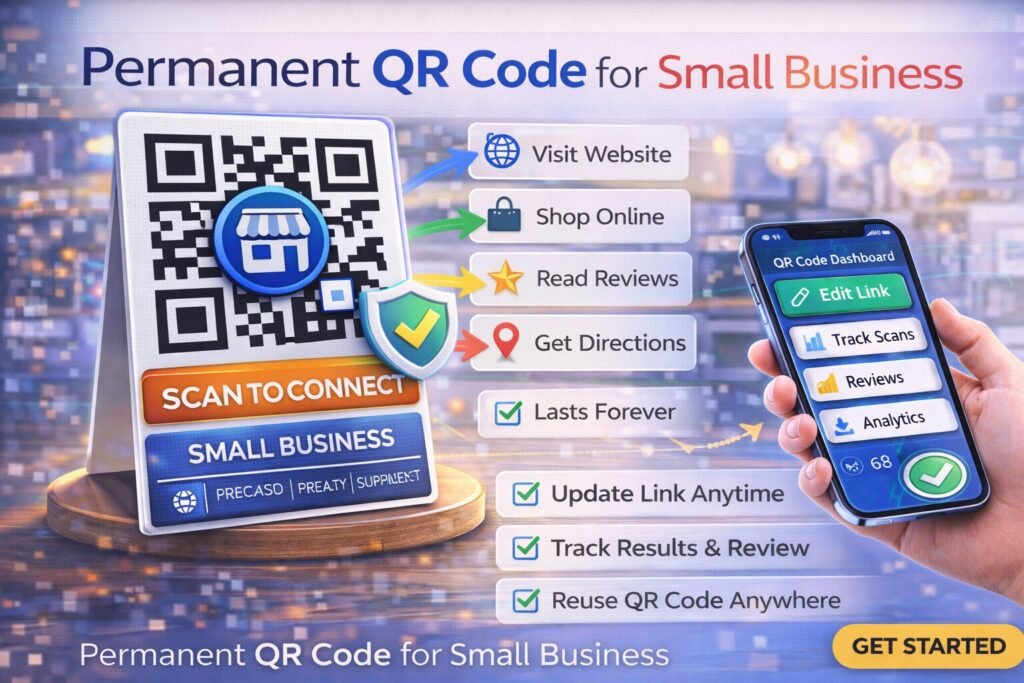
- Dynamic QR Codes: The code contains a “short URL” that acts as a relay. This is the true permanent solution for businesses. The image you print never changes, but you can log into a dashboard and change where that code points at any time.
How It Works: The Architecture of a Non-Expiring Code
A professional permanent qr code for small business relies on a robust redirection infrastructure. When you use a platform like ProQRCodeGenerator.com, you aren’t just making a picture; you are creating a digital asset.
The Dynamic Short-Link Relay System
When a customer scans your permanent code, their phone pings a secure routing server. This server checks your account to see the current destination (e.g., your current seasonal menu) and instantly pushes the user to that page. This happens in less than 200 milliseconds. Because the printed matrix only points to the routing server, the physical print is “permanent,” even if your business moves from one website host to another.
Server Uptime and Enterprise Reliability
Permanence is only as good as the server hosting the redirect. Professional SaaS platforms invest heavily in redundant server architecture. This ensures that when a customer scans your storefront at 2:00 AM on a Sunday, the code resolves perfectly. “Free” generators often have poor uptime, meaning your “permanent” code might fail when your customers need it most.
Core Benefits for Local and Small Businesses
Ending the Cycle of Reprinting Costs
The average small business spends hundreds of dollars annually on printed collateral. If you use a static code on a table tent and your price list changes, you have to reprint. A dynamic, permanent code allows you to update the digital file behind the scan, making your physical table tents last for years.
Future-Proofing Your Physical Marketing
Your business will grow. You might start with a simple Facebook page, but eventually, you will launch a full e-commerce site. A permanent QR code allows your physical marketing to grow with you. You can redirect that same “Follow Us” code from Facebook to your new website without ever changing your signage.
Business Applications: Where to Place Your Permanent Code
For maximum ROI, a permanent qr code for small business should be placed on high-value, long-term assets:
- Storefront Windows and Door Decals: Use a code to link to your hours, current specials, or a “Scan to Call” function for after-hours inquiries.
- Service Vehicles: For contractors like plumbers or electricians, a permanent code on a truck wrap can link to a booking form or a Google Reviews page.
- Business Cards: A vCard QR code allows customers to save your contact info to their phone instantly. If you change your phone number, you simply update the vCard in your dashboard—no need to throw away your cards.
Step-by-Step Guide: How to Make Your Permanent QR Code
Implementing an everlasting QR strategy is simple if you follow this professional workflow:
Step 1: Choosing Your Conversion Goal
Decide what you want the customer to do. For most small businesses, this is one of three things:
- Visit a website/social profile.
- View a PDF (menu or price list).
- Leave a Google Review.
Step 2: Setting Up the Dynamic Redirection
Use a professional generator to create a dynamic code. Enter your destination URL. This ensures that even if you change your mind later, the printed code remains functional.
Step 3: Adding Your Small Business Logo
Branding builds trust. A “naked” QR code can look suspicious. By adding your logo and using your brand colors, you signal to the customer that the code is a safe, official part of your business. ProQRCodeGenerator.com allows you to save these branded templates for future use across all your marketing materials.
Step 4: Exporting for Commercial Print
This is the most important step for permanence. Do not use a low-resolution JPEG. Download your code as a vector file (SVG or EPS). Vector files can be scaled to any size—from a business card to a billboard—without ever becoming blurry or unscannable.
Analytics & Tracking: Understanding Your Foot Traffic
One of the “secret” benefits of a permanent qr code for small business is the data. Unlike a static code, a dynamic code tracks every scan. You can see:
- How many people scanned: Total vs. Unique visitors.
- When they scanned: Do you get more traffic on Tuesday mornings or Saturday nights?
- What device they used: Are your customers primarily iPhone or Android users?
This data allows you to “measure” the value of your physical signage just like you measure a Facebook ad.
ROI Discussion: Why Professional Software is Cheaper Than Paper
A common mistake is viewing a QR subscription as an “extra cost.” In reality, it is an insurance policy.
- Scenario A: You use a free static code on $500 worth of vehicle wraps. Your website URL changes. You must pay $500+ to re-wrap the vehicle.
- Scenario B: You use a professional dynamic code. Your website changes. You spend 30 seconds updating the link in your dashboard for $0.
The “cost” of a professional platform is offset the very first time you avoid a reprint.
Mistakes to Avoid When Printing Your Code Permanently
- Ignoring the “Quiet Zone”: QR codes need a small margin of white space around them to be readable. Don’t crowd your code with text or borders.
- Sizing Issues: A code on a business card should be at least 0.8 inches wide. A code on a window decal needs to be large enough to scan from the sidewalk.
- No Call to Action (CTA): A code without instructions is rarely scanned. Always include a clear prompt like “Scan to View Menu” or “Scan for 10% Off.”
FAQ
Do I have to pay to keep a QR code permanent?
While static codes are “free,” they cannot be edited. To have a code that is truly permanent (meaning you can update the link forever), a small subscription to a professional service is required to maintain the redirection servers.
Can I change a static QR code into a dynamic one later?
No. The technology is different. You must choose “Dynamic” from the beginning to ensure the code is editable.
Can I put my permanent QR code on a Google Review card?
Yes. This is one of the best uses for small businesses. You can link the code directly to your Google “Write a Review” page to boost your local SEO.
Will my permanent QR code work on an iPhone and Android?
Yes. Modern smartphones have QR scanners built into the native camera app.
Conclusion: Making Your Marketing Agile
A small business that can’t adapt is a business that struggles. By choosing a permanent qr code for small business, you are giving yourself the flexibility to change your marketing message as fast as you change your mind. You protect your investment in print, gain valuable insights into customer behavior, and ensure that your brand always appears professional and tech-savvy.
Don’t let a “free” generator hold your business hostage. Invest in a solution that grows with you.

