
Table of Contents
If you’re asking what should you not do with a QR code, you’re already ahead of most marketers and business owners.
QR codes look simple — but small mistakes can destroy scan rates, reduce conversions, damage brand trust, and even cost thousands in reprints.
This guide breaks down the most costly QR code mistakes, why they happen, and how to avoid them. If you’re using QR codes for marketing, packaging, events, or customer engagement, these warnings can save you time and money.
1. Don’t Use a Static QR Code for a Marketing Campaign
Why It’s a Mistake
Static QR codes:
- Cannot be edited
- Cannot track scans
- Cannot update destinations
If your landing page changes, your campaign breaks permanently.
Why It’s Costly
Imagine printing:
- 10,000 product boxes
- 5,000 flyers
- 2,000 event brochures
If the URL changes or contains an error, you must reprint everything.
What to Do Instead
Use dynamic QR codes for campaigns.
Professional platforms such as ProQRCodeGenerator.com allow:
- Editable URLs
- Scan analytics
- Performance tracking
- Unlimited scans
For marketing use cases, dynamic is the safer choice.
2. Don’t Remove the Quiet Zone
What Is the Quiet Zone?
The quiet zone is the white margin around the QR code.
Why It’s a Mistake
Removing it:
- Confuses scanners
- Blends code into background
- Reduces detection accuracy
The Fix
Always keep a minimum 4-module white border.
Never crop for aesthetic reasons.
3. Don’t Use Low-Contrast Colors
Common Error
Using:
- Light gray on white
- Brand colors with poor contrast
- Busy patterned backgrounds
Why It’s Costly
Low contrast leads to:
- Slow scanning
- Scan failures
- User frustration
- Reduced conversions
The Fix
Use:
- Dark foreground
- Light background
- High contrast combinations
Test under different lighting conditions.
4. Don’t Make the QR Code Too Small
The Mistake
Printing tiny QR codes to “save space.”
Why It Fails
Small codes:
- Require close proximity
- Fail at distance
- Break when printed on textured surfaces
Recommended Minimum Size
- 2 x 2 cm (0.8 x 0.8 inches)
For posters and signage, increase size proportionally to viewing distance.
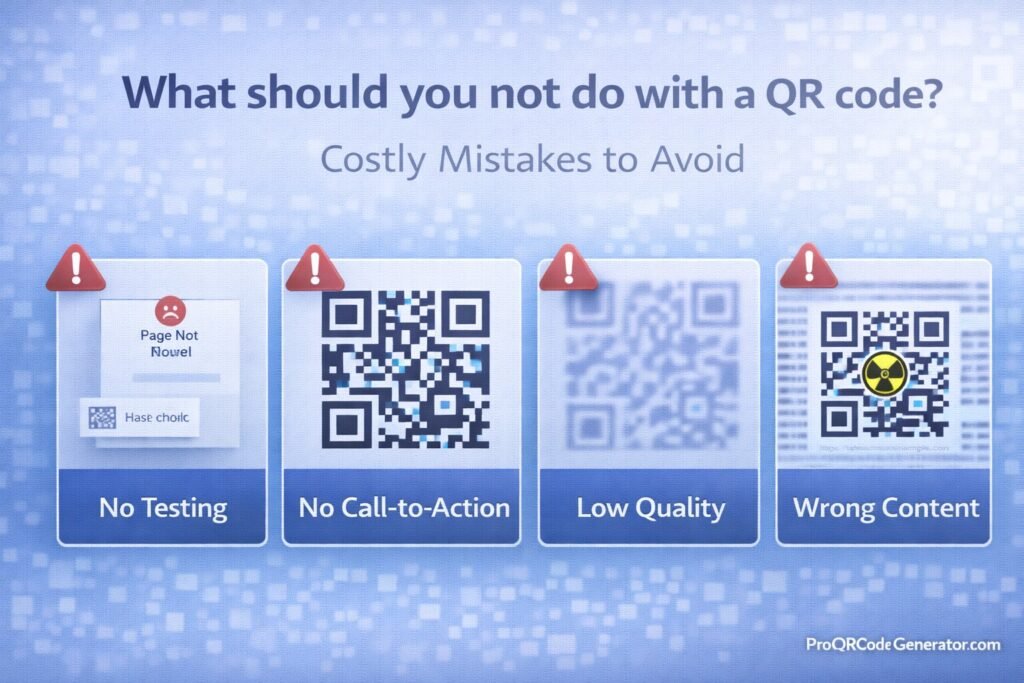
5. Don’t Skip Testing Before Printing
The Risk
Generating a QR code and immediately sending it to print.
What Can Go Wrong
- Wrong URL
- Typo in phone number
- Expired link
- Poor resolution
- Bad error correction settings
The Fix
Always test:
- Multiple smartphones
- iOS and Android
- Printed samples
- Different lighting
Testing prevents expensive reprints.
6. Don’t Link to Non-Mobile-Optimized Pages
Why This Is Critical
QR codes are scanned using smartphones.
If your landing page:
- Loads slowly
- Isn’t responsive
- Requires zooming
Users leave immediately.
The Fix
Ensure:
- Fast loading speed
- Mobile-first design
- Clear call-to-action
- Minimal friction
The QR code is only the entry point — the page determines conversion.
7. Don’t Over-Design the QR Code
The Mistake
Adding:
- Huge logos
- Complex shapes
- Heavy gradients
- Decorative overlays
Why It’s Risky
Over-design can:
- Break scan reliability
- Obscure detection patterns
- Lower error correction tolerance
Best Practice
- Keep logos under 25–30%
- Use high error correction (Q or H)
- Avoid excessive visual distortion
Branding should enhance — not compromise — function.
8. Don’t Forget a Clear Call-to-Action
The Mistake
Displaying a QR code with no explanation.
Users wonder:
- What happens if I scan?
- Is this safe?
- Why should I care?
The Fix
Add clear CTAs such as:
- “Scan to Get 20% Off”
- “Scan to Join Our WhatsApp Group”
- “Scan for Free Download”
Clarity increases scan intent and conversions.
9. Don’t Use Long, Messy URLs
The Problem
Encoding very long URLs with tracking parameters.
Why It’s a Mistake
Long URLs:
- Increase QR code density
- Reduce scan reliability
- Create complex patterns
The Fix
- Use short URLs
- Use dynamic QR codes
- Keep data clean
Dense QR codes scan slower and fail more often.
10. Don’t Ignore Analytics
The Hidden Mistake
Using QR codes without tracking performance.
Why It’s Costly
Without analytics, you cannot:
- Measure campaign success
- Identify high-performing placements
- Improve conversion rate
- Calculate ROI
The Fix
Use dynamic QR codes with analytics dashboards.
Platforms like ProQRCodeGenerator.com provide:
- Scan count tracking
- Geographic data
- Device insights
- Time-based metrics
Data-driven decisions outperform guesswork.
11. Don’t Place QR Codes in Hard-to-Scan Locations
Bad Placement Examples
- Too high on a wall
- On moving vehicles without sufficient size
- On curved surfaces
- On reflective materials
Why It Fails
Physical barriers reduce scan success.
The Fix
Ensure:
- Eye-level placement
- Flat surfaces
- Good lighting
- Easy camera access
Convenience increases scan rates.
12. Don’t Forget About Expired Content
The Risk
Using static QR codes tied to content that may change.
If you:
- Redesign your website
- Change product URLs
- Reset WhatsApp group links
Your QR codes become useless.
The Fix
If content may evolve, use dynamic QR codes.
Editable destinations protect long-term campaigns.
13. Don’t Assume One QR Code Fits All
The Mistake
Using the same QR code everywhere.
Why It Reduces Insight
You can’t identify:
- Which location performs best
- Which campaign drives most traffic
- Which audience converts higher
The Fix
Use separate dynamic QR codes per:
- Campaign
- Location
- Channel
Track and compare performance.
Quick Checklist – What You Should NOT Do
- ❌ Use static QR codes for campaigns
- ❌ Remove the quiet zone
- ❌ Use low contrast colors
- ❌ Print too small
- ❌ Skip testing
- ❌ Link to non-mobile pages
- ❌ Over-design the code
- ❌ Forget a CTA
- ❌ Ignore analytics
- ❌ Use long messy URLs
Avoiding these mistakes can dramatically increase scans and conversions.
Why These QR Code Mistakes Matter
Every QR code has two goals:
- Get scanned
- Convert users
Mistakes reduce:
- Scan rate
- User trust
- Campaign effectiveness
- ROI
The QR code itself is rarely the problem — poor execution is.
Conclusion – How to Use QR Codes the Right Way
If you’re wondering what should you not do with a QR code, the answer is simple:
Don’t prioritize aesthetics over usability.
Don’t ignore analytics.
Don’t treat QR codes as static images — treat them as conversion tools.
To maximize performance:
- Maintain high contrast
- Preserve quiet zones
- Use proper sizing
- Add strong CTAs
- Optimize landing pages
- Test thoroughly
- Use dynamic QR codes for marketing
- Track analytics
Professional platforms such as ProQRCodeGenerator.com help businesses avoid these costly mistakes by offering:
- Editable dynamic QR codes
- Analytics dashboards
- High-resolution export
- Secure hosting
- Unlimited scans
The difference between a low-performing QR code and a high-converting one is attention to detail.

