
Table of Contents
When redesigning corporate collateral or preparing for an upcoming industry conference, executives and marketing teams inevitably face a modern design dilemma. The question arises in nearly every boardroom: is it a good idea to put a QR code on a business card? The short answer is absolutely yes—but only if executed with professional, dynamic infrastructure.
For decades, the physical business card has been the standard currency of professional networking. Yet, the traditional card suffers from a critical flaw in the modern era: manual data entry. If a prospect has to manually type your name, phone number, email, and website into their CRM or smartphone, the friction will likely result in your card ending up in the trash.
Integrating a Quick Response (QR) matrix bridges the gap between your physical introduction and the recipient’s digital ecosystem. However, a poorly executed QR code can damage your professional brand, appear desperate, or worst of all, lead to a dead link.
This comprehensive guide dissects the technical mechanics, the strategic pros and cons, and the enterprise best practices required to turn a piece of 3.5″ x 2″ cardstock into a trackable, high-converting networking asset.
The Evolution of Professional Networking
Before answering whether it is a good idea to put a QR code on a business card, we must understand the shift in how professionals exchange information.
In the early 2010s, QR codes on business cards were viewed as a tech novelty. They were clunky, required third-party scanning apps, and often linked to non-mobile-optimized desktop websites. Today, the landscape is entirely different. Native camera integration on all modern iOS and Android devices has made scanning frictionless. The modern executive expects speed, efficiency, and instant connectivity.
A business card is no longer just a static informational display; it is a portal. When you hand someone your card, you are handing them an interactive digital profile.
How Does a QR Code on a Business Card Actually Work?
To leverage this technology, you must understand the two primary data architectures used in networking: the traditional vCard and the Dynamic vCard Plus.
The Traditional (Static) vCard
A static vCard mathematically encodes your raw text data directly into the black-and-white pixel pattern of the QR code. When the camera reads the code, it decodes the text and prompts the phone to save a contact.
- The limitation: The more data you encode (long titles, multiple phone numbers), the denser and more complex the pixel pattern becomes. This makes the code harder to scan, especially if printed small.
The Dynamic vCard Plus (The Professional Standard)
A dynamic QR code does not store your contact data in the image. Instead, it stores a short, trackable URL.
- The mechanism: When scanned, the smartphone visits this short link, which instantly routes the user to a mobile-optimized landing page containing your comprehensive contact profile, headshot, and social links. The user can then click a single button to download your
.vcf(Virtual Contact File) directly into their phonebook. - The advantage: Because the QR code only holds a short link, the physical pattern remains clean, simple, and incredibly fast for smartphone cameras to read.
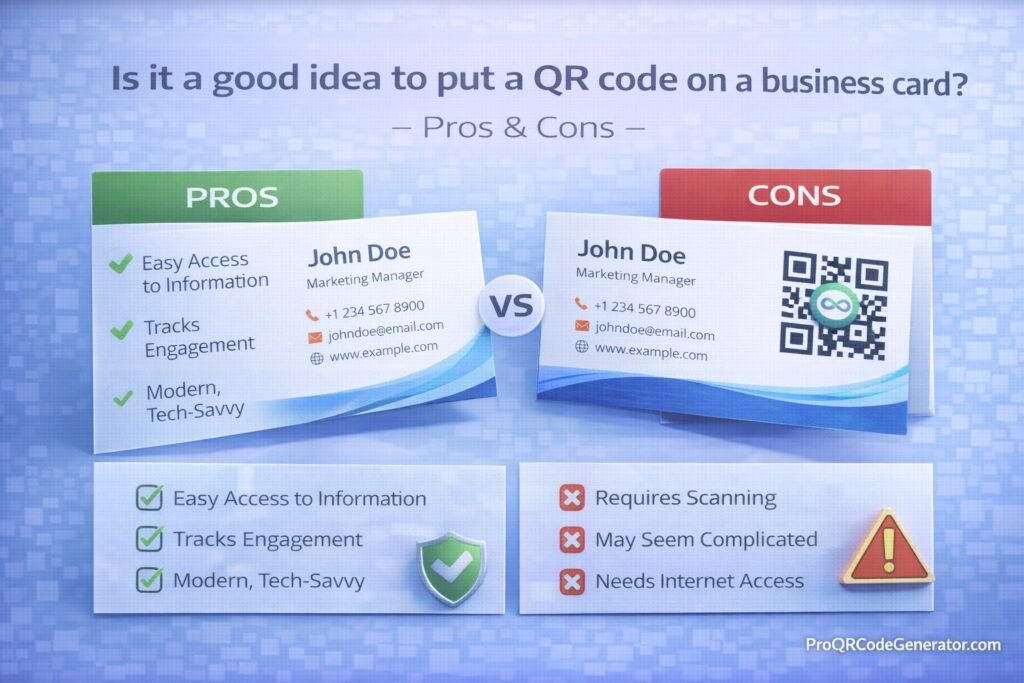
Is It a Good Idea to Put a QR Code on a Business Card? The Pros and Cons
If you are evaluating whether to integrate this technology into your corporate identity, weigh these strategic advantages and potential pitfalls.
The Pros of QR Business Cards
1. Frictionless Contact Acquisition
The primary benefit is speed. A prospect points their camera at your card, and within two seconds, your name, number, email, and company are perfectly formatted and saved in their phone. You eliminate the risk of typos and the friction of manual data entry.
2. Infinite Data Capacity
A physical card is constrained by 7 square inches of space. A dynamic QR code unlocks infinite digital real estate. Your code can route users to a digital profile that includes:
- A high-resolution professional headshot
- An embedded introductory video
- Direct links to your LinkedIn and corporate website
- A link to your calendar booking software (e.g., Calendly) to schedule a follow-up meeting instantly.
3. Real-Time Editability
If you receive a promotion, change your phone number, or your company undergoes a rebranding, traditional business cards become obsolete instantly. If you utilized a dynamic QR code, you simply update the information in your software dashboard. The physical cards currently sitting in the wallets of your prospects will instantly route to your newly updated information.
The Cons (And How to Mitigate Them)
1. The Risk of Link Rot (Static Obsolescence)
If you use a “free” QR code generator to create your card, there is a high probability the provider will delete your link or cap your scans after 30 days. Handing out a card with a dead link is a severe professional branding error.
- Mitigation: Never use free tools for professional collateral. Utilize an enterprise-grade platform that guarantees link permanence and server uptime.
2. Poor Aesthetic Integration
A massive, generic black-and-white square plastered awkwardly in the middle of a beautifully designed minimalist card ruins the aesthetic.
- Mitigation: Treat the QR code as a core design element. Customize it with your brand colors, embed your corporate logo in the center, and ensure it aligns with the card’s visual hierarchy.
3. Space Constraints and Sizing Errors
If you print the code too small to save space, smartphone cameras will not be able to focus on the matrix, rendering the card useless.
- Mitigation: Adhere strictly to minimum sizing guidelines (at least 0.8 x 0.8 inches).
Static vs. Dynamic QR Codes: The Enterprise Comparison
When answering “is it a good idea to put a QR code on a business card,” the answer heavily depends on which type of code you use. For enterprise applications, dynamic architecture is non-negotiable.
| Feature Matrix | Static QR Code | Dynamic QR Code (Professional) |
| Data Editing Post-Print | No. Requires reprinting cards. | Yes. Update title/number anytime. |
| Scan Tracking & Analytics | No. Zero visibility. | Yes. Track location, time, and device. |
| Visual Scannability | Low (Dense pattern, hard to read). | High (Clean, simple pattern). |
| Rich Media Support | Text only. | Supports images, videos, and custom CSS. |
| Best For: | One-off event badges. | C-Suite executives, sales teams, agencies. |
(To ensure your networking assets are future-proof and fully editable, explore the dynamic vCard generation tools at ProQRCodeGenerator.com.)
Business Applications: Who Benefits Most?
Certain industries and roles extract significantly higher ROI from digital networking tools due to the nature of their sales cycles.
Real Estate Agents and Brokers
Real estate is a relationship-driven industry where visual branding is paramount. An agent can place a dynamic QR code on the back of their card. When scanned, it not only saves their contact information but provides a button linking directly to their active property listings. As inventory changes, the agent updates the destination link without ever changing the physical card.
B2B Enterprise Sales Teams
At large trade shows, executives collect dozens of cards, most of which are forgotten. A sales director who hands out a card with a branded QR code ensures their data enters the prospect’s CRM instantly. Furthermore, they can route the scan to a personalized landing page featuring a case study highly relevant to that specific trade show.
Creative Professionals and Consultants
For graphic designers, architects, and freelance consultants, the business card is a gateway to a portfolio. A sleek, minimalist card with a single QR code on the back can route a potential client directly to a high-resolution, mobile-optimized gallery of past work, accelerating the trust-building process.
Step-by-Step Guide: How to Add a QR Code to Your Business Card
If you have decided to modernize your networking strategy, execution is critical. Follow this technical deployment process to ensure flawless scannability.
Step 1: Choose Your Generation Platform
Select a professional SaaS platform like ProQRCodeGenerator.com to ensure you are creating a dynamic, trackable link rather than a rigid static image.
Step 2: Select the “vCard Plus” or “Profile” Data Type
Input your comprehensive professional data: Full name, exact title, direct phone line, professional email, LinkedIn URL, and a high-quality headshot.
Step 3: Customize for Brand Cohesion
- Change the default black pattern to match your corporate hex codes (ensure the color remains dark).
- Upload your company logo and embed it in the center of the matrix.
- Select an error correction level of ‘M’ (Medium) or ‘Q’ (Quartile) to ensure the code remains scannable even if the physical card gets scuffed in a wallet.
Step 4: Download in Vector Format (Crucial)
Never send a PNG or JPG to a commercial printer. Download your customized QR code as an SVG, EPS, or PDF vector file. Vector files ensure the edges of the matrix remain razor-sharp and easily scannable, regardless of print resolution.
Step 5: Design and Print Testing
Place the code on the card, maintaining a “quiet zone” (blank space) around the perimeter. Before ordering 5,000 cards, print a sample on standard paper at 100% scale. Scan it with an iPhone and an Android device to verify the routing speed and data accuracy.
Advanced Analytics & Scan Tracking
One of the most powerful arguments for why it is a good idea to put a QR code on a business card is the introduction of data analytics into physical networking.
When you hand out traditional cards, you have zero visibility into your engagement rate. A professional dynamic QR platform provides an analytics dashboard revealing:
- Scan Volume: Did you hand out 100 cards at the convention? Your dashboard will show you exactly how many of those prospects actually scanned the card to save your data.
- Geographic Location: For traveling sales professionals, seeing a heat map of where your cards are being scanned helps map your regional influence.
- Time of Scan: If you notice most scans happen 24 to 48 hours after an event, you can perfectly time your follow-up email sequences to hit their inbox exactly when you are top-of-mind.
Calculating the ROI of Digital Networking
Is the cost of professional QR software worth it for business cards? The return on investment is calculated purely through risk mitigation and reduced reprint costs.
Consider an enterprise with 200 employees. The company spends $10,000 annually printing high-quality business cards. Over the course of a year, 20% of the staff will experience a title change, an office relocation, or a phone number update. With traditional cards, that results in $2,000 worth of wasted, obsolete cardboard that must be shredded and reprinted.
By utilizing dynamic QR codes, the HR or IT department logs into the central dashboard and updates the employee profiles in seconds. The existing physical cards remain perfectly accurate. The software pays for itself by entirely eliminating the cost of data-driven reprints.
(Ready to standardize your corporate networking assets? Start managing your team’s digital business cards seamlessly with ProQRCodeGenerator.com.)
Crucial Mistakes to Avoid When Designing Your Card
Even with the best software, graphic design errors can destroy the functionality of your QR code. Avoid these conversion-killing mistakes:
- Violating the Quiet Zone: A QR code requires a mandatory border of negative space around its edges so the camera can distinguish the code from the background. Never let text, graphics, or borders encroach on this space.
- Inverting the Colors Incorrectly: While customizing, you must ensure the QR data pattern is significantly darker than the background. Printing a white QR code on a black card looks sleek, but many older smartphone cameras cannot invert the logic to read it, resulting in failed scans.
- The “Orphan” Code: Never place a bare QR code on the back of a card without context. Always pair it with a Call to Action (CTA), such as “Scan to Save Contact” or “Scan for Portfolio.” Providing clear instructions increases scan-through rates by up to 80%.
Optimization Tips for Maximum Scan-Through Rates
To ensure your digital networking strategy is highly effective, optimize the physical medium itself:
- Utilize Matte Finishes: Glossy, UV-coated business cards reflect overhead lighting, creating glare that blinds the smartphone camera lens. Print your QR codes on high-quality matte or soft-touch stock to absorb light and enhance the contrast for the scanner.
- Strategic Placement: Dedicate the back of the business card entirely to the QR code and your Call to Action. This keeps the front of the card clean, traditional, and uncluttered, satisfying both modern and conservative networking sensibilities.
- Include a Custom Short Link: Always include the human-readable short link (e.g.,
contact.yourcompany.com/johndoe) printed small beneath the QR code. This provides a fallback option for prospects who prefer to type rather than scan.
Security Considerations for Professional Contact Data
When digitizing executive contact information, enterprise security protocols must be observed.
- Data Scraping Protection: Hosting your vCard data on a secure, professional SaaS platform ensures your phone numbers and emails are not scraped by malicious bots crawling free generator sites.
- Centralized Link Management: If an employee leaves the company, a centralized dynamic QR platform allows the IT administrator to instantly deactivate that employee’s specific vCard link or redirect it to the main corporate line. This prevents ex-employees from using company-branded collateral to route prospects to their new ventures.
Frequently Asked Questions (FAQ)
Is it a good idea to put a QR code on a business card?
Yes, it is highly recommended. A dynamic QR code eliminates the friction of manual data entry, allows you to share unlimited digital information, and ensures your contact details can be updated without reprinting your physical cards.
Should I put the QR code on the front or back of the business card?
It is best practice to place the QR code on the back of the card. This allows the front to retain a clean, traditional corporate design while dedicating the necessary space on the back for the code to be printed at a scannable size.
What size should a QR code be on a business card?
The absolute minimum size for reliable scanning is 0.8 x 0.8 inches (2 x 2 cm). Any smaller, and many smartphone camera lenses will struggle to focus on the intricate data matrix.
Do QR codes on business cards expire?
Static QR codes never expire but cannot be edited. Dynamic QR codes rely on a routing server; they will not expire as long as you maintain your account with a professional provider. Free dynamic generators often expire links after 14 to 30 days.
Can a QR code automatically save my contact info?
Yes. By encoding a vCard (Virtual Contact File) protocol, scanning the code prompts the user’s phone to instantly open their native Contacts application with all your information pre-filled and ready to save.
What is the best file format for printing a QR code?
Always request a vector format, such as SVG, EPS, or PDF, from your generation platform. Vector files ensure the code prints with razor-sharp edges, preventing the pixelation that occurs with standard PNG or JPG files.
Conclusion: Elevating Your First Impression
The modern business environment moves at an unprecedented pace. When you hand a prospect your card, you have a brief window to capture their attention and secure a place in their network.
So, is it a good idea to put a QR code on a business card? The strategic consensus is a resounding yes. It signals to your prospects that you value their time, you understand modern efficiency, and you are digitally fluent.
However, the execution determines the success. Relying on static, uneditable codes or poor graphic design will yield more frustration than connection. By investing in dynamic architecture, you decouple your physical networking assets from the constraints of printed ink. You gain the power to update your title, track your networking ROI, and deliver a seamless, branded digital experience every single time your card is scanned.

