
Table of Contents
Restaurants around the world increasingly rely on QR codes for menus, ordering, promotions, and customer engagement. But one concern restaurant owners often have is simple:
Can a restaurant QR code expire?
If a QR code suddenly stops working, customers cannot access the menu, promotions fail, and the dining experience becomes frustrating.
The good news is that a restaurant QR code that never expires is completely possible when implemented correctly. The key is understanding the difference between static and dynamic QR codes and using the right technology to manage digital menus and restaurant campaigns.
In this guide, you will learn:
- How restaurant QR codes work
- Whether QR codes can expire
- The difference between static and dynamic QR codes
- How to create a restaurant QR code that never expires
- Step-by-step instructions for building a QR menu system
- Analytics and tracking insights for restaurant QR campaigns
- Real restaurant use cases
- Common mistakes restaurants make
- Optimization strategies for QR menu success
By the end, you will understand how restaurants use QR codes not just for menus—but as powerful marketing and operational tools.
What Is a Restaurant QR Code?
A restaurant QR code is a scannable code placed on tables, walls, menus, packaging, or marketing materials that directs customers to digital content when scanned with a smartphone.
Most commonly, restaurants use QR codes for:
- digital menus
- ordering systems
- reservations
- promotions
- loyalty programs
- feedback forms
When a customer scans the QR code with their phone camera, the phone automatically opens a webpage containing the menu or restaurant content.
This process eliminates the need for printed menus and allows restaurants to update content instantly.
Can a QR Code Really Never Expire?
Yes—but it depends on how the QR code was created.
A restaurant QR code that never expires typically uses a dynamic QR system.
However, some QR codes may stop working because:
- the hosting service expires
- the link changes
- the QR generator deletes the code
- the platform requires renewal
Understanding the two main types of QR codes explains this issue.
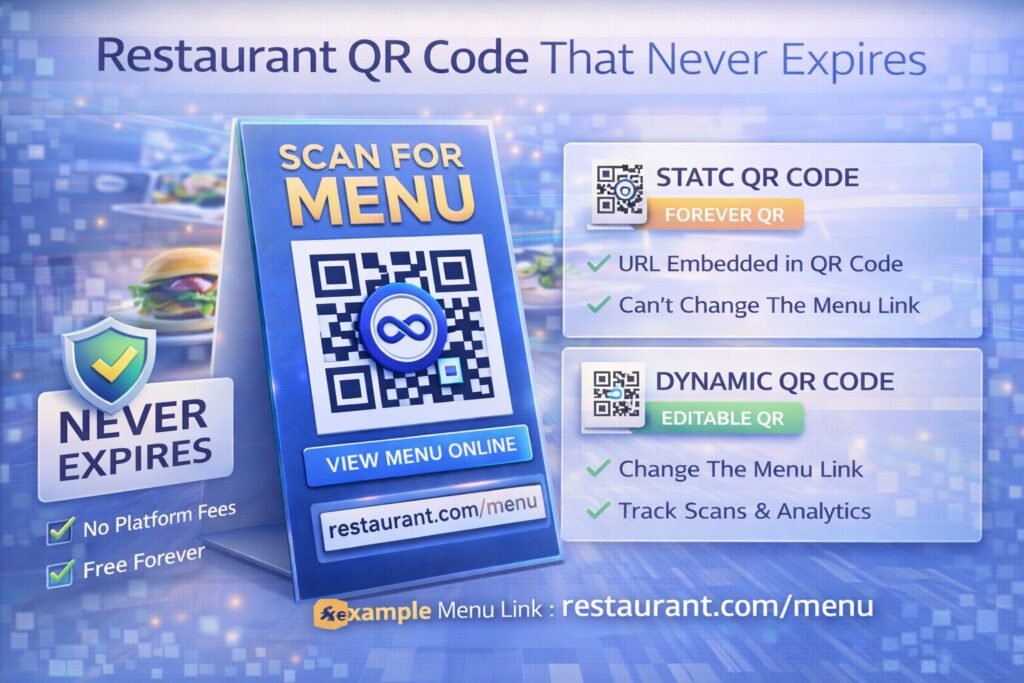
Static vs Dynamic QR Codes for Restaurants
QR codes fall into two categories: static and dynamic.
| Feature | Static QR Code | Dynamic QR Code |
|---|---|---|
| Menu updates | ❌ No | ✅ Yes |
| Expiration risk | Low | Depends on platform |
| Analytics tracking | ❌ No | ✅ Yes |
| Editable after printing | ❌ No | ✅ Yes |
| Best for restaurants | Limited | Recommended |
Static QR Codes
Static QR codes embed the final link directly inside the code.
Example:
https://restaurant.com/menu
When scanned, the phone opens that page directly.
The advantage is that static QR codes technically never expire. However, they come with serious limitations:
- menus cannot be updated easily
- analytics are unavailable
- campaigns cannot change
If the menu link changes, the QR code must be replaced.
Dynamic QR Codes
Dynamic QR codes use a redirect system.
Instead of encoding the final link, they encode a short redirect URL managed by a platform.
Workflow:
- Customer scans QR code
- Request goes to redirect server
- Platform records analytics
- Customer is redirected to menu
Because the final destination lives on the platform, restaurants can update the menu anytime.
Professional QR platforms such as ProQRCodeGenerator.com use this system to allow restaurants to update menu links, track scans, and maintain long-term QR reliability.
How Permanent Restaurant QR Codes Work
A restaurant QR code that never expires is usually dynamic but maintained through a stable QR platform.
Here’s how it works:
- A QR code is generated with a redirect URL.
- The platform hosts the redirect server.
- The restaurant controls the destination link through a dashboard.
- The QR code image never changes.
This allows restaurants to:
- update menus instantly
- run promotions
- change links without reprinting
As long as the QR platform remains active, the QR code continues working indefinitely.
Step-by-Step: Creating a Restaurant QR Code That Never Expires
Building a reliable QR code system for a restaurant is simple.
Step 1 — Prepare Your Digital Menu
First create a digital menu.
Common formats include:
- restaurant website page
- Google Drive PDF
- restaurant ordering system
- digital menu software
Ensure the menu is mobile-friendly.
Step 2 — Use a Dynamic QR Code Generator
Choose a generator that supports:
- dynamic QR codes
- unlimited scans
- analytics tracking
- menu updates
Dynamic QR codes ensure the menu can be updated later.
Step 3 — Paste the Menu Link
Enter your menu URL in the QR generator.
Example:
https://restaurant.com/menu
The platform will generate the QR code.
Step 4 — Customize the QR Code
Restaurants often customize QR codes with:
- brand colors
- logo in the center
- frames with instructions
Example labels:
- Scan to view menu
- Scan to order food
- View our specials
This improves scan engagement.
Step 5 — Download and Print the QR Code
Download the QR code in high resolution.
Recommended formats:
- SVG
- PNG
Place QR codes on:
- table tents
- wall posters
- window signs
- menus
- receipts
Step 6 — Test Before Deployment
Always test QR codes with multiple devices before printing.
Check:
- scan speed
- mobile page load
- menu readability
Testing prevents customer frustration.
Tools for Creating Restaurant QR Codes
Restaurants need reliable QR infrastructure.
Good QR tools should include:
- dynamic QR creation
- analytics dashboards
- editable links
- branding customization
- unlimited scans
Platforms such as ProQRCodeGenerator.com combine these features to help restaurants manage QR menus, marketing campaigns, and analytics in one system.
Using a professional platform ensures QR codes remain reliable long-term.
Analytics & Tracking for Restaurant QR Menus
Dynamic QR codes offer valuable analytics insights.
Restaurants can track:
- total scans
- unique customers
- scan locations
- time of day
- device types
Example insight:
A restaurant may discover that most menu scans occur between 6 PM and 8 PM, helping optimize promotions.
Analytics transforms QR codes from simple menus into powerful data tools.
Platforms like ProQRCodeGenerator.com provide dashboards that visualize scan behavior and customer engagement trends.
Business Benefits for Restaurants
A restaurant QR code system provides several advantages.
Lower Printing Costs
Restaurants no longer need to print menus frequently.
Menu changes happen digitally.
Contactless Dining
QR menus became popular during the pandemic but remain valuable for hygiene and convenience.
Faster Menu Updates
Restaurants can instantly update:
- prices
- seasonal dishes
- promotions
Without replacing QR codes.
Marketing Opportunities
QR codes can link to:
- loyalty programs
- promotions
- social media pages
- email subscriptions
This creates new marketing channels.
Restaurant Industry Use Cases
Different types of restaurants use QR menus differently.
Cafes
QR codes often link to simple drink and pastry menus.
Fine Dining
Restaurants use QR codes for wine lists and chef specials.
Fast Food Chains
QR codes support ordering apps and mobile payments.
Food Trucks
QR codes replace printed menus entirely.
ROI of QR Code Menus
QR menus can significantly reduce costs.
Example:
Restaurant prints menus monthly.
Cost per menu print cycle:
$300 × 12 months = $3,600 annually
Switching to QR menus eliminates most printing costs.
Additionally, QR promotions can increase sales through targeted offers.
Dynamic QR analytics help measure these results.
Common Mistakes Restaurants Make
Several mistakes reduce QR menu effectiveness.
Poor QR Placement
QR codes should be clearly visible on tables.
Small QR Codes
Minimum recommended size:
2–3 cm square.
No Instructions
Customers need guidance.
Example text:
- Scan to view menu
Static QR Codes
Static QR menus cannot be updated easily.
Dynamic systems are usually better.
Optimization Tips for QR Menus
Restaurants can improve QR performance by:
- placing codes at eye level
- using branded QR designs
- ensuring fast-loading menu pages
- providing WiFi for customers
- tracking analytics regularly
These improvements increase scan rates.
Security Considerations
Restaurants must ensure QR codes are safe and trustworthy.
Best practices include:
- HTTPS menu pages
- trusted QR platforms
- secure hosting infrastructure
Professional QR tools maintain secure redirect systems to protect customers.
Frequently Asked Questions
Can restaurant QR codes expire?
Static QR codes do not expire, but dynamic QR codes depend on the platform hosting them.
Can I update a QR menu without reprinting the code?
Yes. Dynamic QR codes allow menu updates without changing the QR image.
Are QR code menus free?
Some tools offer free static QR codes, but dynamic systems with analytics may require subscriptions.
Can restaurants track QR menu scans?
Yes. Dynamic QR platforms allow restaurants to see scan analytics.
What size should a restaurant QR code be?
At least 2–3 cm wide for reliable scanning.
Conclusion: Building a Restaurant QR Code That Never Expires
Creating a restaurant QR code that never expires is entirely achievable with the right approach.
The key is understanding the difference between static and dynamic QR codes.
Static QR codes:
- cannot be edited
- provide no analytics
Dynamic QR codes allow restaurants to:
- update menus instantly
- track customer engagement
- manage campaigns
- avoid costly reprints
Professional QR platforms such as Pro QR Code Generator combine dynamic QR creation, analytics tracking, custom branded codes, and unlimited scan capabilities to help restaurants build reliable long-term QR menu systems.
For restaurants looking to modernize operations and improve customer engagement, dynamic QR codes are no longer optional—they are part of the future of hospitality technology.

