
Table of Contents
In 2026, the question “What are the risks of QR code generator?” has moved from a technical curiosity to a critical business security concern. With over 90% of global marketing campaigns incorporating QR technology and mobile payments projected to exceed $3 trillion this year, the “gateway” used to create these codes is a high-value target for cybercriminals.
Using an unvetted or “free” QR code generator isn’t just a marketing shortcut; it is a potential security breach in the making. This comprehensive guide explores the sophisticated risks of QR generation and how to identify professional platforms that protect your brand and your users.
1. The Anatomy of Risk: Why the Generator Matters
A QR code is effectively a visual wrapper for data—usually a URL. While the square pattern itself is harmless, the redirection service provided by the generator is where the danger lies. When a user scans your code, they are often sent to the generator’s server first before being redirected to your final destination.
If that server is insecure or managed by an unethical provider, your “bridge” to the customer becomes a trap.
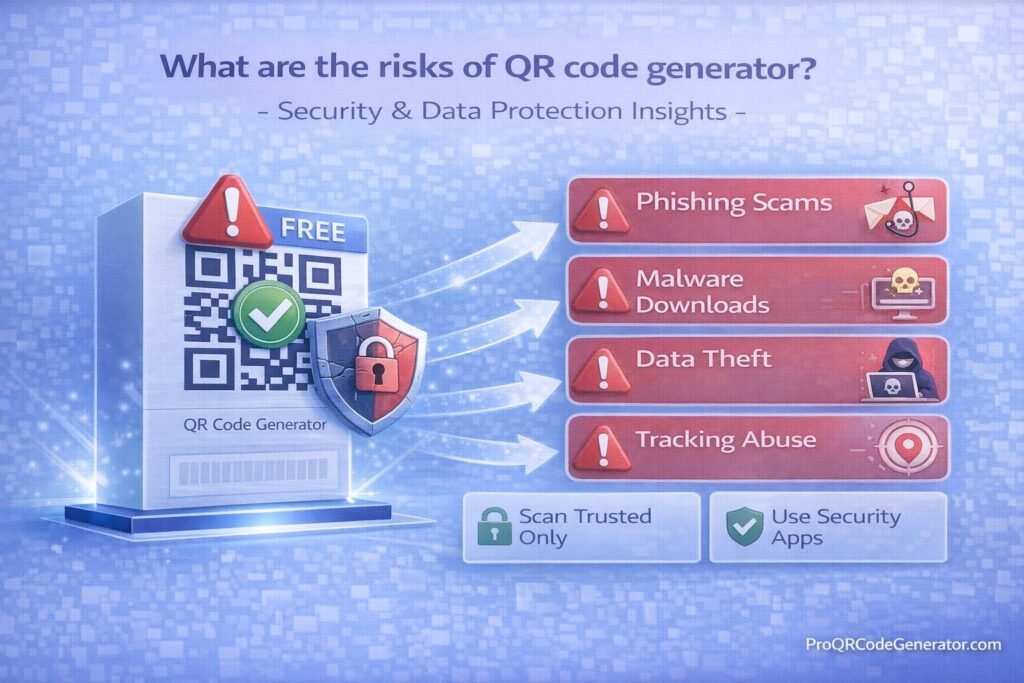
2. 5 Critical Security Risks of Using Untrusted QR Generators
1. Quishing (QR Phishing) and Malicious Redirects
The most significant risk in 2026 is quishing. Cybercriminals create legitimate-looking QR code generators to lure businesses into creating codes. Once those codes are printed on thousands of flyers or products, the attacker changes the backend redirect to point to a phishing site designed to steal login credentials or financial data.
2. Injected Interstitial Ads and Malware
Many free generators monetize their service by inserting an “interstitial” page between the scan and the destination. These pages often host unvetted third-party ads that can:
- Inject tracking cookies without consent.
- Trigger “drive-by downloads” of mobile malware.
- Damage your brand by associating it with low-quality or offensive content.
3. Data Harvesting and Privacy Violations
When a user scans a code, the generator’s server captures metadata: IP addresses, precise GPS location, device IDs, and browser versions.
- The Risk: Untrusted platforms harvest this “zero-party” data and sell it to data brokers.
- The Solution: Professional platforms like ProQRCodeGenerator.com ensure that scan data is anonymized and compliant with global privacy standards like GDPR and CCPA.
4. Lack of SSL Encryption (HTTP vs. HTTPS)
Security-conscious browsers and mobile OS updates in 2026 frequently block links that do not use HTTPS. Many low-end generators still use unencrypted http:// short-links, making the connection vulnerable to “man-in-the-middle” attacks where data can be intercepted in transit.
5. The Dead Link Trap (Sustainability Risk)
Free generators often have “expiration” clauses or scan limits hidden in their terms of service. If the generator goes out of business or you exceed a hidden limit, your printed QR codes instantly become “dead links,” leading to a 404 error and a massive loss in ROI.
3. How to Audit a QR Code Generator: A Business Checklist
Before deploying a QR strategy, audit your provider against these enterprise security requirements:
| Security Feature | Requirement for 2026 | Why It’s Mandatory |
| Data Residency | GDPR / CCPA / SOC2 | Legal compliance for handling user metadata. |
| Encryption | TLS 1.2+ / SSL | Prevents data interception during the redirect. |
| Domain Control | Branded Short URLs | Prevents “URL filtering” blocks and builds user trust. |
| Access Control | MFA / SSO | Prevents unauthorized staff or hackers from editing links. |
| Dynamic Capability | Real-time Editing | Allows you to “kill” or change a link if a security threat occurs. |
4. Professional vs. Free Generators: The Security Gap
The “cost” of a free generator is often paid in security debt. Professional SaaS solutions like ProQRCodeGenerator.com provide a managed environment designed to mitigate the risks mentioned above.
- Custom Branded Domains: Instead of using a generic
qr-free.bizlink, you useqr.yourbrand.com. This ensures that security software recognizes the link as part of your verified ecosystem. - Password Protection: For sensitive documents (PDFs, WiFi access), professional tools allow you to add a password layer directly to the QR code.
- Advanced Analytics without Tracking: Gain insights into campaign performance (total scans, device types) without violating the personal privacy of the individual scanning.
5. Frequently Asked Questions (FAQ)
Can a QR code infect my phone with a virus?
A QR code itself cannot contain a virus, but it can direct your phone’s browser to a site that attempts to download malicious software. Always use the native camera app, which provides a URL preview before you click.
How do I know if a QR code generator is safe?
Look for security certifications (ISO 27001, SOC2), check for a clear privacy policy, and verify if the platform allows you to use your own domain for links. Trusted platforms like ProQRCodeGenerator.com will always prioritize these features.
Are static QR codes safer than dynamic ones?
Actually, Dynamic QR codes are safer for business. While static codes are permanent, dynamic codes allow you to redirect traffic or disable the link instantly if you discover the destination has been compromised.
Conclusion: Protecting Your Digital Gateway
The risks of QR code generators are real, but they are manageable with the right tools. In 2026, a QR code is no longer just a marketing “extra”—it is a direct line into your customers’ devices. Treating that connection with the same security rigor as your website or payment gateway is essential.
By moving away from unverified free tools and adopting a professional platform, you ensure that your QR codes remain a bridge of trust rather than a liability.

