
Table of Contents
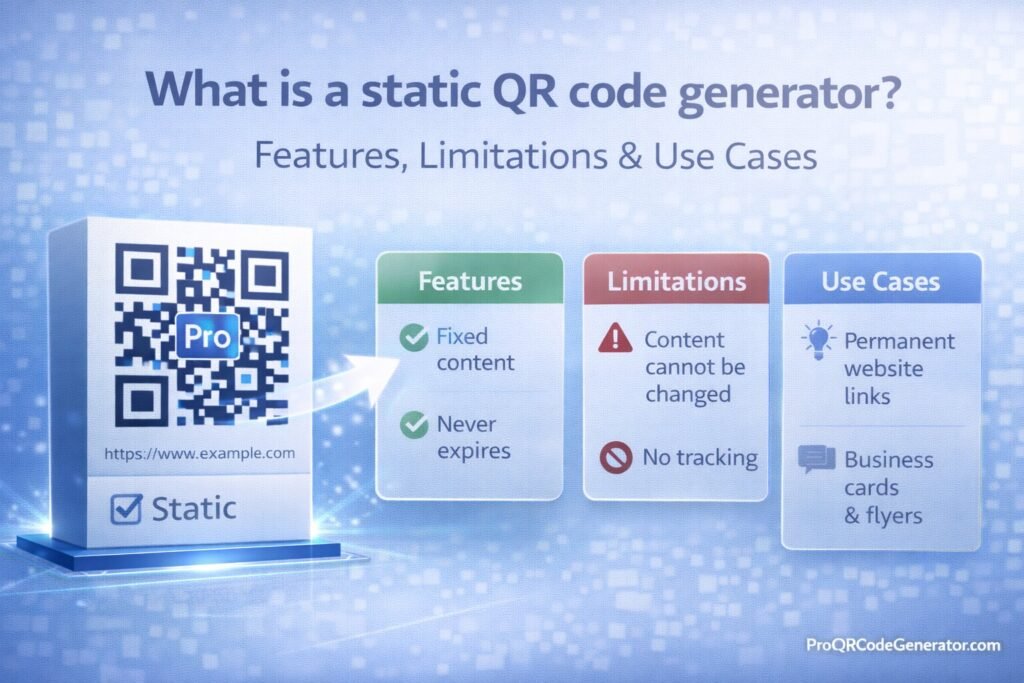
A static QR code generator is a tool that creates QR codes with permanently embedded data. Once generated, the information inside the QR code cannot be edited, tracked, or updated. The code simply stores the data directly within its pattern.
For beginners, static QR codes are simple and free. For businesses, they can be useful in specific scenarios—but they also come with limitations.
In this guide, you’ll learn:
- What a static QR code generator is
- How it works technically
- Key features
- Major limitations
- Real-world use cases
- Static vs dynamic comparison
- When to upgrade to a professional solution
What Is a Static QR Code Generator?
A static QR code generator is software that encodes data directly into a QR code image without relying on a redirect server or cloud dashboard.
When someone scans a static QR code:
- The scanner reads the embedded data.
- The device processes the content instantly.
- The action occurs (open URL, show text, connect to WiFi, etc.).
There is no intermediate server.
That’s why static QR codes:
- Do not expire
- Do not require hosting
- Cannot be edited
- Cannot track scans
They are permanent by design.
How a Static QR Code Generator Works (Technical Overview)
QR codes store data inside a matrix of black and white modules.
When using a static QR code generator:
- The full data (e.g., https://example.com) is encoded directly into the QR matrix.
- Error correction data is added.
- The final pattern is rendered as an image (PNG, SVG, etc.).
Unlike dynamic QR codes, no short redirect URL is used.
This means:
- The QR code contains the full destination link.
- If the link changes, the QR code becomes obsolete.
Key Features of a Static QR Code Generator
1. Permanent Data Encoding
Once generated, the content cannot be changed.
Ideal for fixed information.
2. No Subscription Required
Most static QR code generators are:
- Free
- No account required
- Instant generation
3. No Hosting Dependency
Static QR codes:
- Do not rely on external servers
- Work as long as the encoded content exists
- Do not depend on third-party uptime
4. Simple Setup
Basic process:
- Enter content
- Generate
- Download
- Use
No dashboard required.
5. Multiple Content Types
A static QR code generator can encode:
- Website URLs
- Plain text
- Phone numbers
- SMS messages
- Email addresses
- WiFi credentials
- vCards
Limitations of a Static QR Code Generator
Understanding limitations is critical.
1. No Editing After Printing
If you:
- Change your website
- Update your phone number
- Reset a group invite link
You must reprint the QR code.
There is no way to update it.
2. No Scan Analytics
Static QR codes do not track:
- Number of scans
- Location
- Device type
- Time of scan
For marketing campaigns, this is a major drawback.
3. No Campaign Optimization
You cannot:
- A/B test landing pages
- Change offers
- Redirect traffic
- Measure ROI
For businesses, these features are often essential.
4. Long URLs Increase Complexity
Because the entire URL is embedded:
- Long URLs create dense QR codes
- Dense QR codes reduce scan reliability
- Very long data may hit capacity limits
5. No Centralized Management
Static codes cannot be:
- Managed in bulk
- Updated centrally
- Monitored in a dashboard
This becomes problematic at scale.
Static vs Dynamic QR Code Generator
Understanding the difference is crucial.
| Feature | Static QR Code Generator | Dynamic QR Code Generator |
|---|---|---|
| Editable After Creation | ❌ No | ✅ Yes |
| Scan Tracking | ❌ No | ✅ Yes |
| Analytics Dashboard | ❌ No | ✅ Yes |
| A/B Testing | ❌ No | ✅ Yes |
| Hosting Required | ❌ No | ✅ Yes |
| Best For | Permanent info | Marketing & business |
Dynamic QR code generators use a short redirect URL, allowing content updates and analytics.
Professional SaaS platforms such as ProQRCodeGenerator.com provide dynamic QR codes with:
- Editable destinations
- Analytics dashboards
- Unlimited scans
- Bulk generation
- API integration
But if your need is purely permanent and simple, static may be sufficient.
Real-World Use Cases for Static QR Code Generators
1. Business Cards
Embed:
- Website
- LinkedIn profile
- Portfolio
If these links are stable, static works well.
2. WiFi Sharing
Static QR codes can store:
- Network name
- Password
Useful for:
- Cafés
- Offices
- Events
3. Permanent Product Manuals
If your documentation URL will never change, static is acceptable.
4. Personal Use
Examples:
- Resume link
- Event invitation
- Portfolio website
5. Internal Company Use
For fixed internal links that rarely change.
When Should You Avoid a Static QR Code Generator?
Avoid static QR codes if:
- You are running marketing campaigns
- You need scan analytics
- You expect the link to change
- You print at large scale
- You need bulk management
- You want performance tracking
For packaging or advertising, dynamic QR codes reduce risk.
Security Considerations
Static QR codes are:
- Not dependent on external servers
- Not subject to redirect tampering
- Less vulnerable to hosting downtime
However:
- If the encoded website goes offline, the QR fails
- If you need to update content, you cannot
- Anyone can copy the image
Security depends more on the destination than the QR itself.
Beginner Mistakes to Avoid
When using a static QR code generator:
- Encoding the wrong URL
- Forgetting HTTPS
- Printing low-resolution images
- Cropping the quiet zone
- Using low contrast colors
- Printing too small
Always test before mass distribution.
Should Businesses Use Static QR Code Generators?
It depends on the use case.
Use static if:
- The data is permanent
- You don’t need tracking
- You’re not running campaigns
Avoid static if:
- Marketing attribution matters
- You need performance data
- The destination may change
For growing businesses, starting static may seem simple, but upgrading to dynamic later often becomes necessary.
Platforms like ProQRCodeGenerator.com allow both static and dynamic creation within one system, so businesses can scale when needed without rebuilding infrastructure.
Frequently Asked Questions
What is a static QR code generator?
It’s a tool that creates QR codes with permanently embedded data that cannot be edited or tracked.
Do static QR codes expire?
No. They work as long as the encoded content remains valid.
Can I edit a static QR code later?
No. You must generate a new one.
Are static QR codes free?
Most generators offer free static QR creation.
Is static better than dynamic?
Not better—just different. Static is simpler; dynamic is more flexible.
Conclusion – Is a Static QR Code Generator Right for You?
A static QR code generator is simple, permanent, and free.
It’s ideal for:
- Fixed information
- Personal use
- Small-scale projects
- Internal resources
But it lacks:
- Editing capability
- Analytics
- Campaign optimization
- Scalability
If your goal is marketing performance, measurable engagement, or business growth, a dynamic solution provides significantly more flexibility.
Professional platforms such as ProQRCodeGenerator.com offer both static and dynamic options, enabling beginners to start simple and businesses to scale strategically.
Choosing correctly at the beginning prevents costly reprints and missed opportunities later.

