
Table of Contents
Can you track the number of QR code scans?
Yes — but only if you use the right type of QR code.
Many businesses print QR codes on flyers, packaging, menus, billboards, and business cards without realizing that not all QR codes are trackable. If you are investing in offline marketing, event materials, or product distribution, understanding whether and how you can track the number of QR code scans is critical.
This guide explains:
- Whether QR scans can truly be tracked
- The difference between static and dynamic QR codes
- The tools used to measure scans
- What data you can collect
- How tracking works technically
- How to calculate ROI from scan data
- Security and privacy implications
- Best practices for reliable tracking
If you want measurable marketing instead of guesswork, this article will give you a complete, strategic answer.
Can You Track the Number of QR Code Scans? The Clear Answer
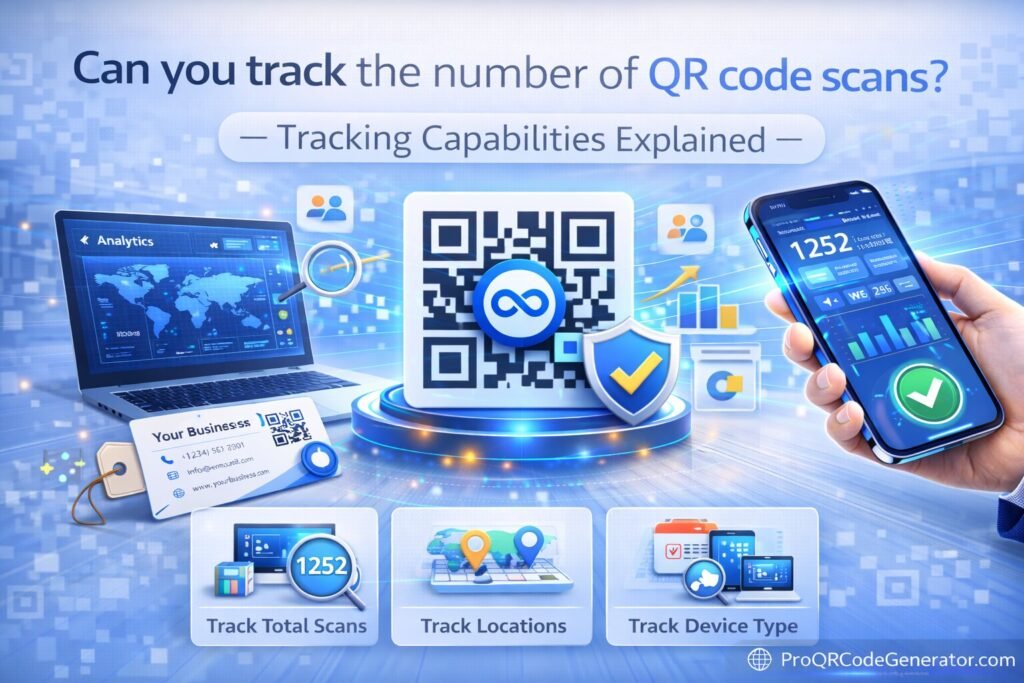
Yes, you can track the number of QR code scans — but only with dynamic QR codes.
Static QR codes cannot track scan data on their own.
Here’s the simple breakdown:
| QR Code Type | Can Track Scans? | Editable After Printing? | Recommended for Business? |
|---|---|---|---|
| Static QR | ❌ No | ❌ No | Limited |
| Dynamic QR | ✅ Yes | ✅ Yes | Yes |
If your QR code directly encodes a website URL (static), there is no built-in tracking mechanism.
If your QR code uses a redirect-based system (dynamic), scan tracking becomes possible.
How QR Code Scan Tracking Works (Technical Explanation)
To understand how to track QR code scans, you need to understand redirect architecture.
Static QR Code Workflow
- QR code stores the final URL.
- User scans.
- User goes directly to the website.
- No scan data is recorded at the QR level.
You may track website visits via analytics tools, but you cannot track the scan event itself.
Dynamic QR Code Workflow
Dynamic QR codes use an intermediary redirect server.
- QR code stores a short redirect URL.
- User scans the code.
- The redirect server:
- Logs the scan event.
- Records metadata (timestamp, device, location).
- Redirects user to final destination.
- Analytics dashboard displays scan data.
This redirect system is what makes tracking possible.
Professional QR platforms such as ProQRCodeGenerator.com use dynamic redirect infrastructure to enable scan tracking, editing after printing, and performance monitoring.
What Data Can You Track from QR Code Scans?
With a dynamic QR platform, you can track:
1. Total Scans
The total number of times the QR code has been scanned.
2. Unique Scans
The number of distinct devices that scanned the QR code.
This distinction matters because repeat scans inflate total numbers.
3. Scan Time & Date
Understand peak engagement periods.
Example:
- Lunch hours for restaurant menus
- Event hours for trade show booths
4. Location Data
City or country-level data derived from IP addresses.
This is useful for:
- Regional campaign targeting
- International marketing
5. Device & Operating System
- iOS vs Android
- Mobile device type
This informs mobile optimization strategies.
6. Campaign Segmentation
You can label QR codes by:
- Campaign name
- Event
- Product
- Location
This allows comparative performance analysis.
Methods to Track QR Code Scans
There are three main methods used in practice.
Method 1: Dynamic QR Code Platforms (Most Complete)
This is the most reliable and scalable method.
Dynamic QR platforms provide:
- Real-time scan analytics
- Editable destinations
- Unlimited scan handling
- Secure redirect hosting
- Centralized dashboard
These platforms are purpose-built for businesses that require measurable performance.
For example, ProQRCodeGenerator.com provides dynamic QR creation with analytics tracking, campaign labeling, and unlimited scans — allowing businesses to monitor engagement across print and digital channels.
This method tracks scan events directly, not just website traffic.
Method 2: UTM Parameters + Google Analytics
Another method to track QR code performance is through UTM-tagged URLs.
Example:
https://example.com?utm_source=qr&utm_medium=print&utm_campaign=expo2026
You generate a QR code for this URL and monitor traffic inside Google Analytics.
What You Can Track:
- Website visits
- Campaign source
- Conversion rate
- On-site behavior
Limitations:
- Cannot confirm scan if page fails to load
- No QR-level analytics dashboard
- No editing flexibility with static QR
- No device breakdown at scan level
This method tracks visits — not the raw scan event.
Method 3: URL Shorteners with Click Tracking
Some businesses use:
- A shortened URL (e.g., via a shortener service).
- Generate QR code pointing to the short link.
- Monitor click statistics.
Limitations include:
- Basic click counts only
- Limited data granularity
- No advanced campaign segmentation
- No dynamic editing control
This method works for simple needs but lacks professional tracking depth.
Static vs Dynamic QR Tracking Comparison
| Feature | Static QR | UTM QR | Dynamic QR |
|---|---|---|---|
| Scan Count | ❌ | Partial | ✅ |
| Unique Users | ❌ | Partial | ✅ |
| Location Data | ❌ | Limited | ✅ |
| Editable After Printing | ❌ | ❌ | ✅ |
| Campaign Segmentation | ❌ | Limited | Advanced |
| Business Scalability | Low | Medium | High |
If you are serious about measuring engagement, dynamic QR codes are the only complete solution.
Step-by-Step: How to Track QR Code Scans Properly
Here is a structured implementation process.
Step 1: Choose a Dynamic QR Platform
Select a system that offers:
- Real-time analytics
- Secure redirect hosting
- Unlimited scan support
- Editable destination URLs
Business-ready platforms such as ProQRCodeGenerator.com are built for tracking performance across campaigns and materials.
Step 2: Create a Dynamic QR Code
Select the appropriate type:
- URL
- WiFi
- vCard
Ensure dynamic tracking is enabled.
Step 3: Configure Campaign Settings
- Assign campaign name
- Add internal labels
- Enable analytics dashboard
- Optionally add UTM parameters
Step 4: Deploy Across Channels
Use QR codes on:
- Product packaging
- Business cards
- Flyers
- Store windows
- Event banners
- Restaurant tables
Step 5: Monitor and Optimize
Review metrics regularly:
- Scan volume
- Unique users
- Conversion rates
- Geographic performance
- Peak engagement times
Adjust landing pages or offers as needed — without reprinting QR codes.
Business Applications of QR Scan Tracking
Retail
Track engagement per in-store display.
Events
Measure booth interest and post-event engagement.
Real Estate
Track property listing scans from signage.
Restaurants
Monitor menu scans by time of day.
Business Cards
Measure networking engagement after conferences.
Tracking allows you to convert offline interactions into measurable digital data.
Measuring ROI from QR Code Tracking
Tracking QR code scans enables precise ROI calculation.
Example:
- 4,000 flyers distributed
- 1,000 scans recorded
- 200 purchases
- Average order value: $50
Revenue = $10,000
Campaign cost = $1,500
Net profit = $8,500
Without tracking, this calculation would not exist.
Advanced QR Tracking Strategies
1. A/B Testing
Create two QR codes linking to:
- Landing Page A
- Landing Page B
Compare performance metrics.
2. Geo-Based Redirects
Advanced platforms can redirect users to different destinations based on location.
3. Time-Based Redirects
Change destination automatically after a specific date.
4. Multi-Campaign Attribution
Use separate QR codes per campaign to compare effectiveness.
Security & Privacy Considerations
When tracking QR code scans, ensure:
- HTTPS encryption
- Secure hosting infrastructure
- Limited personal data collection
- Compliance with privacy regulations (e.g., GDPR)
Scan tracking typically collects device and location metadata, not personal identity — unless users submit forms.
Professional platforms prioritize secure redirect systems to protect both businesses and end users.
Common Mistakes to Avoid
- Using static QR codes for marketing campaigns
- Not reviewing analytics regularly
- Failing to label campaigns
- Ignoring unique vs total scan differences
- Linking to non-mobile-optimized pages
- Printing QR codes without testing
Tracking is only valuable if analyzed and optimized.
So, Can You Track the Number of QR Code Scans?
Yes — but only with dynamic QR technology.
If you are using static QR codes, you cannot directly track scan counts.
To properly track the number of QR code scans, you need:
- Redirect-based dynamic QR codes
- Analytics dashboard
- Campaign segmentation
- Secure infrastructure
- Unlimited scan handling
Platforms like ProQRCodeGenerator.com illustrate how businesses can combine dynamic QR creation, scan tracking, editability after printing, and advanced analytics into a single workflow.
If your marketing is measurable, it is optimizable.
And if your QR codes are not trackable, they are not strategic.

