
Table of Contents
A whatsapp group qr code generator with logo allows you to turn a WhatsApp group invite link into a branded, scannable QR code that instantly adds members to your group. By embedding your logo and customizing colors, you transform a simple invite into a professional growth tool for communities, events, retail promotions, and business networks.
But creating a high-performing WhatsApp group QR code involves more than just generating an image. You must understand invite link management, logo placement, error correction levels, scan reliability, dynamic tracking, and security.
This complete guide walks you through the entire process.
What Is a WhatsApp Group QR Code Generator with Logo?
A whatsapp group qr code generator with logo is an online tool that:
- Converts a WhatsApp group invite link into a QR code
- Allows logo embedding inside the code
- Supports custom colors and branding
- Offers static or dynamic QR code options
- Provides analytics tracking (in advanced platforms)
Instead of sharing long invite URLs, you provide a branded QR code that users can scan instantly.
Static vs Dynamic WhatsApp Group QR Codes
| Feature | Static Group QR Code | Dynamic Group QR Code |
|---|---|---|
| Editable After Printing | No | Yes |
| Scan Analytics | No | Yes |
| Change Invite Link | No | Yes |
| Campaign Tracking | No | Yes |
| A/B Testing | No | Yes |
Static QR codes permanently encode the group invite link.
Dynamic QR codes use a redirect layer. This allows you to:
- Replace an expired invite link
- Revoke or update links
- Track scan performance
- Optimize campaigns
For business or event growth strategies, dynamic QR codes provide greater flexibility.
How to Get a WhatsApp Group Invite Link
Before using a whatsapp group qr code generator with logo, you need a valid group invite link.
Step 1: Create or Open Your WhatsApp Group
In WhatsApp:
- Open the group chat
- Tap the group name
- Select “Invite via link”
You will see an invite URL such as:
https://chat.whatsapp.com/XXXXXXXXXXXX
Step 2: Copy the Invite Link
Copy the full URL.
Important:
- Do not modify the link manually
- Ensure the link is active
- Test the link before generating a QR code
Step 3: Manage or Revoke Invite Links
WhatsApp allows you to:
- Reset the invite link
- Disable the link
- Generate a new one
If you reset the link, static QR codes become invalid. This is one reason dynamic QR codes are often preferable for ongoing campaigns.
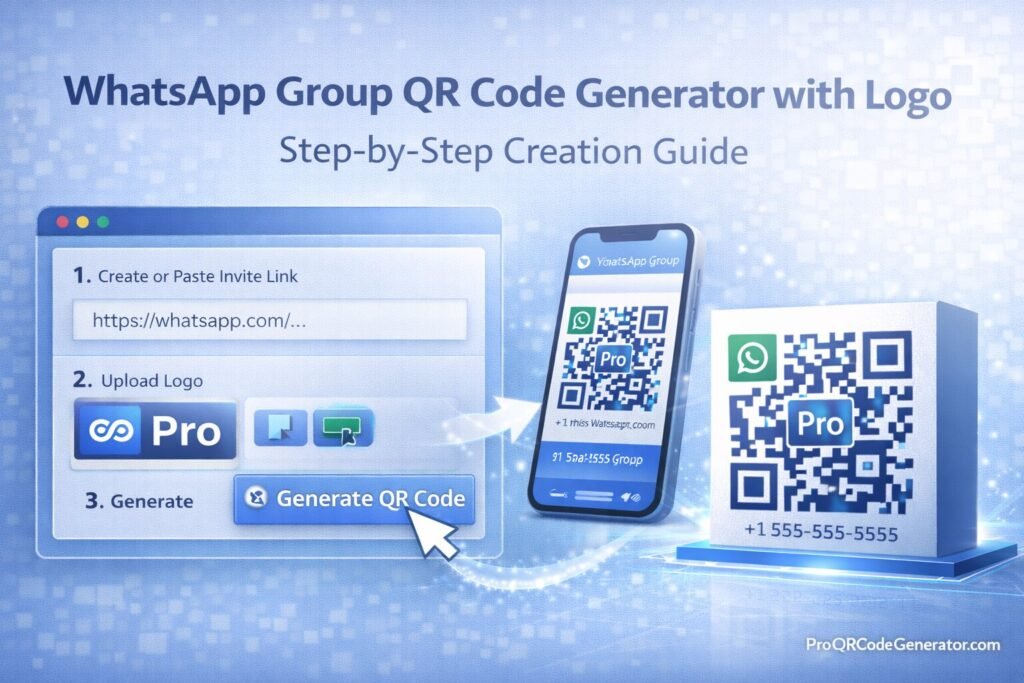
Step-by-Step: Creating a Branded WhatsApp Group QR Code
Step 1: Choose Static or Dynamic
Use dynamic if:
- You plan to distribute printed materials
- The group link may change
- You want analytics
- You want to measure growth
Step 2: Paste the Group Invite Link
Enter the link into your whatsapp group qr code generator with logo.
Step 3: Upload Your Logo
Best practices:
- Use SVG or high-resolution PNG
- Keep logo centered
- Avoid overly complex graphics
- Ensure strong contrast
Keep the logo under 25–30% of the QR code area.
Step 4: Set Error Correction Level
QR codes support four error correction levels:
| Level | Recovery Capacity | Use Case |
|---|---|---|
| L | ~7% | Minimal customization |
| M | ~15% | Standard usage |
| Q | ~25% | Logo embedding |
| H | ~30% | Larger logos |
For branded QR codes, select Q or H.
Higher correction ensures the QR code remains scannable even with part of the design covered by a logo.
Step 5: Customize Colors
Design guidelines:
- Dark foreground, light background
- Avoid gradients behind modules
- Preserve corner detection patterns
- Maintain strong contrast
Step 6: Export High-Resolution File
Choose:
- SVG for scalable print
- EPS for packaging
- PNG for digital sharing
Vector formats are recommended for professional use.
Step 7: Test Thoroughly
Before distribution:
- Test on multiple smartphones
- Test under different lighting
- Print a sample and test physically
- Confirm immediate WhatsApp group access
Never deploy without testing.
Branding & Design Best Practices
A whatsapp group qr code generator with logo should strengthen brand credibility.
Maintain Quiet Zones
The white border around the QR code must remain intact.
Without proper quiet zones, scanning fails.
Avoid Oversized Logos
Large logos:
- Obstruct critical modules
- Reduce scan reliability
- Frustrate users
Balance aesthetics and functionality.
Optimize for Real-World Conditions
Consider:
- Outdoor lighting
- Glossy packaging reflection
- Distance from camera
Design with real environments in mind.
Business & Community Growth Use Cases
Events & Conferences
Use QR codes to:
- Add attendees to event groups
- Share updates instantly
- Coordinate activities
This eliminates manual invite processes.
Retail & Packaging
Place group QR codes on:
- Product packaging
- Receipts
- Storefront displays
Encourage customers to join loyalty communities.
Membership Communities
Brands build:
- VIP groups
- Exclusive product announcements
- Beta testing communities
QR codes accelerate onboarding.
Education & Training
Institutions use group QR codes to:
- Add students to course groups
- Distribute materials
- Provide support channels
Analytics & ROI from WhatsApp Group QR Marketing
When using a dynamic whatsapp group qr code generator with logo, you can track:
- Total scans
- Unique scans
- Geographic location
- Device segmentation
- Time-based engagement
While WhatsApp itself controls group membership metrics, scan tracking allows you to measure campaign performance.
Example ROI Scenario
Campaign performance:
- 3,000 event attendees
- 1,200 scans
- 800 new group members
- 150 product sales generated from group promotions
- $40 average profit
Revenue attributed: $6,000
With a professional QR platform subscription at $29/month, ROI is clear.
Platforms like ProQRCodeGenerator.com provide dynamic editing, logo embedding, unlimited scans, and analytics dashboards that allow you to measure growth performance from a centralized interface.
Free vs Professional WhatsApp Group QR Code Generators with Logo
| Feature | Free Tool | Professional Platform |
|---|---|---|
| Logo Embedding | Basic | Advanced |
| Dynamic Editing | No | Yes |
| Scan Analytics | No | Yes |
| Bulk Generation | No | Yes |
| Unlimited Scans | Limited | Yes |
| API Integration | No | Yes |
| Secure Hosting | Not guaranteed | Yes |
Free tools are acceptable for temporary use.
For business-scale deployment, professional infrastructure reduces risk.
Security & Compliance Considerations
When using a whatsapp group qr code generator with logo:
- Ensure HTTPS redirect hosting
- Verify secure dashboard access
- Confirm GDPR compliance if tracking data
- Protect invite links from misuse
Dynamic platforms provide better control if invite links are reset or revoked.
Common Mistakes to Avoid
- Using static codes for long-term campaigns
- Forgetting to test invite link before printing
- Choosing low contrast color schemes
- Oversizing logos
- Ignoring error correction levels
- Printing low-resolution files
Avoiding these mistakes ensures professional performance.
Frequently Asked Questions
How do I create a WhatsApp group QR code with logo?
Generate your group invite link, paste it into a QR generator, embed your logo, set high error correction, export, and test.
Can I track WhatsApp group QR scans?
Yes, with dynamic QR code platforms.
Can I edit the group link later?
Only if you use a dynamic QR code.
Do WhatsApp group QR codes expire?
They remain valid unless the invite link is revoked or reset.
Is it free to create one?
Basic tools may be free, but advanced features require professional platforms.
Conclusion – Choosing the Right WhatsApp Group QR Code Generator with Logo
A whatsapp group qr code generator with logo turns simple group invitations into branded growth tools.
When implemented correctly, it:
- Accelerates community growth
- Strengthens brand identity
- Reduces onboarding friction
- Enables measurable campaign performance
For casual use, free tools may be sufficient.
For organizations requiring:
- Dynamic editing
- Analytics dashboards
- Unlimited scans
- Bulk generation
- Secure hosting
A professional platform becomes a strategic asset.
Solutions such as ProQRCodeGenerator.com combine logo embedding, dynamic tracking, secure hosting, and centralized management—allowing businesses and communities to scale WhatsApp engagement with measurable results.
In modern digital marketing, growth depends on reducing friction. A properly designed branded WhatsApp group QR code ensures your audience joins in seconds.

