
Table of Contents
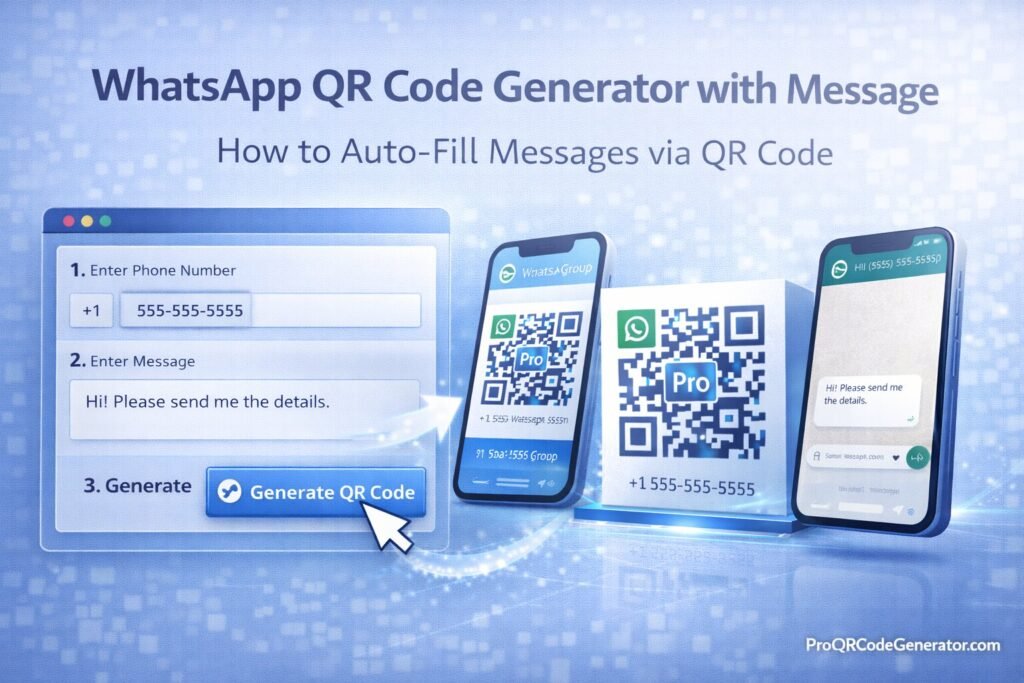
A whatsapp qr code generator with message allows you to create a QR code that not only opens a WhatsApp chat—but automatically pre-fills a message for the user. Instead of asking customers to type “Hi, I’m interested in Product X,” the message is already written for them.
This reduces friction, increases conversion rates, and standardizes incoming inquiries for sales and support teams.
In this complete guide, you’ll learn:
- How WhatsApp pre-filled messages work
- How to generate a QR code with an auto-filled message
- Static vs dynamic WhatsApp QR codes
- Branding with logos and customization
- Tracking, analytics, and ROI
- Security and best practices
What Is a WhatsApp QR Code Generator with Message?
A whatsapp qr code generator with message is a tool that:
- Converts a WhatsApp click-to-chat link into a QR code
- Embeds a pre-filled message inside the link
- Allows branding (logo, colors)
- Supports static or dynamic QR codes
- Provides analytics in advanced platforms
When scanned, the QR code:
- Opens WhatsApp
- Loads your number
- Automatically inserts a predefined message
- Lets the user tap “Send”
This simplifies lead capture and improves response quality.
How WhatsApp Auto-Fill Messages Work
WhatsApp uses a special link format.
Basic Click-to-Chat Format
https://wa.me/YourNumber
Example:
https://wa.me/15551234567
- Include country code
- Remove spaces and symbols
Adding a Pre-Filled Message
To auto-fill a message:
https://wa.me/15551234567?text=Your%20Message%20Here
Example:
https://wa.me/15551234567?text=I%20am%20interested%20in%20your%20premium%20package
Important:
- Replace spaces with
%20 - Encode special characters
- Keep message concise
Once this link is generated, a whatsapp qr code generator with message converts it into a scannable QR code.
Step-by-Step: Create a WhatsApp QR Code with Auto-Fill Message
Step 1: Define Your Message Strategy
Examples:
- “I want more information about Product A.”
- “I’d like to request a quote.”
- “Please send me the event details.”
Pre-filled messages should:
- Be clear
- Indicate user intent
- Help sales categorize inquiries
Step 2: Generate the WhatsApp Link
Format:
https://wa.me/COUNTRYCODENUMBER?text=ENCODED_MESSAGE
Use URL encoding tools to replace spaces and special characters.
Step 3: Choose Static or Dynamic QR Code
| Feature | Static QR Code | Dynamic QR Code |
|---|---|---|
| Editable After Printing | No | Yes |
| Scan Tracking | No | Yes |
| Message Updates | No | Yes |
| Campaign Analytics | No | Yes |
Dynamic QR codes allow:
- Changing message later
- Updating phone number
- Tracking scans
- Running A/B tests
For business campaigns, dynamic is recommended.
Step 4: Customize Branding (Optional but Recommended)
A professional whatsapp qr code generator with message allows:
- Logo embedding
- Color customization
- High error correction
- High-resolution export
When embedding a logo:
- Keep logo under 25–30% of QR area
- Use error correction level Q or H
- Maintain strong contrast
Step 5: Export High-Resolution File
Recommended formats:
- SVG (best for print)
- EPS (packaging)
- PNG (digital use)
Always test before large distribution.
Why Use a WhatsApp QR Code with Auto-Fill Message?
1. Increased Conversion Rates
Users don’t need to type.
Less friction = more messages sent.
2. Standardized Lead Qualification
Pre-filled messages can include:
- Product name
- Campaign source
- Event code
- Location identifier
Example:
I saw this QR code at the Dubai Expo booth.
This improves attribution accuracy.
3. Faster Sales Response
Structured incoming messages help:
- Route leads correctly
- Assign to teams
- Automate responses
4. Offline-to-Online Marketing
Use cases include:
- Product packaging
- Flyers
- Billboards
- Business cards
- Storefront displays
Business & Marketing Use Cases
Retail & Packaging
Add QR codes to packaging with message:
“I need help with installation.”
Improves customer support efficiency.
Events & Conferences
Example message:
“I’d like to receive the conference brochure.”
Simplifies lead capture at booths.
Real Estate
Message:
“I want more details about Property ID 1023.”
Enables structured inquiries.
Restaurants & Hospitality
Message:
“I want to book a table for 4.”
Simplifies reservation process.
Analytics & ROI from WhatsApp QR Campaigns
When using a dynamic whatsapp qr code generator with message, you can track:
- Total scans
- Unique users
- Geographic data
- Device type
- Time-based engagement
Although WhatsApp itself tracks conversations, QR analytics allow campaign attribution.
Example ROI Scenario
Campaign:
- 4,000 brochures
- 900 scans
- 500 conversations
- 120 closed deals
- $80 profit per deal
Revenue: $9,600
With a professional QR platform subscription under $30/month, ROI is substantial.
Platforms like ProQRCodeGenerator.com combine dynamic editing, logo embedding, unlimited scans, and analytics dashboards—allowing businesses to track WhatsApp campaign performance from a centralized interface.
Free vs Professional WhatsApp QR Code Generators with Message
| Feature | Free Tool | Professional Platform |
|---|---|---|
| Auto-Fill Message | Yes | Yes |
| Dynamic Editing | No | Yes |
| Analytics Tracking | No | Yes |
| Unlimited Scans | Limited | Yes |
| Bulk Generation | No | Yes |
| API Integration | No | Yes |
| Secure Hosting | Not guaranteed | Yes |
Free tools are suitable for one-time use.
Professional platforms are better for:
- Marketing campaigns
- Large-scale printing
- Brand consistency
- Analytics-driven decisions
Security & Compliance Considerations
When using a whatsapp qr code generator with message:
- Use HTTPS links
- Verify secure redirect hosting
- Protect dashboard access
- Ensure GDPR compliance if tracking user data
Dynamic QR codes rely on hosting infrastructure. Reliable SaaS platforms minimize downtime and redirect risks.
Common Mistakes to Avoid
- Forgetting URL encoding
- Writing overly long pre-filled messages
- Using low error correction with logos
- Choosing low contrast colors
- Printing low-resolution files
- Using static QR codes for campaigns
Avoiding these ensures professional performance.
Frequently Asked Questions
How do I create a WhatsApp QR code with a pre-filled message?
Generate a wa.me link with ?text=ENCODED_MESSAGE, then convert it using a QR generator.
Can I edit the message later?
Only with dynamic QR codes.
Does auto-fill work on all devices?
Yes, on WhatsApp mobile and web (if installed).
Can I track scans?
Yes, if using a dynamic QR code platform.
Do WhatsApp QR codes expire?
Static codes do not expire. Dynamic codes depend on platform hosting.
Conclusion – Choosing the Right WhatsApp QR Code Generator with Message
A whatsapp qr code generator with message transforms simple messaging into a structured, measurable engagement channel.
When implemented strategically, it:
- Reduces user friction
- Increases message volume
- Standardizes incoming leads
- Improves marketing attribution
- Enhances brand presentation
For small, temporary use cases, free tools may work.
For businesses requiring:
- Dynamic editing
- Analytics dashboards
- Unlimited scans
- Logo embedding
- Secure hosting
A professional platform provides long-term reliability.
Solutions such as ProQRCodeGenerator.com integrate WhatsApp auto-fill message support, branding customization, analytics tracking, and scalable infrastructure—turning QR codes into measurable growth tools.
In modern marketing, the easier you make it for customers to contact you, the faster your business grows.

